

Shopify Amazon Inventory Sync: A Guide to Prevent Overselling
Manage inventory across Shopify and Amazon from a single platform. Improve stock accuracy, automate updates, and simplify multichannel selling.
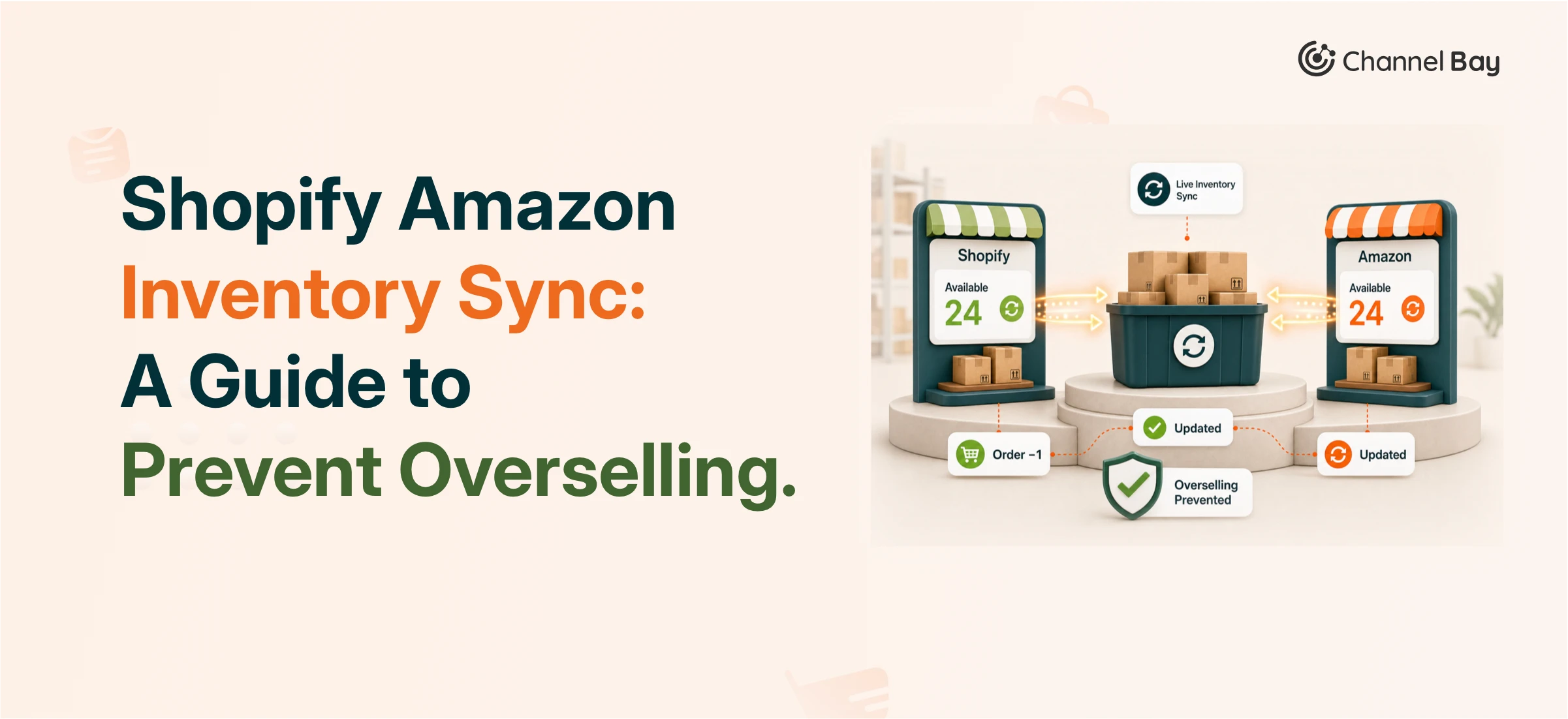

Keeping inventory quantities accurate across Shopify and Amazon requires a third-party sync app. Shopify does not natively synchronize stock levels with Amazon or any external marketplace. Without an active sync, a sale on either platform won't automatically reduce the other platform's available quantity, which is how overselling happens. This guide explains how Shopify Amazon inventory sync works, what you need before you set it up, and the most common failure points to avoid.
Key Takeaways
Shopify does not natively sync inventory with Amazon. A third-party app is required.
An Amazon Professional Seller account ($39.99/month) is mandatory for API-based integrations. Individual accounts don't support app connections.
SKU mismatches are the most common reason syncs break. Every product must have an identical SKU in both platforms before you connect.
Inventory sync apps don't just reduce overselling. They also let you manage purchase orders, track supplier history, and sync across multiple locations.
Sync speed varies by app. Even well-configured integrations can have a 10 to 15 minute lag during peak volume periods.
Why does overselling happen when you sell on Amazon and Shopify?
Overselling happens because Amazon and Shopify don't share a live inventory count by default. When a customer buys your last unit on Amazon, Shopify still shows it as available, and your Shopify store may complete a second sale before you can manually update the count. The reverse is also true.
This isn't a flaw in either platform specifically. Amazon and Shopify are separate systems with separate backends. Without a bridge app polling both platforms and reconciling quantities in near-real time, each platform operates as if the other doesn't exist.
For merchants selling on a single channel, this is irrelevant. But as volume increases across Amazon and Shopify, even a short reconciliation delay creates real risk. A product selling 50 units a day has roughly one sale every 30 minutes. A 15-minute sync lag means two orders can slip through on depleted stock during a high-velocity period.
What does a Shopify Amazon inventory sync actually do?
A sync app sits between your Shopify store and your Amazon Seller Central account and keeps both inventory counts aligned. When an order comes through on Amazon, the app detects the quantity change via Amazon's API and pushes an updated stock level to Shopify. The same process runs in reverse for Shopify orders.
Most apps also handle order routing, letting you view and manage Amazon orders from inside your Shopify admin rather than switching between platforms. Beyond basic inventory, better-built apps extend into purchase order management, supplier tracking, and multi-location inventory allocation.
The sync is only as accurate as the data it reads. If a product's quantity is wrong in Shopify before you connect the app, the wrong number will sync to Amazon. Auditing your inventory counts before setup is one of the most important steps in the process, and the one most often skipped.
What do you need before connecting Shopify to Amazon?
Before Shopify and Amazon inventory sync, merchants need to upgrade their Amazon Seller account from an Individual plan to a Professional plan. The Individual plan comes with certain limitations that can prevent inventory sync and other integration features from working properly. The key limitations are well explained below.
An Amazon Professional Seller account
An Amazon Professional Seller account is required for API-based integrations. Individual seller accounts do not support third-party app connections. The Professional plan costs $39.99/month. There's no workaround. If you try to connect an integration app to an Individual account, the authorization will fail at the API level.
Individual Plan | Professional Plan | |
Monthly cost | $0 | $39.99 |
Per-item fee | $0.99 per sale | None |
Unit sold | 40 unit/month | No limits |
API access for app integrations | Not supported | Required |
Buy Box eligibility | No | Yes |
Bulk listing tools | No | Yes |
The Professional plan also unlocks Buy Box eligibility, which affects how visible your listings are to Amazon shoppers. For most merchants doing meaningful volume, the $39.99 is effectively a non-optional cost of operating on the marketplace.
Matching SKUs across both platforms
The SKU for a product in Shopify must be identical to the SKU for that same product in Amazon Seller Central. Mismatched SKUs are the primary reason inventory syncs fail.
This sounds simple and is consistently underestimated. If your Shopify store uses SKU "BLU-SHIRT-M" and Amazon uses "blue-shirt-medium" for the same product, the app can't match them automatically. You'll end up with unlinked listings that sync nothing. Go through your catalog and confirm character-for-character matches before you install any app. For large catalogs, this audit is usually the most time-consuming part of the setup.
Matching currencies
Your Shopify store currency must match your target Amazon marketplace. If you're selling on Amazon.com, your Shopify store needs to be set to USD. Most Shopify fulfillment integration apps don't support automatic currency conversion during sync. A currency mismatch won't always throw a visible error, but it can cause pricing and order data to sync incorrectly.
Accurate inventory counts before you go live
A sync app doesn't correct inventory errors. It replicates them. If Shopify shows 50 units in stock and the actual count is 35, the app will tell Amazon you have 50. Do a physical count or reconcile your inventory data before connecting.
What are the main challenges syncing inventory between Shopify and Amazon?
Before setting up inventory sync, it's important to understand the common challenges that can lead to inventory errors, overselling, and missed sales.
Sync lag and the overselling window
Even a well-configured integration has a delay. Amazon's API sends order notifications within minutes of a sale, but the full sync cycle, from detection to update, can take anywhere from 2 to 15 minutes depending on the app, your catalog size, and API load. During a product launch or promotional event, that window is long enough for two separate sales to go through on depleted stock.
The practical fix is to set a safety buffer in your sync app. Reserve 5 to 10% of your physical stock count as a virtual buffer that never appears as available on either platform. This reduces your sellable quantity slightly but eliminates nearly all oversell incidents during high-volume periods.
SKU mapping failures
If SKUs aren't matched correctly, the sync runs but updates the wrong product or no product at all. This is a silent failure: the app logs a successful sync, but the quantities never change because the mapping is broken. Check your integration logs regularly, especially after adding new products, and confirm quantities are actually updating in both platforms.
API rate limits on large catalogs
Amazon's Selling Partner API enforces request limits per account. If your catalog has thousands of SKUs and you're trying to sync all of them simultaneously after a bulk update, the app may hit rate limits and queue requests. This can mean updates arrive slowly or out of order. For large catalogs, look for apps that handle rate limiting gracefully with retry logic built in, rather than simply failing silently.
How to sync inventory between Shopify and Amazon: step by step
Follow these simple steps to connect Shopify with Amazon and keep your inventory, orders, and product listings synced across both platforms.
Step 1: Create or upgrade your Amazon Seller account
Log in to Amazon Seller Central and confirm you're on the Professional plan. If you're on the Individual plan, you can upgrade from within Seller Central. The monthly charge of $39.99 begins immediately on upgrade.
Step 2: Audit and align your SKUs
Export your product list from both Shopify and Amazon. Compare SKUs side by side. Correct any mismatches in whichever platform is easier to edit. For Shopify, SKUs are editable in the product variant settings. For Amazon, updates go through the Manage Inventory section in Seller Central or via a spreadsheet upload.
Step 3: Choose and install an integration app
Search the Shopify App Store for a multi-channel inventory sync app. Shopify Marketplace Connect is the most common starting point. It's free up to 50 orders per month, official, and handles listing, orders, and inventory sync. For merchants needing more advanced rules, multi-location routing, or dedicated support, third-party apps.
Channel Bay is designed specifically for merchants who need inventory sync alongside purchase order management. Instead of switching between a sync tool and a separate PO app, everything runs from one dashboard.
Step 4: Connect your Amazon account in the app
Open the installed app from your Shopify admin and navigate to the integrations section. Select Amazon, then authorize the connection through Amazon's OAuth flow. The app will request permission to read and update your inventory, manage listings, and import orders. You'll need your Amazon Seller Central credentials.
Step 5: Map your products
The app will prompt you to match your Shopify products to their corresponding Amazon ASINs or listings. This is where your earlier SKU audit pays off. Products with matching SKUs often map automatically. Products with mismatches will need to be linked manually.
Step 6: Test on a small batch before going live
Enable sync for 5 to 10 products first. Reduce the inventory of one test product in Shopify and confirm it updates in Amazon within the expected sync window. Place a test order on Amazon and confirm Shopify's count adjusts. Only expand sync to your full catalog after this validation step.
How does multi-location inventory sync work?
For merchants with multiple warehouses or retail locations, inventory sync becomes more complex. Instead of a single quantity to track per product, you have location-level quantities that need to stay accurate independently.
A basic sync app will typically show Amazon a combined total across all locations. A more capable app lets you designate which location (or combination of locations) fulfills Amazon orders and syncs accordingly. This matters when one location serves your DTC Shopify orders and a separate location handles Amazon FBA replenishment.
In our experience, merchants who skip location configuration during setup often discover weeks later that their Amazon inventory count reflects their total stock across all locations, including stock at a location that doesn't ship to Amazon customers at all. Getting location mapping right during setup avoids this category of error.
What else can you manage from an inventory sync app?
Inventory sync is the minimum. Most merchants operating on multiple channels eventually run into two additional problems that a basic sync tool doesn't solve: running out of stock unexpectedly because reordering is still manual, and losing track of supplier lead times and purchase history.
A more complete inventory management app connects purchase orders and supplier records to the same dashboard as your channel sync. When a product's stock count drops to a set threshold, you can generate a purchase order directly in the app, send it to the supplier, and track the incoming inventory against that PO. When the stock arrives and you receive it in the app, those quantities become available across all synced channels automatically.
This end-to-end flow, from low stock alert to PO to receiving to channel update, is what separates a scaling operation from one that's constantly firefighting stockouts.
Frequently Asked Questions
Do I need a Professional Seller account to sync Shopify and Amazon inventory?
Yes. An Amazon Professional Seller account is mandatory for any third-party app to work. The Individual plan doesn't include the API access that integration apps require. The Professional plan costs $39.99/month. There's no workaround available from the Amazon side.
How long does inventory take to sync between Shopify and Amazon?
Sync speed depends on the app and current API load. Most integrations update quantities within 10 to 15 minutes, but Channel Bay does it within 2 minutes of a sale. During high-volume periods like flash sales or peak days, the lag can sit toward the higher end of that range. Setting a stock buffer in your app helps prevent overselling during these windows.
What happens if my SKUs don't match between Shopify and Amazon?
If SKUs don't match exactly, the sync app can't link the products. Inventory updates won't flow between platforms for those items. The fix is to correct the SKU in one platform so it matches the other, then re-map the products in the app.
Can I sync inventory across Amazon, eBay, Etsy, and Shopify at the same time?
Yes, with the right app. Multi-channel inventory sync apps maintain a single source-of-truth quantity and push updates to every connected platform simultaneously. Channel Bay supports Amazon, Shopify, and additional sales channels from one dashboard.
Conclusion
Overselling on Amazon and Shopify doesn't happen because merchants aren't paying attention. It happens because two separate systems are operating independently with no shared inventory count. Once you understand that, the solution is straightforward: a sync app bridges the gap and keeps quantities accurate across both platforms automatically. But as this guide has covered, the app itself is the easy part. The Professional Seller account, the SKU alignment, the pre-launch inventory audit, the location mapping, the stock buffer during high-volume windows, all of that determines whether your sync runs cleanly or silently fails from day one. Merchants who rush the setup and skip the preparation steps are the ones who end up troubleshooting a week later. Get the foundation right and the payoff compounds. Accurate inventory counts mean fewer canceled orders. Fewer canceled orders protect your Amazon seller rating. A healthy seller rating keeps your listings visible. And when your sync app also handles purchase orders and supplier records, you stop reacting to stockouts and start preventing them. Multi-channel selling works best when your operational layer keeps up with your sales channels. That's what a well-configured Shopify Amazon inventory sync actually delivers.

