

Shopify Purchase Order Template: Free, Simple & Best Options
Get a free Shopify purchase order template, compare simple vs. detailed formats, and find the best purchase order template for your store's order volume.
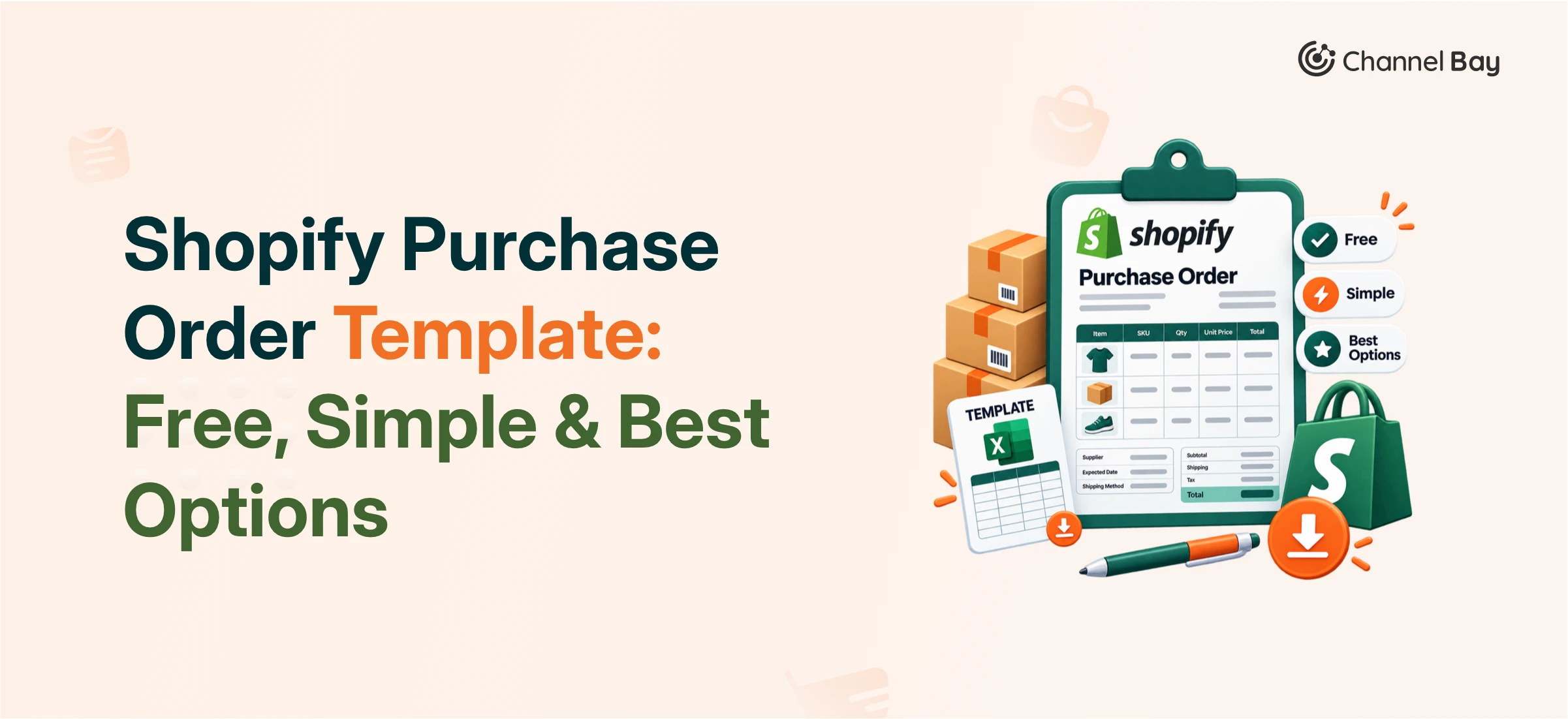

A Shopify purchase order template is a pre-formatted, reusable document merchants fill out to place official inventory orders with suppliers, recording SKUs, quantities, unit costs, taxes, and delivery terms in one consistent layout. Shopify offers free templates for both online and retail stores, and free alternatives exist in Excel, Google Sheets, and Canva. Which one counts as the “best” purchase order template depends less on the tool and more on your order volume: a simple purchase order template works fine for occasional, single-supplier orders, but stores managing multiple suppliers or recurring restocks usually outgrow a static template within a year.
This guide walks through what to include, the six template types Shopify merchants actually use, where to get free purchase order template downloads, and when it's time to move from a template to purchase order software.
Key Takeaways
A complete PO template needs five sections: business info, supplier info, order details, product/inventory line items, and shipping/cost totals.
Shopify provides two official free templates, one for online stores, one for retail, plus Excel, Google Sheets, and Canva work as free alternatives.
The "best" template depends on order pattern: standard, wholesale, blanket, and blank templates each solve a different purchasing problem.
A simple purchase order template is the right starting point for low order volume; it becomes a liability once you're tracking POs across more than a couple of suppliers.
Purchase order software like Channel Bay takes over where templates stop scaling, by connecting PO creation to inventory and order status automatically.
What a Shopify Purchase Order Template Should Include
A usable PO template covers five categories. Missing any one of them is the most common reason suppliers send back incomplete or delayed orders.
Business Information
Store name, address, and contact details, so the supplier knows exactly who placed the order.
Supplier Information
Supplier name, contact details, and address, this confirms the order is going to the right vendor and gives them a direct line back to you.
Purchase Order Details
A unique PO number, order date, expected delivery date, payment terms, and any notes. The PO number is what makes an order traceable later; skip it and reconciling invoices against orders becomes guesswork.
Product and Inventory Details
SKU, product name, quantity, unit cost, and total cost per line item. This is the section suppliers reference most, so accuracy here matters more than formatting.
Shipping and Additional Costs
Shipping charges, taxes, discounts, and the final total order value.
Types of Purchase Order Templates for Shopify Stores
A single generic template rarely fits every order pattern. Bulk orders, recurring restocks, and one-off supplier orders each call for a different structure.
PO Type | Best For | Key Details Included | Flexibility Level |
Standard (SPO) | One-time or sporadic purchases | Items, quantities, prices, delivery dates | Low – defined upfront |
Planned (PPO) | Known items with uncertain timing | Items and prices, estimated quantities, release schedule | Moderate – adjusted through release orders |
Blanket (BPO) | Recurring purchases from one vendor | Pre-negotiated pricing, spending limits, general scope | High – quantities vary by release |
Contract (CPO) | Long-term vendor relationships | Terms, conditions, and pricing framework | Highest – specific POs are issued later |
Standard Purchase Order Template
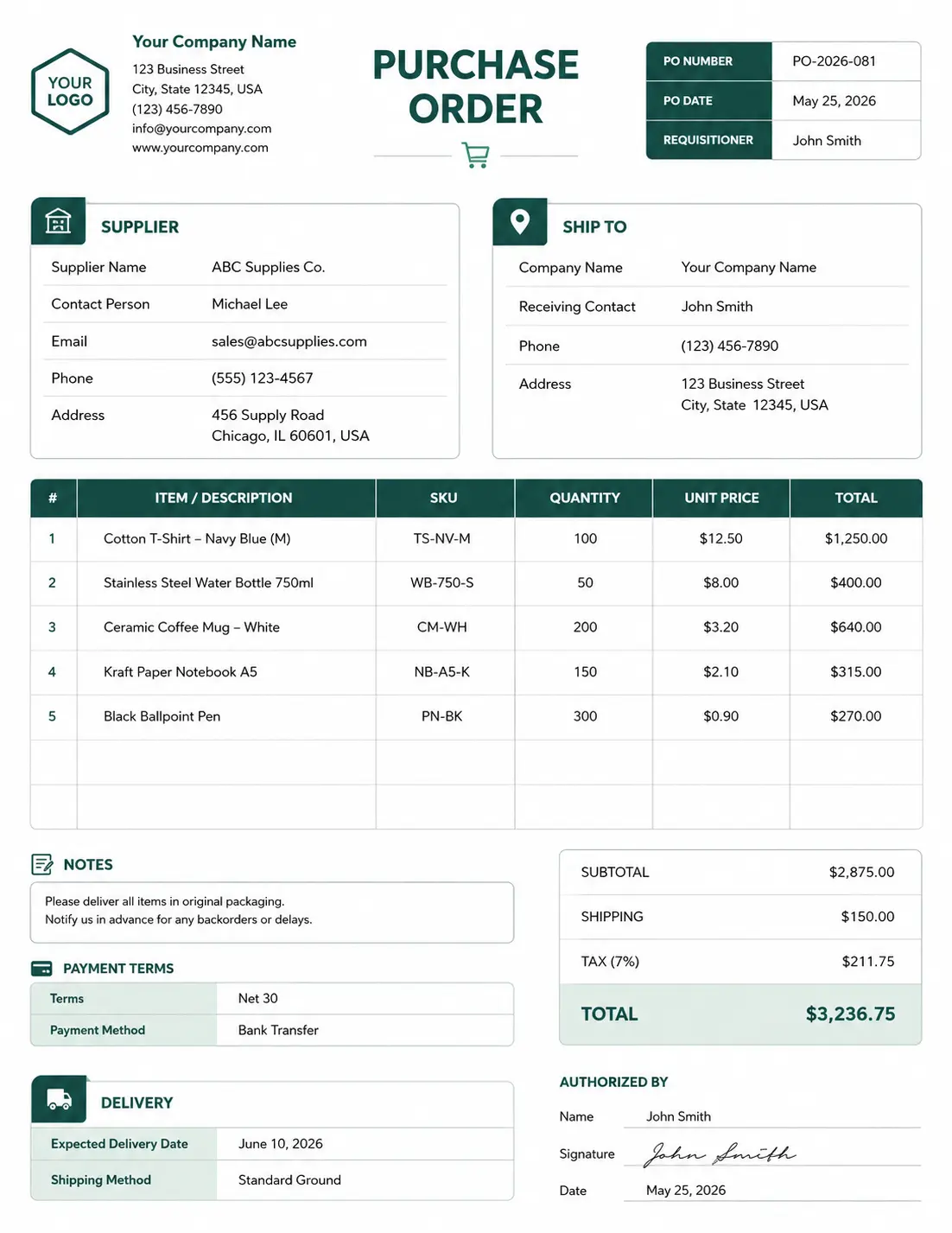
Built for day-to-day supplier orders. It covers the essentials, supplier info, products, quantities, pricing, delivery dates, payment terms, without extra fields you don't need for a routine order.
Planned Purchase Order Template
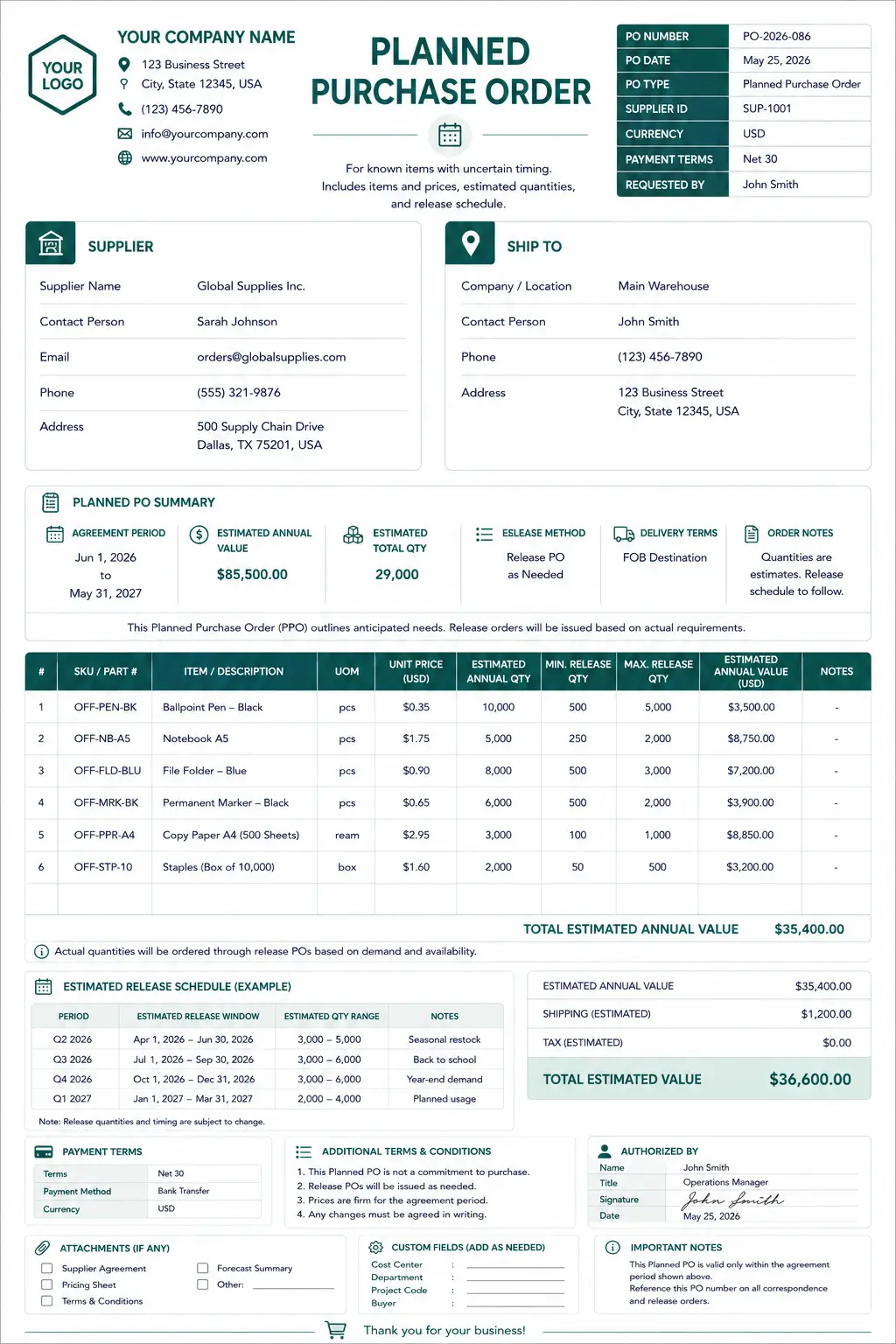
It is for known items uncertain timing, and key details includes Items and prices, estimated quantities, release schedule. Here sellers pre planned their purchase orders.
Contract Purchase Order Template
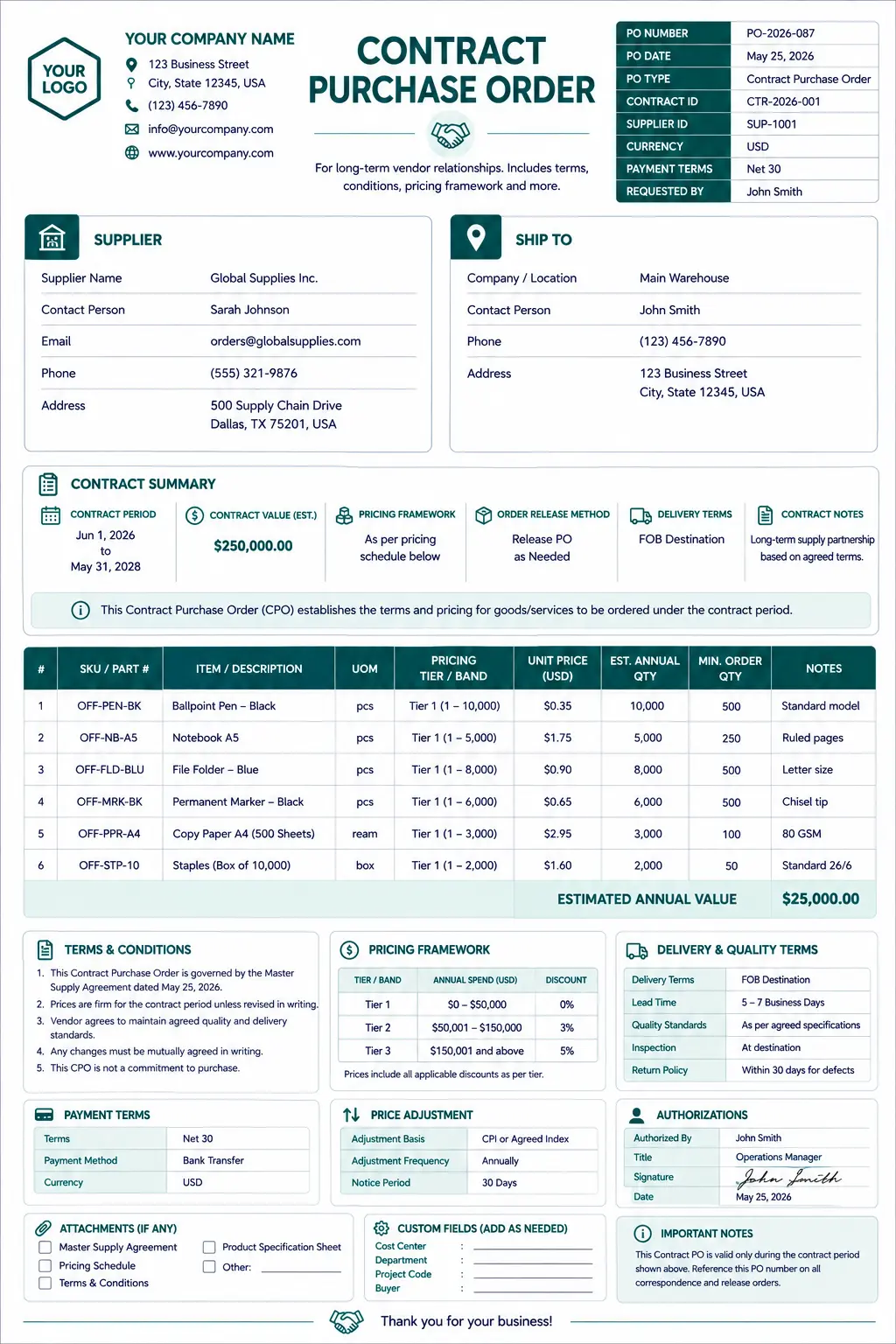
It is for long-term vendor relationships, where you add terms, conditions, pricing framework and more.
Blanket Purchase Order Template
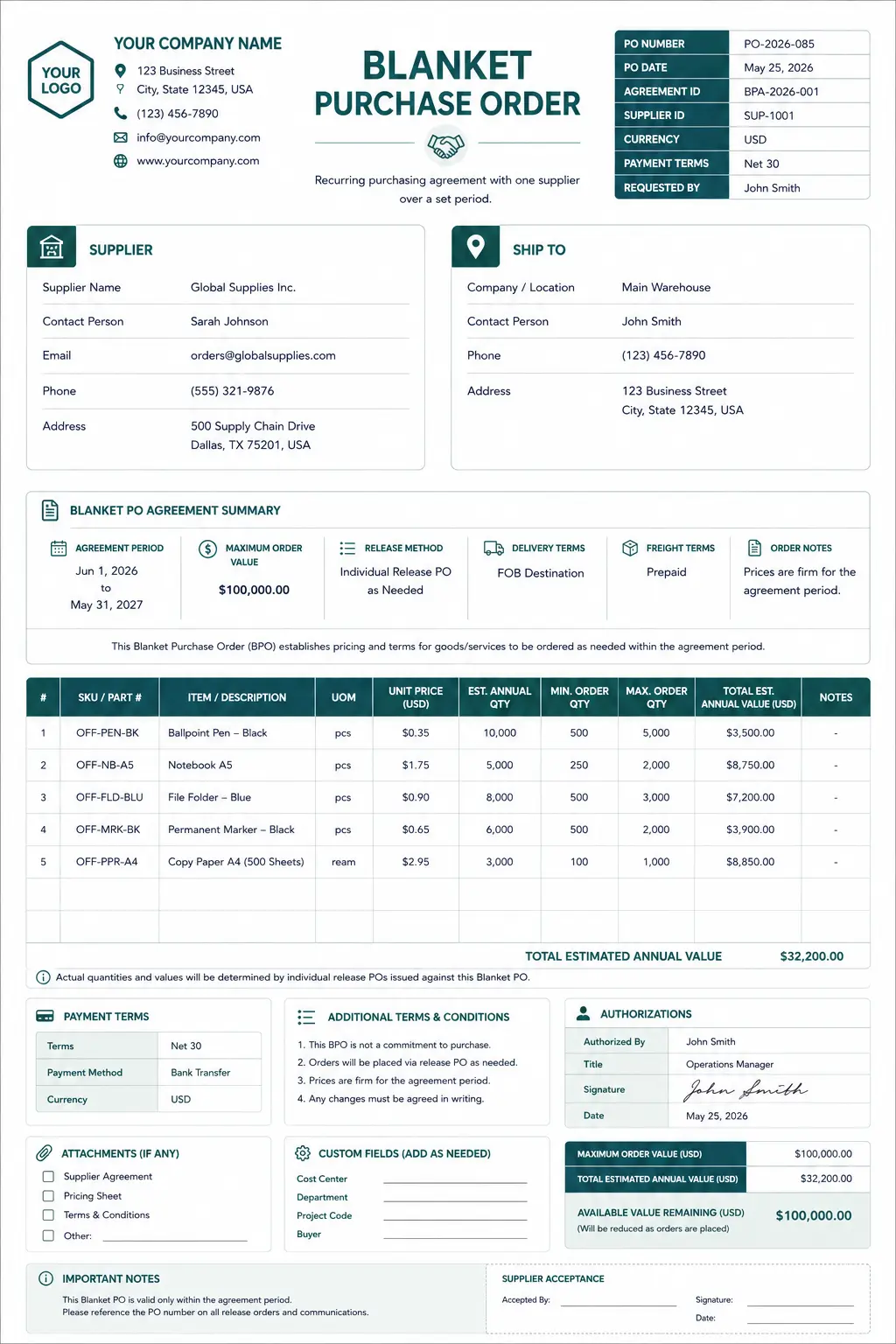
Covers a recurring purchasing agreement with one supplier over a set period, instead of generating a new PO for every repeat order.
How to Choose the Best Purchase Order Template
The best purchase order template for your store depends on four factors:
Order volume - occasional orders favor a simple purchase order template; frequent orders favor one built for repeat use (blanket or replenishment).
Number of SKUs per order - high SKU counts need a template with more line-item room, like the wholesale format.
Number of suppliers - a handful of suppliers is manageable on templates; a growing supplier list is where manual tracking starts to break down.
Who manages purchasing - a single owner can work from any format; a team needs a template (or system) everyone can update without version conflicts.
Free Purchase Order Template Options for Shopify
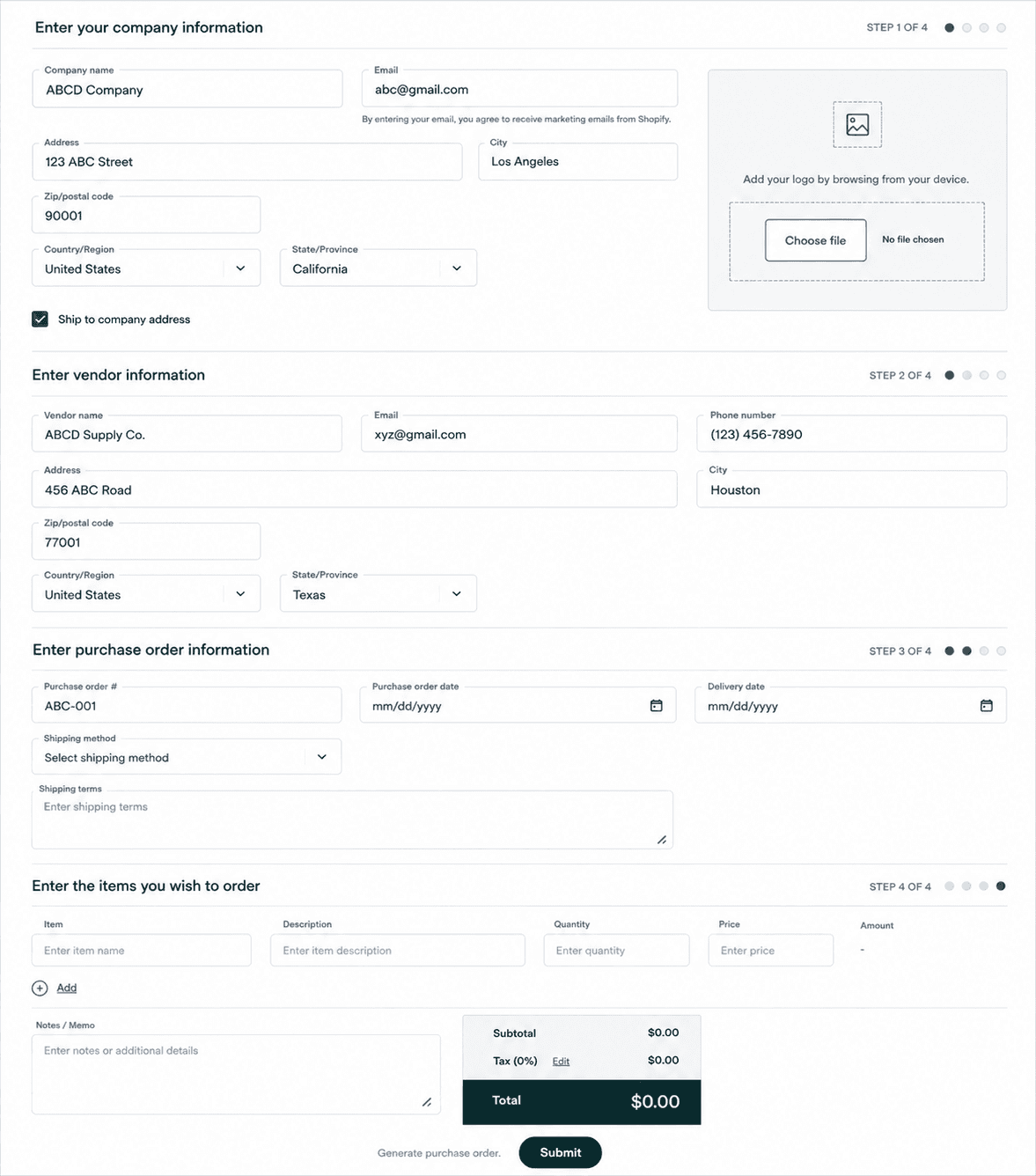
Shopify provides official free purchase order template tools for two use cases:
Free Online Store Purchase Order Template - an online generator where you add business, supplier, and product details and download a printable or shareable PO.
Free Retail Purchase Order Template - built for retail-specific fields like size and color, useful for tracking outstanding orders and keeping accounts payable organized.
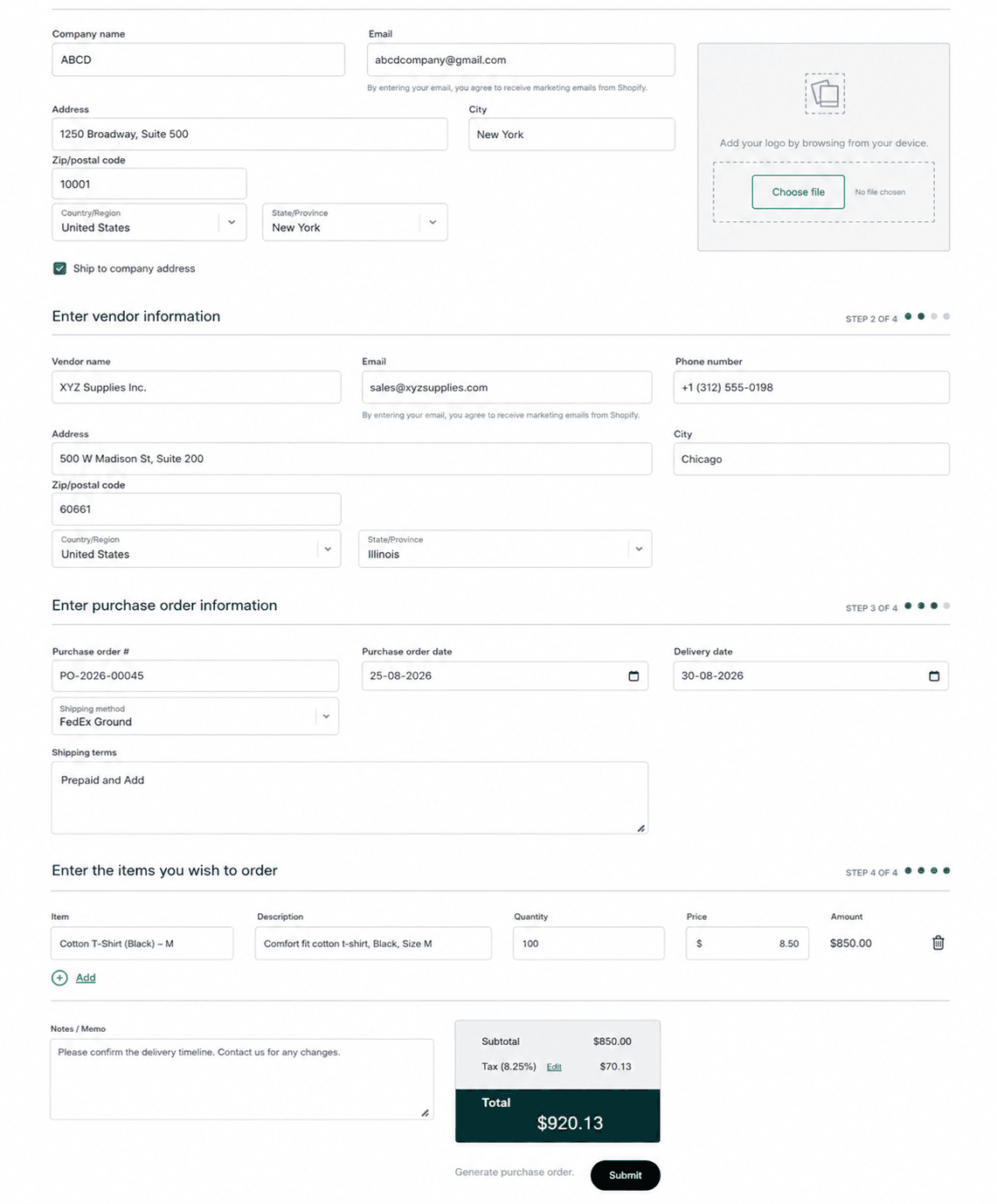
If neither fits exactly, free alternatives work well too:
Microsoft Excel - Customizable, with built-in formulas for calculating totals.
To get the access to edit the po template, you have to copy the template and sign up with your email id, then you can edit, save and send it to your supplier.Google Sheets - Shareable in real time with a team or supplier.
To get the access to edit the po template, you have to make a copy of the template, take permission from the owner and sign up with your email id, then edit, save and send.Canva - Best if branding and visual presentation matter for supplier-facing documents.
Just sign up and select anyone from the hundreds of templates, edit, download, and send for free.
Simple Purchase Order Template vs. Detailed Template
Not every order needs every field.
A Simple Purchase Order Template: A PO number, supplier, SKU, quantity, unit cost, total is enough when you're placing occasional orders with one or two trusted suppliers and don't need to track shipping complexity or negotiated terms.
A Detailed Template: A wholesale or retail format earns its extra fields when orders involve multiple product variants, negotiated pricing, or shipping and tax breakdowns that need to be documented for accounting.
Note: The mistake to avoid- starting with a detailed template for simple orders just because it's more “official.” Extra fields you don't fill in consistently create more errors than they prevent.
Purchase Order Templates vs. Purchase Order Software
Templates and software aren't competing for the same job, they fit different stages of order volume.
Purchase Order Templates | Purchase Order Software (e.g. Channel Bay) | |
Setup | Fill in a document, download, send | Connect once, generate POs from live data |
Cost | Free or low-cost | Paid, scales with usage |
Best for | Occasional orders, few suppliers | Frequent orders, multiple suppliers |
Tracking | Manual, you track status yourself | Automatic, see pending, sent, received |
Inventory link | None; entered by hand | Connected, ordered vs. received stays in sync |
Team use | Version conflicts if shared | Multiple users, one system |
Templates work well until the manual side of the equation, tracking what's been sent, what's pending, and what's actually landed in inventory, starts eating more time than it saves. That's usually the point where a tool like Channel Bay is worth the switch: it keeps PO creation, status tracking, and inventory updates in one connected system instead of split across a document and your memory.
How to Create a Purchase Order with a Template for Your Shopify Store
Choose a template that matches your order type standard, replenishment, wholesale, blank, retail, or blanket.
Add business information store name, address, contact details.
Enter supplier information name, address, contact details.
List products and SKUs quantities and variants the supplier needs to fulfill the order.
Add pricing unit cost, total cost, and any discounts.
Add shipping, taxes, and payment terms plus the expected delivery date.
Assign a PO number and add any notes for the supplier.
Review before sending check quantities, pricing, and delivery details against what you actually intended to order.
Bottom Line
A Shopify purchase order template is the right starting point for most stores: free options from Shopify cover online and retail use cases, and Excel, Google Sheets, or Canva fill any gaps. Start with a simple purchase order template if your order volume is low, move to a detailed format (wholesale, retail, or blanket) as your purchasing gets more complex, and consider purchase order software once manual tracking across suppliers becomes the bottleneck rather than the order itself.
Frequently Asked Questions
What are the essential elements of a Shopify purchase order template?
At minimum: business information, supplier details, a unique PO number, product line items with SKU and cost, and a shipping/tax/total breakdown.
Is there a free purchase order template for Shopify?
Yes. Shopify offers free templates for both online stores and retail stores, and free alternatives are available through Excel, Google Sheets, and Canva.
What's the best purchase order template for a small store?
A standard or simple purchase order template is usually best for low order volume, it covers the essentials without fields you'd otherwise leave blank.
When should I switch from a template to purchase order software?
When you're managing POs across more than a couple of suppliers, or when tracking order status manually starts taking longer than placing the order itself.

