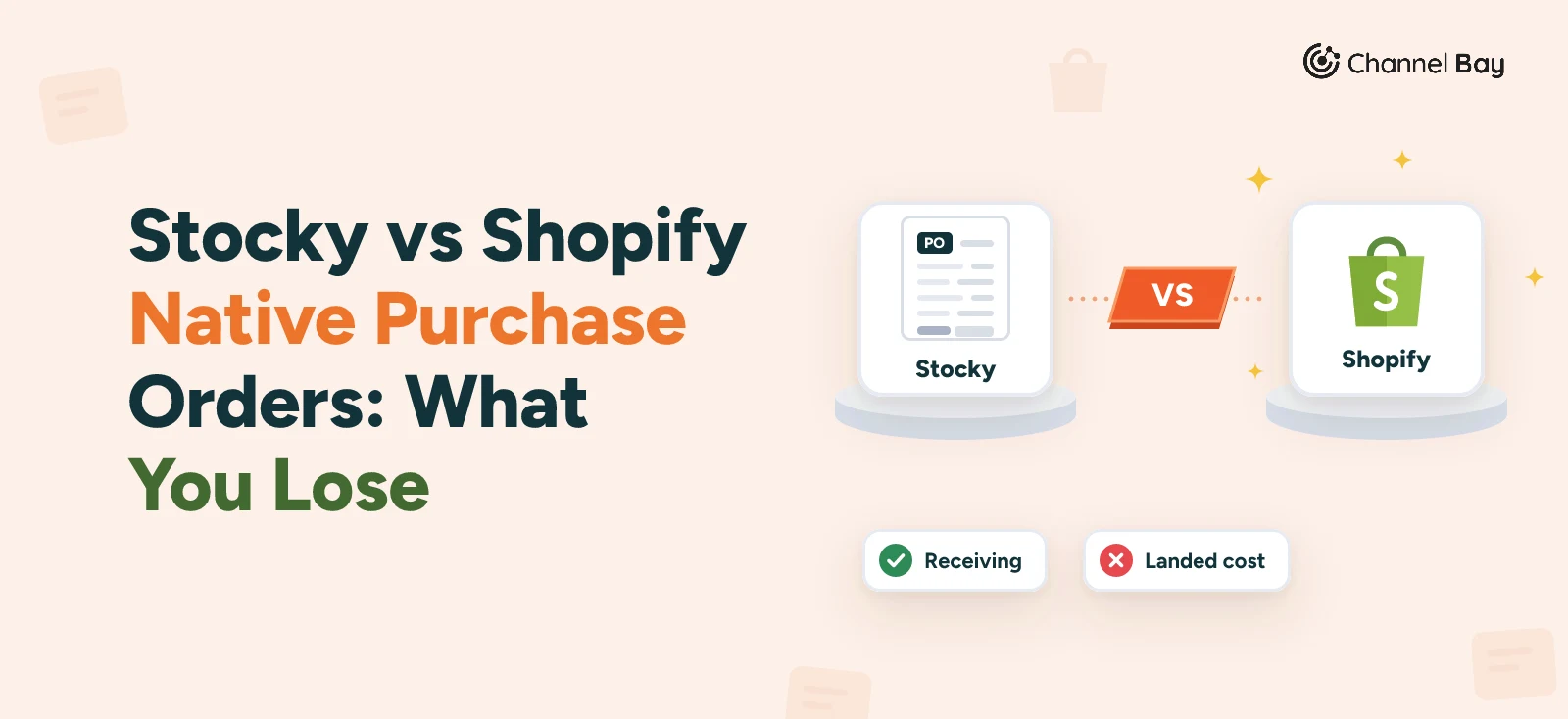
Channel Bay: A Preferred Assisty Alternative for Shopify
Compare Channel Bay and Assisty for Shopify inventory: forecasting, purchase orders, multichannel sync, stocktakes, and pricing. See which fits your workflow.
On this page
Key Takeaways
- Channel Bay suits multichannel stores. It syncs Shopify and Amazon inventory every minute and supports purchase orders, stock transfers, stocktakes, and inventory cost tracking.
- Assisty suits forecasting led buying. Its forecasting models, Buying Table, and reorder recommendations turn sales and stock data into purchase decisions.
- Both handle purchase orders. Channel Bay ties purchasing to inventory across channels and locations. Assisty ties supplier rules to replenishment suggestions.
- Warehouse tools and bundles differ. Channel Bay offers guided stocktakes, label printing, picklists, and bundle availability pushed to Shopify and Amazon. Assisty has no native label printing or picklists, and maps bundle sales to component demand for forecasting.
- Paid plans start at $10 per month on Channel Bay and $19 per month on Assisty. Assisty's price follows your Shopify plan, so check your tier before comparing.
Channel Bay is the better Assisty alternative for Shopify merchants who sell on more than one channel. Assisty is the stronger fit for Shopify only stores that want forecasting-led purchasing.
Assisty Shopify users get demand forecasting, Buying Table, and purchase order workflows built around replenishment. Channel Bay adds what Assisty does not: Shopify and Amazon inventory sync every minute, stock transfers with in transit tracking, guided stocktakes, label printing, and picklists.
Entry pricing is close. Channel Bay has a free plan and paid plans from $10 per month. Assisty has a free Basic plan and paid plans from $19 per month.
This guide compares Assisty inventory management with Channel Bay across sync, forecasting, purchase orders, stocktakes, transfers, cost tracking, and bundles, so you can match each app to your workflow.
What Does Assisty Do?
Assisty is a Shopify inventory management app built around demand forecasting and replenishment. It reads your Shopify sales history, current stock, incoming purchase orders, and supplier lead times, then suggests what to reorder and when. Merchants review those suggestions in the Buying Table and turn them into purchase orders.
The app also covers supplier management, inventory tracking, and reporting. Its Replenishment Center plan adds AI and machine learning forecasting, a buying calendar, and purchase order receiving.
Why Look for an Assisty Alternative?
Most merchants who search for an Assisty alternative switch because a specific workflow is missing, not because forecasting falls short. These are the gaps that come up most when comparing Assisty Shopify alternatives:
- You also sell outside Shopify. Assisty has no multichannel inventory sync, so Amazon stock needs a separate process.
- You run a warehouse. Assisty has no picklists and no native label printing.
- You move stock between locations. Channel Bay tracks dispatch, in transit stock, and partial receipts. Assisty manages transfers but offers less detail on the in transit stage.
- You need specific costing methods. Channel Bay supports FIFO, LIFO, and average costing with landed costs.
- Purchase orders sit on a higher tier. On Assisty, purchase orders and receiving come with the $39 per month Replenishment Center plan.
How Do Channel Bay and Assisty Compare at a Glance?
Assisty leads on AI-powered forecasting and replenishment. Channel Bay leads on multichannel sync, warehouse workflows, and cost tracking.
| Feature | Channel Bay | Assisty |
|---|---|---|
| Starting price | Free, paid plans from $10/month | Free, paid plans from $19/month |
| Purchase orders | Create POs, email suppliers, receive stock in batches | Create, approve, automate, and receive POs |
| Stocktakes | Guided stocktakes with barcode scanning | Stocktakes and inventory adjustments |
| Location transfers | Dispatch, in transit tracking, partial receiving | Transfers plus AI-powered transfer suggestions |
| Multichannel sync | Shopify and Amazon, every minute | Not available |
| Orders, returns, picklists | Order management, returns, picklists | PO receiving and supplier workflows; no picklists |
| Bundles and raw materials | Bundles and raw materials on Pro | Bundle demand forecasting and component level replenishment; no raw materials |
| Cost tracking | FIFO, LIFO, average costing, landed costs, valuation by location | Landed costs, shipping and tax expenses, PO discounts, Shopify item cost updates |
| Label printing | Custom labels on Pro | Not available |
| Demand forecasting | Sales based forecasting and reorder suggestions on Pro | AI-powered forecasting, Buying Table, replenishment recommendations |
| Reporting | Sales, stock, purchasing, and inventory change reports | Custom reports, inventory analytics, sales performance insights |
How Do They Compare on Core Inventory Workflows?
The two apps overlap on purchase orders and stocktakes but diverge on sync, forecasting depth, and warehouse tools.
Inventory Sync Across Sales Channels
Channel Bay synchronizes inventory changes across connected channels, which reduces overselling when the same products sell on Shopify and Amazon. Assisty focuses on Shopify stock visibility, current inventory, inventory movement, and incoming stock from open purchase orders.
If you sell on more than one channel, cross-channel stock updates are the deciding factor, and only Channel Bay provides them.
Demand Forecasting and Replenishment
Channel Bay's forecast view uses historical sales, current stock, supplier lead times, and open purchase orders. It shows sales velocity, days of stock remaining, projected stockouts, and suggested order quantities, with an adjustable forecasting period. Because it counts stock already on order, it reduces duplicate purchasing. Forecasting is included on the Pro plan.
Assisty offers configurable forecasting methods: Simple Average Moving, Computing Model, and a premium AI-powered Smart Model. Replenishment reports combine sales history, inventory, lead times, and reorder settings to calculate quantities and reorder dates, which you review in the Buying Table.
Assisty gives you more forecasting models to choose from. Channel Bay gives you a simpler forecast tied to its multichannel stock data.
Purchase Orders and Supplier Management
Channel Bay connects supplier records, purchase orders, demand forecasting, and inventory control in one workflow. Merchants manage purchase orders, communicate with suppliers, receive deliveries in batches, and update inventory at the relevant location and connected sales channels.
Assisty supports supplier specific replenishment rules, including lead times, order limits, and variant level settings. Merchants review Buying Table suggestions, email purchase orders, and record incoming stock, with received quantities updating Shopify inventory.
Both platforms connect purchasing with replenishment planning. Channel Bay extends the workflow across stock transfers, stocktakes, and reporting. Assisty pairs purchasing with inventory analytics and forecasting.
Stocktakes, Barcode Scanning, and Label Printing
Channel Bay offers guided stocktakes with barcode scanning on the Basic plan and above. Staff can also scan during purchase order receiving and stock transfers. On the Pro plan, Channel Bay prints product labels from received purchase order batches.
Assisty supports stocktakes, inventory adjustments, and transfers between locations. Merchants can use USB or Bluetooth barcode scanners for counts and receiving, with SKUs and barcodes sourced from Shopify. Assisty has no native product or shipping label printing.
Multi-Location Inventory and Stock Transfers
Channel Bay creates transfers from a source to a destination location, marks items as in transit on dispatch, and records full or partial receipts. Missing or damaged items can be logged before the transfer closes.
Assisty tracks stock across locations with reports such as Stock on Hand by Location, and plans replenishment per location using demand, lead times, and safety stock. Its Multi Store Connect feature links multiple Shopify stores under one account.
Choose Channel Bay for detailed transfer tracking. Choose Assisty if you run several Shopify stores and want them in one account.
Inventory Cost Tracking and Reporting
Channel Bay supports FIFO, LIFO, and average costing. It calculates landed costs, keeps supplier pricing history at the batch level, and produces inventory value roll forwards and month end valuations you can export for audits.
Assisty provides an Inventory Value Report and an Inventory Movement by Product report that tracks beginning quantities, sales, returns, receipts, and adjustments. It also offers stock on hand, month end inventory, and replenishment reports, which can be exported or scheduled.
Channel Bay is built for financial reconciliation. Assisty is built for day to day stock and buying decisions.
Bundles, Raw Materials, and Picklists
Channel Bay's Bundles link parent products to the components they contain or give away, and calculate availability from the child with the lowest stock capacity. Availability syncs to Shopify and Amazon, and parent and child inventory adjust automatically when a bundle sells. You manage bundles on a dedicated Link Bundle page, with read only breakdowns in the product drawer at each location.
Picklists help warehouse teams organize pending Channel Bay and Shopify orders, scan SKUs or barcodes, sort items by shelf order, and print picklist PDFs. Bundles, raw materials, and picklists are available on the Pro plan.
Assisty's bundle feature focuses on demand tracking rather than inventory linking. When enabled, it breaks bundle sales into child product quantities, tracking units sold individually and through bundles. It combines those figures to calculate component demand and generate more accurate reorder suggestions. Assisty does not natively support picklist workflows.
Channel Bay controls how many bundles you can sell right now, across channels. Assisty plans how many components to buy next. Need live bundle availability and warehouse picking? Channel Bay fits. Need component level purchase planning from bundle sales? Assisty fits.
How Much Does Channel Bay Cost Compared With Assisty?
Channel Bay's paid plans range from $10 to $60 per month, while Assisty's paid plans start at $19 per month and scale with your Shopify subscription. Both apps offer a free plan and a 14 day free trial on paid plans. Prices below are as of October 28, 2026.
Channel Bay Pricing
Stores with fewer than 1,000 orders over the previous 365 days can use Channel Bay's free plan. Paid plans include 3,000 orders over the trailing 365 days, with a $0.005 fee for each additional order, subject to a monthly cap. The Channel Bay pricing page lists the current plans.
| Plan | Price | Monthly cap | What it adds |
|---|---|---|---|
| Free | $0 | None | Multi location inventory, purchase orders, automated supplier PO emails, partial and batched receiving |
| Lite | $10/month | $75 | Everything in Free for higher order volume. No multichannel sync, transfers, guided stocktakes, or reporting |
| Basic | $30/month | $100 | Guided stocktakes, multichannel sync (every minute), stock transfers, order management, returns, reporting |
| Pro | $60/month | $200 | Demand forecasting, reorder suggestions, label printing, team permissions, advanced reporting |
Assisty Pricing
Assisty's price depends on the Shopify plan your store uses. The free Basic plan covers basic inventory tracking and sales analytics. Paid plans add advanced analytics, demand forecasting, and purchasing tools. Monthly rates by Shopify tier:
| Shopify plan | Basic | Professional | Replenishment Center |
|---|---|---|---|
| Basic Shopify | Free | $19 | $39 |
| Shopify | Free | $39 | $79 |
| Advanced Shopify | Free | $59 | $149 |
| Shopify Plus | Free | $99 | $199 |
Which Offers Better Value?
The better value option depends on the inventory workflows your business needs and how much you want to manage in one place. Assisty's Professional plan starts at $19 per month on Basic Shopify, while Channel Bay's Pro plan costs $60 per month and includes demand forecasting and reorder suggestions.
Channel Bay goes beyond multichannel inventory sync to support a broader inventory management workflow, including purchase orders, supplier communication, stock receiving, stock transfers, guided stocktakes, returns, reporting, and demand forecasting. This makes it an option for businesses looking to manage purchasing, stock movement, and inventory control within one system. Assisty focuses on inventory analytics, demand forecasting, and purchasing tools, with pricing that scales according to the Shopify subscription.
Rather than comparing starting prices alone, consider the range of inventory tasks each platform supports, the features included in the relevant plan, and the total cost of managing your inventory operations as your business grows.
Should You Choose Channel Bay or Assisty?
Choose based on whether your bottleneck is syncing stock across channels or making better buying decisions.
When Channel Bay Is the Better Fit
Pick Channel Bay if you sell on Shopify and Amazon and need inventory to stay aligned. It also fits teams that run a warehouse, because it adds guided stocktakes, in transit transfers, label printing, picklists, forecasting and FIFO, LIFO, or average costing. A free plan and paid tiers from $10 per month keep the entry cost low.
When Assisty Is the Better Fit
Pick Assisty if you sell mainly on Shopify and want to plan purchases from data. Its forecasting models, Buying Table, supplier rules, and component level demand planning suit merchants who reorder often. Forecasting starts at $19 per month.
Conclusion
Assisty focuses on inventory analytics, demand forecasting, and replenishment planning. Channel Bay combines purchase orders and supplier communication with stock receiving, transfers, stocktakes, reporting, demand forecasting, and reorder suggestions in one system, whether you sell through one channel or several.
If you want to keep stock records accurate and tie purchasing to day to day inventory control, Channel Bay is the stronger Assisty alternative. If your main goal is forecasting to guide buying on a Shopify only store, Assisty is worth keeping.
Both apps offer a 14 day free trial on paid plans, so you can test each one against your own inventory process before you choose.
Frequently Asked Questions
What is the best Assisty alternative for Shopify?
Does Assisty sync inventory across sales channels?
Is Channel Bay cheaper than Assisty?
Does Channel Bay have demand forecasting?
Can I try both apps before switching?

Guides from the team that builds and supports Channel Bay, the Shopify inventory app for purchase orders, stocktakes, stock transfers and multichannel stock sync. About Channel Bay