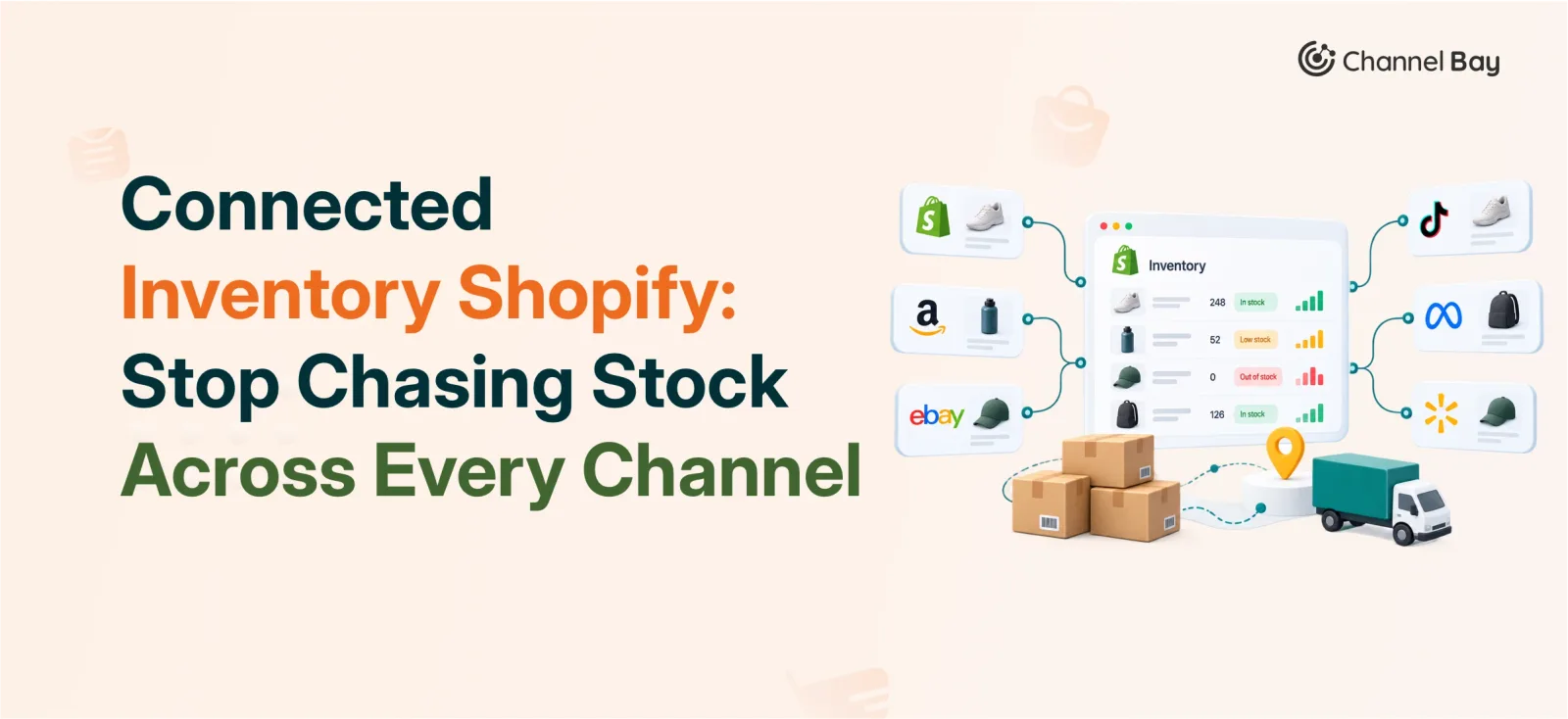
Connected Inventory Shopify: Stop Chasing Stock Across Every Channel
See how a connected inventory Shopify app links purchases, sales, transfers, and locations into one real time stock workflow.
On this page
- Where Shopify Inventory Management Starts to Break Down
- Connected Inventory is more than Syncing a Stock Number
- When does Shopify Inventory Actually need to be Connected?
- How to Connect Shopify Inventory to Channel Bay
- How to Connect Amazon Inventory to Channel Bay
- What happens after You Connect Your Inventory?
- Why We Built Channel Bay this Way
- Bottom Line
Key Takeaways
- Inventory gets harder to manage not because of counting mistakes, but because the same stock number lives in too many disconnected places.
- Connected inventory covers more than syncing a quantity. It tracks where stock came from, where it went, and where it sits right now.
- Purchases, receiving, sales, internal usage, transfers, and adjustments all belong in one workflow, not six separate ones.
- Stores selling through multiple channels or locations, or placing regular purchase orders, are the ones that benefit most from a connected setup.
- Channel Bay syncs inventory changes back to connected sales channels in under two minutes, keeping stock close to real time everywhere it is sold.
Inventory is easy to manage when everything happens in one place. But as a business grows, stock starts moving across sales channels, warehouses, suppliers, and internal operations, and keeping the numbers accurate gets a lot harder.
Knowing how much stock you have is not the hard part. The hard part is making sure every platform reflects that number the moment it changes. That is the problem connected inventory solves. With a connected inventory Shopify setup, stock stays linked across every platform and activity that touches it, so a sale, a transfer, or a new shipment updates the whole picture at once instead of one spreadsheet at a time.
This guide breaks down what connected inventory means for Shopify, when a store actually needs it, how Shopify inventory sync works in practice, and how it cuts down on manual updates.
Where Shopify Inventory Management Starts to Break Down
Inventory discrepancies rarely come from counting errors. They come from the same stock number being updated in several places, at several different times, by several different people.
Managing inventory through spreadsheets alongside Shopify works fine at a small scale. As order volume, product count, and location count grow, keeping every figure aligned becomes a constant chore.
The root cause is the manual update itself. New stock arrives, and the quantity gets entered into a spreadsheet before it is reflected in Shopify. If a sale happens in that gap, the store oversells or shows a false stock-out. Internal usage that never gets logged adds a second layer of drift, and someone eventually has to go back and manually correct the count.
Receiving and outgoing stock cause the most friction. Every purchase order or supplier invoice needs entry across more than one system, which is where discrepancies creep in. Sales, internal usage, returns, and transfers each need their own record, so small errors are easy to miss until the numbers stop adding up.
Over time, inventory management stops being proactive and turns into damage control, chasing down why a number is wrong instead of preventing it from drifting in the first place. The real issue isn’t the lack of inventory data, it’s the lack of a reliable way to keep that data updated as stock moves.
Connected Inventory Is More Than Syncing a Stock Number
Keeping the same quantity showing on Shopify and every other channel is only one piece of connected inventory. Every purchase, every received shipment, every sale, every internal use, every transfer, and every adjustment changes your stock, and a connected system needs to account for all of it.
The real goal is visibility: knowing where stock came from, where it is going, and where it sits right now.
When Inventory Comes in: Purchase → Receive → Stock
Stock movement starts before a product is even listed for sale. You order from a supplier, receive the shipment, and only then does your available quantity go up by the amount actually received. A connected workflow ties these steps together so the stock count reflects what was received, not what was ordered.
When Inventory Goes Out: Sale → Stock Deduct
A customer purchase should reduce stock automatically. The sale is part of the same inventory movement, not a separate event that someone manually reconciles against Shopify later. That keeps the available quantity accurate as orders come in across every channel.
When Inventory Moves Without a Sale: Internal Usage → Stock Deduct
Not every stock movement comes from a customer. Products get pulled for production, replacements, samples, or other internal use. That stock has left inventory even though no sale occurred, and a connected system needs to log the deduction so the quantity does not sit as falsely available.
When Stock Moves Between Locations
Moving stock from one location to another does not make it disappear, it just changes where it lives. A connected inventory setup drops the quantity at the origin location and raises it at the destination in the same movement, so both sides stay in sync and each location shows what it actually holds.
Once purchasing, receiving, selling, using, transferring, and adjusting are all linked, inventory stops being a static number sitting in Shopify. It becomes a real time picture of how stock actually moves through the business.
When Does Shopify Inventory Actually Need to Be Connected?
Not every Shopify store needs a connected inventory workflow. A single location selling a modest catalog can run fine on Shopify's built-in inventory tools. The need for something more becomes clear as the business grows past that.
Selling Through Multiple Channels
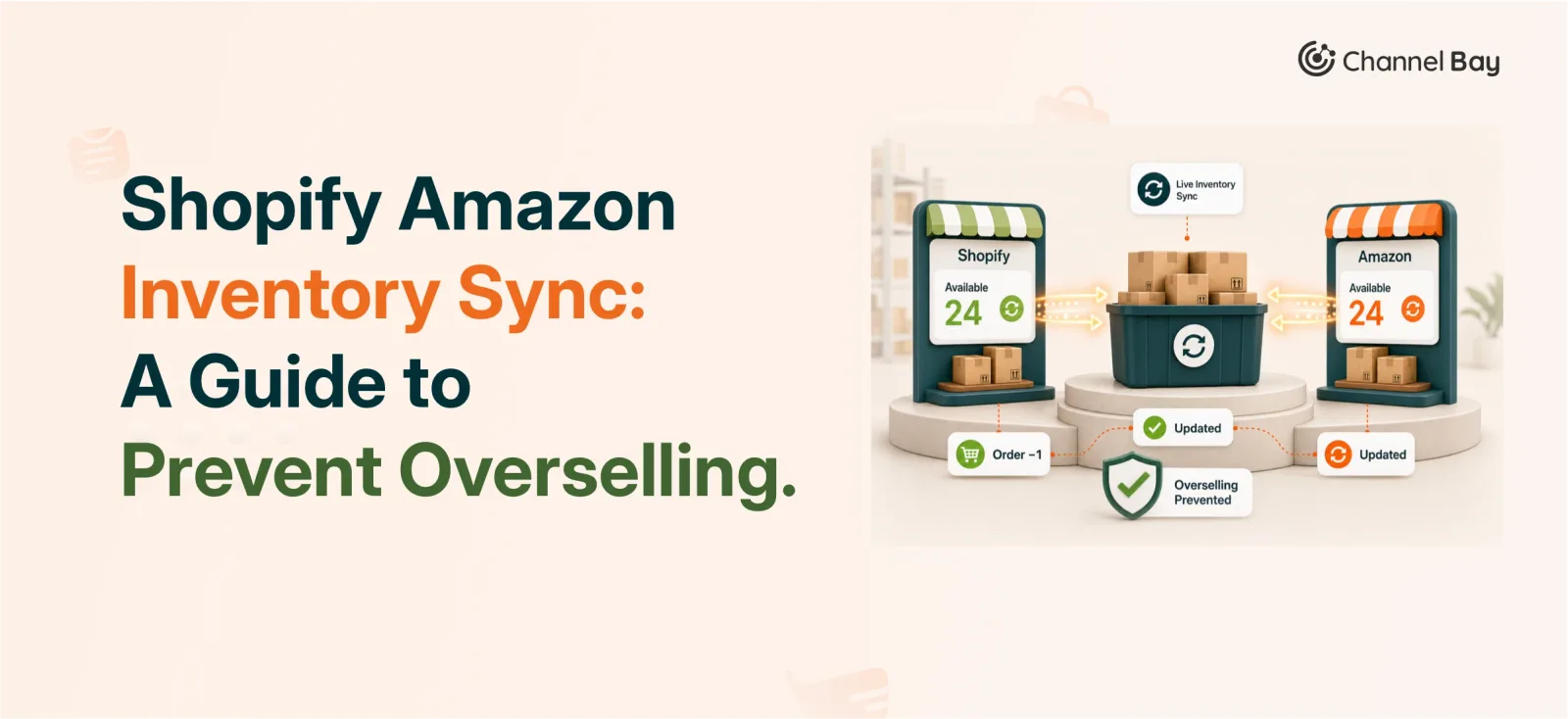
If the same product is listed on Shopify, Amazon, and elsewhere, stock has to stay consistent across all of them. A sale on one channel should never let another channel show a product as available when it is not.
Managing Multiple Locations
Once stock is spread across stores, warehouses, and other sites, you need to know both how much you have and where it is. A connected setup keeps location-level quantities accurate as stock moves between them.
Placing Purchase Orders Regularly
If you order from suppliers on an ongoing basis, inventory needs to connect what was ordered to what was actually received, so incoming and available stock are both visible.
Receiving Inventory From Suppliers
Receiving is the moment expected stock becomes real stock. If that step is tracked separately from the rest of inventory, it is harder to know what is genuinely available to sell.
Using Inventory Internally
Stock pulled for production, samples, or replacements still affects what is available, even with no customer order attached. A connected system accounts for that movement too.
Needing Real-Time Visibility
If buying, selling, or fulfillment decisions depend on current stock levels, delayed updates create real risk. A connected setup gives the team one reliable view instead of several sources to reconcile by hand.
How to Connect Shopify Inventory to Channel Bay
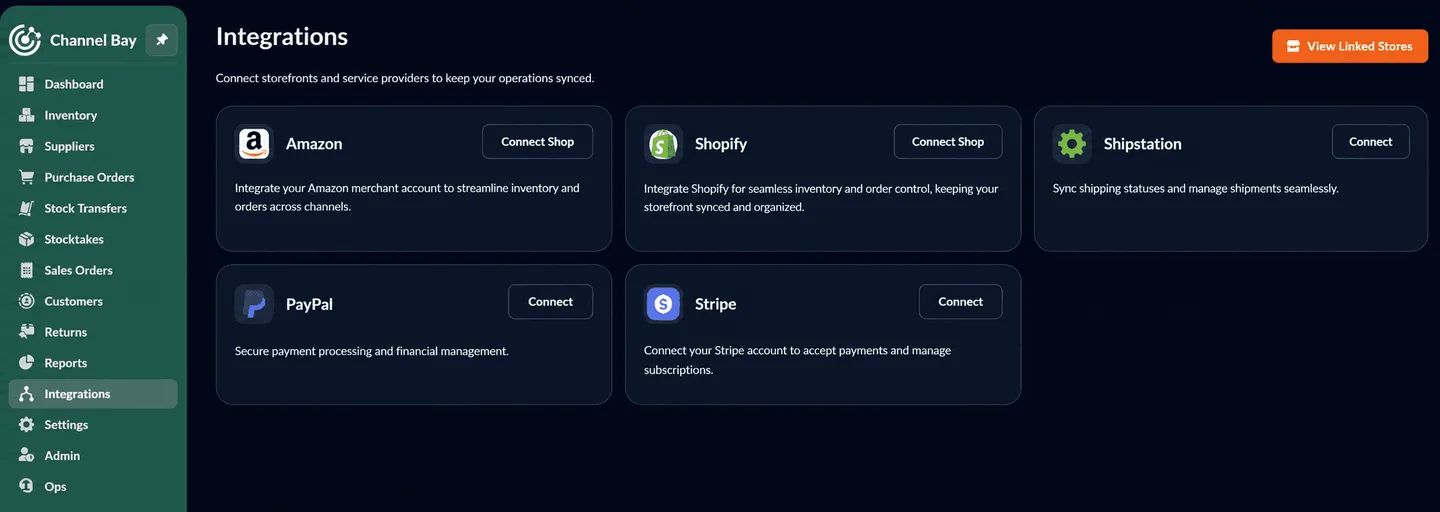
Setting up shopify inventory sync with Channel Bay starts from the Integrations section.
- Open Integrations. Log in to Channel Bay and go to Integrations, where connected shops are added and managed.
- Choose Shopify. Select Shopify from the list of available integrations.
- Connect your store. Enter or select your Shopify store details to start the connection.
- Authorize Channel Bay. Follow Shopify's authorization prompts to let Channel Bay access your store.
- Confirm the connection. Return to Channel Bay and check Integrations to confirm the shop shows as connected.
- Start managing inventory. With Shopify connected, stock movements, purchasing, locations, and other inventory operations run through Channel Bay.
How to Connect Amazon Inventory to Channel Bay
- Open Integrations and find the Amazon card.
- Connect your shop by selecting Connect Shop or Add Shop on the Amazon card.
- Authorize Amazon, completing the authorization flow so Channel Bay can access the merchant account.
- Select the marketplace region, if prompted, to match the correct Amazon storefront.
- Complete the connection and wait for the inventory sync to begin.
Once the connection succeeds, the Amazon card shows a connected-count badge confirming the merchant account is linked to Channel Bay.
What Happens After You Connect Your Inventory?
The sync begins in the background as soon as Shopify or Amazon is linked to Channel Bay. Current product and stock data imports automatically, so there is no need to keep a separate record during the transition.
From there, every movement keeps the picture current. A sale lowers stock, a new shipment raises it, internal usage deducts it, and manual adjustments update it, all in the same flow. Channel Bay syncs those changes back to connected sales channels in under two minutes, keeping stock close to real time everywhere it is listed.
The goal is closing the gap between what happens to your stock and when your systems find out about it. With a shopify real-time inventory sync in place, inventory moves in parallel with the business instead of waiting on a manual update or an end-of-day reconciliation.
Why We Built Channel Bay This Way
The goal was never just to track a number. It was to understand every movement behind it.
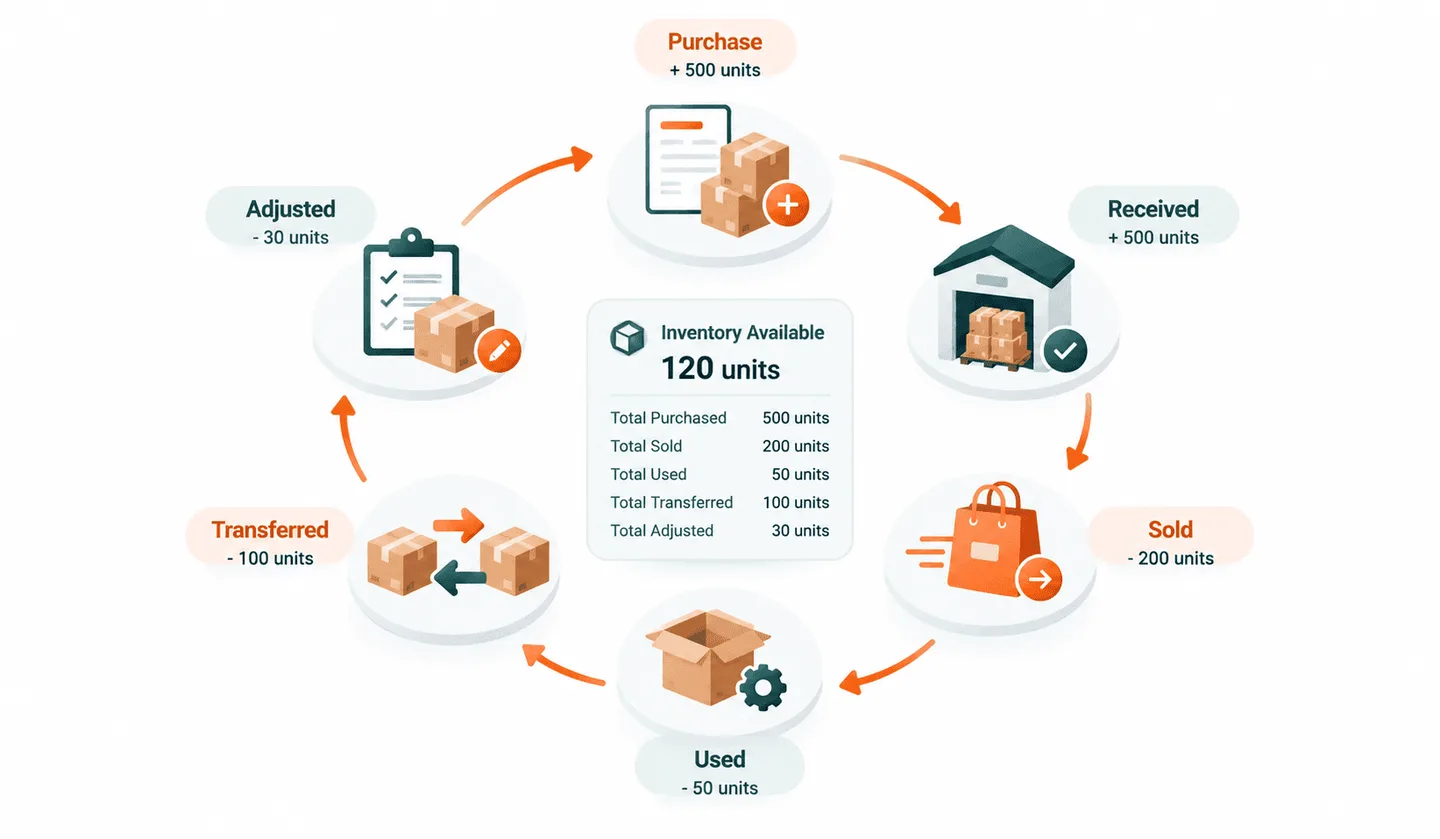
Inventory is always in motion: purchased from a supplier, received into a warehouse, sold to a customer, used internally, transferred between locations, or adjusted when something does not match. Each of those actions changes the count, and under a manual process, you usually see the final number without knowing what caused it. Figuring that out means digging through spreadsheets, orders, and transfer records after the fact.
Channel Bay links those movements together instead of treating inventory as a figure to be updated after something happens. When purchasing, sales, usage, transfers, and adjustments all live in the same flow, it is much easier to see what is actually going on with your stock.
The goal is simple: inventory should reflect what is actually happening in the business, not what someone last remembered to update.
Bottom Line
If you manage inventory across multiple channels, locations, or business activities, keeping every number updated by hand only gets harder over time. Connected inventory gives you one flow for understanding where stock comes from, where it goes, and what you have right now, which means fewer manual updates, fewer discrepancies, and more confidence in the numbers on screen.
If you are still updating inventory manually, connecting your Shopify store to Channel Bay brings purchases, sales, usage, locations, and channels into a single connected inventory workflow.
Frequently Asked Questions
What is connected inventory in Shopify?
Do I need connected inventory if I only sell on Shopify?
How does Channel Bay connect with Shopify?
How quickly does Channel Bay sync inventory?
Can Channel Bay manage inventory across multiple channels?
Is Channel Bay a connected inventory Shopify app for multi-location stores?

Guides from the team that builds and supports Channel Bay, the Shopify inventory app for purchase orders, stocktakes, stock transfers and multichannel stock sync. About Channel Bay