Shopify’s Native Inventory Tracking: Features and Limits
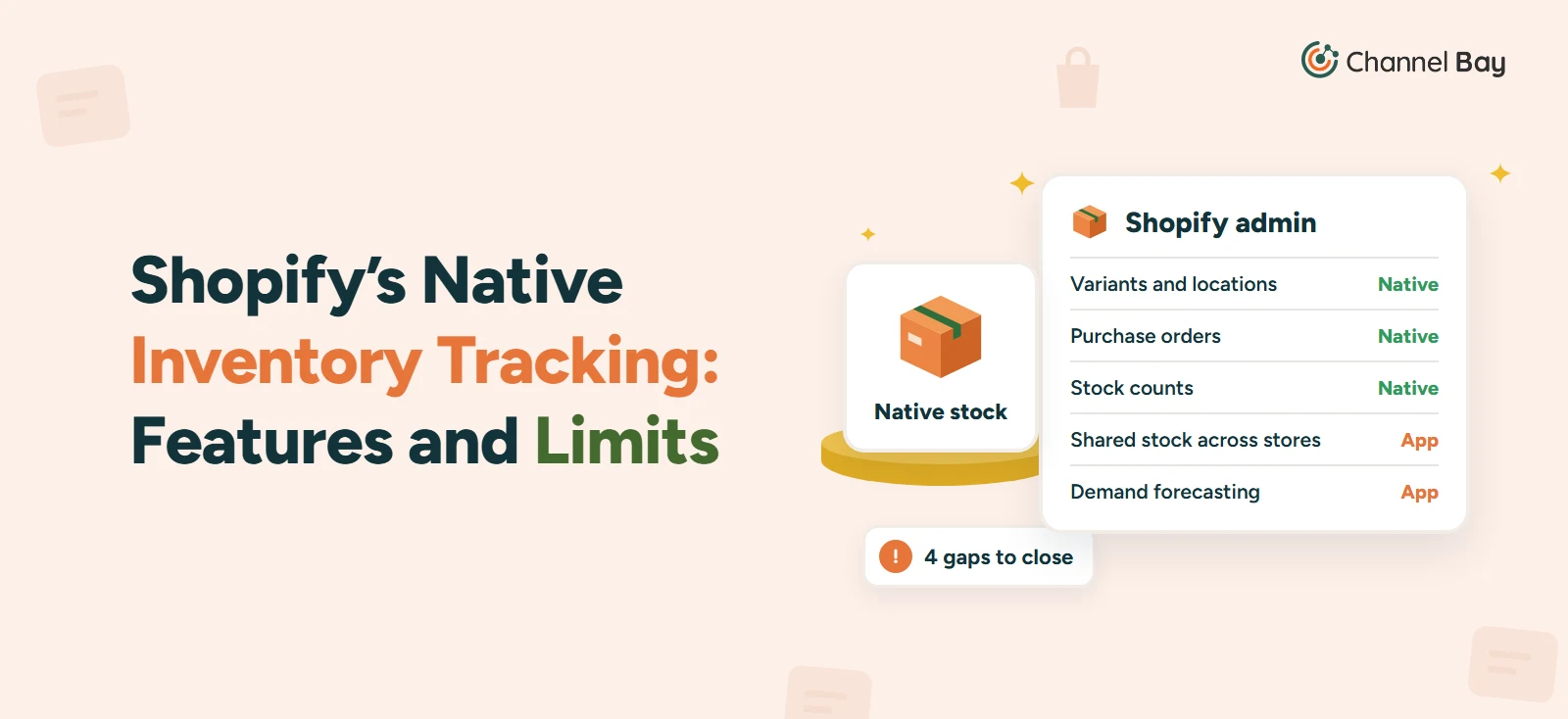
Shopify’s native inventory tracking features cover variants, locations, purchase orders and stock counts. Here are the four gaps that need an app.
On this page
Key Takeaways
- What is native: per variant and per location tracking, purchase orders, transfers, stock counts, adjustment history and inventory reports, all in the Shopify admin.
- Since Stocky was retired on August 31, 2026, purchase orders, transfers and counts live in the core admin, but forecasting and supplier records did not carry over.
- Gap 1 and 2: separate Shopify stores do not share inventory, and there is no built-in demand forecasting.
- Gap 3 and 4: low-stock alerts need hand-built Shopify Flow rules, and bundles, lead times and marketplace sync sit outside the native toolset.
- Single-store merchants with a few hundred SKUs and predictable lead times rarely need more; multi-store and marketplace sellers usually add an app.
Shopify’s native inventory tracking features cover the basics most single store merchants need: per variant tracking, multi location stock, purchase orders, transfers, stock counts and adjustment history, all inside the admin. After Stocky was retired on August 31, 2026, Shopify folded purchase orders, transfers and counts into the core admin, so you no longer need a separate app for standard purchasing.
The native setup stops being enough in four specific situations: when stock is shared between Shopify stores, when you need demand forecasting, when low-stock alerts should run on their own, and when replenishment involves lead times or supplier records. This piece walks through what Shopify includes, where the gaps sit, and the signals that tell you it is time to add an app. For step-by-step setup, see our guide to Shopify inventory tracking.
What Do Shopify’s Native Inventory Tracking Features Cover?
Shopify tracks stock at the variant and location level. Every variant has five states you can see in the admin: available, committed, unavailable, incoming and on-hand.
- Available is what customers can buy right now.
- Committed is tied to unfulfilled orders already placed.
- Unavailable covers damaged stock, safety stock, or custom reasons you define.
- Incoming is on an open purchase order or transfer.
- On-hand is the physical total sitting at the location, available plus committed plus unavailable.
Treating these as one number is the most common source of oversells. A store that shows 10 “on-hand” but has 8 committed to pending orders only has 2 available, and the storefront will sell accordingly. Each variant also carries an inventory policy setting that decides what happens at zero: stop selling, or continue selling when out of stock. That one toggle changes how your catalog behaves during a stockout and is worth checking before any launch.
Multi-Location Inventory
Each location keeps its own count, and Shopify’s order routing decides which location fulfills an online order. You can prioritize by location order, by proximity to the customer, or by maximum inventory availability. Transfers move stock between locations with tracking for partial and full shipments, and in-transit inventory shows separately from on-hand. Location limits depend on your plan:
| Shopify plan | Active locations |
|---|---|
| Starter | 2 |
| Basic | 10 |
| Grow | 10 |
| Advanced | 10 |
| Shopify Plus | 200 |
Purchase Orders
Since Stocky shut down on August 31, 2026, purchase orders live natively in Shopify admin. You can add products and quantities, set expected arrival dates, send POs to suppliers, record incoming stock, and receive shipments against the PO in full or in parts.
Receiving against a PO updates on hand automatically, and incoming quantities decrease as shipments arrive. What did not carry over from Stocky: demand forecasting, suggested order quantities, supplier cost history, and the supplier record itself as a first-class object. You can still enter a supplier name on each PO, but there is no supplier catalog that tracks lead time, price history, or minimum order quantity across orders.
Stock Counts
Compare physical stock to Shopify’s recorded quantities, either manually or with a barcode scanner through POS. You can run partial counts by collection, vendor, or location rather than counting the whole catalog each time. Counts can be reviewed and approved before they adjust inventory, and every approved count writes to adjustment history with the user, date and reason.
Inventory Reports
The admin shows quantities across locations, month-end on-hand snapshots, ABC product analysis by sales, days of inventory remaining by variant, and a full adjustment log. These are reporting views, not forecasting tools. They tell you what happened, not what to order next.
Where Do Shopify’s Native Inventory Tracking Features Fall Short?
Shopify’s built-in inventory tools cover basic stock tracking and quantity updates, but they have limitations when it comes to managing more advanced inventory operations. Businesses that need better control over stock movement, replenishment, purchase orders, and inventory across multiple channels may find these features restrictive as they grow.
Separate Stores Do Not Share Inventory
Each Shopify store keeps its own inventory data, and Shopify Plus expansion stores are no exception. If a customer buys five units on Store A, Store B’s count stays the same. For merchants running a US and EU storefront, a wholesale store alongside a DTC store, or a B2B expansion store, this is the first native limit they hit.
There is no admin toggle that pools stock. The fix is either an inventory sync app that watches orders on each store and adjusts the others, or an ERP that holds the master count and pushes updates down to every Shopify storefront. Our guide to syncing inventory between Shopify stores covers both routes.
There Is No Built-in Demand Forecasting
Shopify can create purchase orders. It cannot tell you how many units to order. Forecasting uses sales velocity, supplier lead times, seasonality and desired stock cover to recommend reorder quantities, and none of that logic ships in the admin. This was the single biggest Stocky loss when it was retired in 2026.
Stocky could look at the last 30, 60 or 90 days of sales, factor in a supplier lead time, and suggest a quantity that would cover the next planning window. The native PO tool asks you to supply that number yourself. Teams that used Stocky’s forecasting now rely on a third-party app or a spreadsheet model. See our roundup of Shopify inventory forecasting apps for the app route.
Low-Stock Alerts Require Shopify Flow Setup
Shopify does not send low-stock emails by default. You build the alert in Shopify Flow using an inventory quantity trigger, route it to email or Slack, and maintain it per product or collection. Flow is included on Basic and higher, so there is no plan upgrade needed, but the mechanics are manual. Every threshold is set by hand, there is no per-SKU safety stock logic, and there is no “days of cover remaining” calculation that adjusts the threshold as velocity changes. A store with 50 SKUs can maintain Flow rules without much friction. A store with 500 SKUs usually moves alerting to a dedicated app that calculates thresholds from sales history. Our guide to Shopify inventory alerts compares the options.
Advanced Replenishment Workflows Are Not Supported
Lead-time tracking, supplier cost history, bundle inventory, kit components and multichannel inventory sync all sit outside the native toolset. If you sell a gift set made from three components, native Shopify will track the gift set as its own SKU but will not decrement component stock when the set sells. If your packaging supplier is on a 60-day lead time and your t-shirt supplier on 14 days, the admin treats both POs the same. If you list on Amazon or eBay alongside Shopify, there is no native sync. Shopify handles single-location, single-store, standard-product purchasing well. Add marketplaces, bundles, two warehouses, or variable lead times, and the workflow needs to live somewhere else.
When Do You Need an Inventory Management App?
If any of the following apply, the native toolset will slow you down or quietly let errors through:
- You sell the same SKU on two or more Shopify stores, or on marketplaces alongside Shopify.
- You carry more than a few hundred active SKUs and need forecasting to decide reorder quantities, rather than guessing from recent sales.
- You sell bundles or kits where the component stock has to decrement correctly when the bundle sells.
- Your lead times vary by supplier or by SKU, and you need safety stock levels that reflect that variation.
- You want low-stock and reorder alerts across the catalog without maintaining individual Flow rules per product.
- You run partial stock counts weekly or run cycle counts by zone, and need audit trails tied to a specific team member.
Single-store merchants under a few hundred SKUs, selling only through Shopify, with short and predictable lead times, rarely need more than Shopify’s native inventory tracking features in 2026. The admin covers purchasing, receiving, counting and reporting at a standard that would have required Stocky plus a report app two years ago. Everyone else, especially multi-store merchants and merchants selling off-Shopify, typically adds a specialized app to close the four gaps above.
Frequently Asked Questions
Does Shopify have built-in inventory management?
Is Shopify’s inventory tracking enough for a small store?
What replaced Stocky in Shopify?
How many locations can Shopify track inventory for?
Can two Shopify stores share inventory?

Guides from the team that builds and supports Channel Bay, the Shopify inventory app for purchase orders, stocktakes, stock transfers and multichannel stock sync. About Channel Bay