Shopify Amazon Integration: Your Options, Sorted by What You Need It To Do
Shopify and Amazon connect through apps. See the options for listing, stock, orders and Amazon fulfillment, what each costs and which job it covers.
On this page
- What Does "Shopify Amazon Integration" Mean?
- What Do You Need Before You Connect Anything?
- Shopify Marketplace Connect: Listings, Stock and Orders
- CedCommerce Amazon Channel: An Amazon-Only App
- Amazon MCF and Buy With Prime: Amazon Ships Your Shopify Orders
- Channel Bay: One Count for Shopify and Amazon
- Other Routes
- The Options Compared
- What Does Each Cost in One Scenario?
- Where Do Shopify Amazon Integrations Go Wrong?
- Which Option Fits Which Store?
- About Channel Bay
- The Short Version
Key Takeaways
- Shopify's admin has no Amazon connection of its own, so a Shopify Amazon integration means an app. The word covers four jobs: listing products on Amazon, keeping stock level, importing Amazon orders into Shopify, and having Amazon ship your Shopify orders.
- Shopify Marketplace Connect and CedCommerce Amazon Channel cover the first three. Amazon's MCF app does the fourth, in the opposite direction. Channel Bay covers the second, for Shopify and Amazon only.
- Channel Bay does not create Amazon listings and does not import Amazon orders into Shopify. It keeps one count and pushes it to listings that already exist.
- Every route needs an Amazon seller account. Apps that connect through Amazon's APIs, as Marketplace Connect, CedCommerce and Channel Bay do, point to Professional, which Amazon's pricing page shows at $39.99 a month in the US plus selling fees. For MCF, Shopify names only a Seller Central account.
- For 800 products and about 500 Amazon orders a month, the readings are about $49 a month for CedCommerce and $60 for Channel Bay, and up to the $99 cap for Marketplace Connect, whose 1% basis is not stated. The rows buy different things, so they are not like for like.
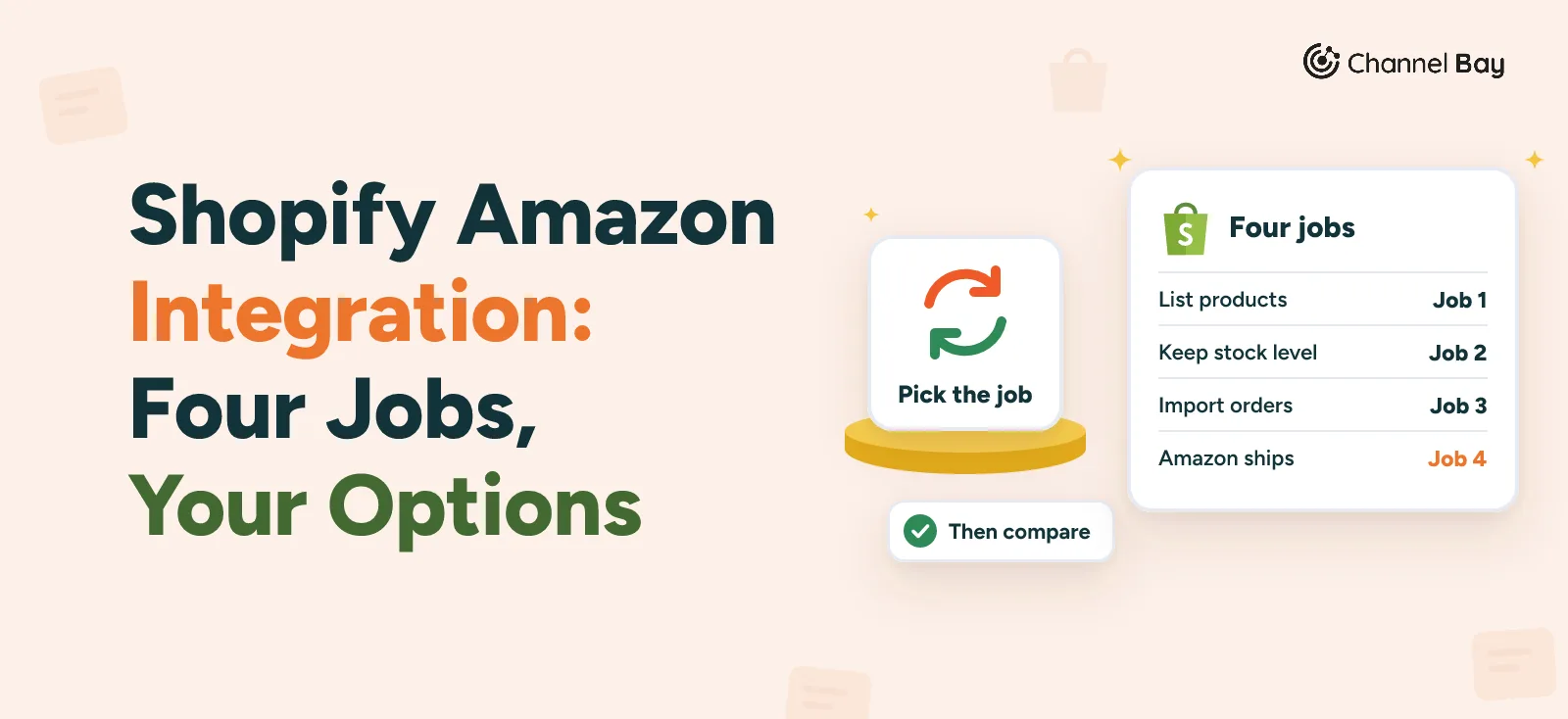
Shopify's admin has no Amazon connection of its own, so a Shopify Amazon integration means an app, and "integration" covers four different jobs: listing your products on Amazon, keeping stock level on both, importing Amazon orders into Shopify, and having Amazon ship your Shopify orders. Shopify's Marketplace Connect and CedCommerce's Amazon Channel cover the first three. Amazon's own MCF app does the fourth, and it runs the other way. Channel Bay covers the second.
Channel Bay is our app, so weigh this guide with that in mind. The App Store listings, Amazon's selling plans page and the prices below were read on 19 November 2026, Channel Bay's pricing page on 23 November 2026, Shopify's Multi-Channel Fulfillment page was read on 19 November 2026, and the Marketplace Connect help pages were read on 17 November 2026. This guide reports what those pages say and does not rate how well any app works. Where a page does not say something, this guide says "not stated" and does not guess.
What Does "Shopify Amazon Integration" Mean?
Pick the job first. The apps overlap less than their listings suggest.
| Job | What it means | Direction | Options |
|---|---|---|---|
| List products on Amazon | Create or link an Amazon listing for each Shopify product | Shopify to Amazon | Marketplace Connect, CedCommerce Amazon Channel |
| Keep stock level | One quantity for a product on both channels, so neither oversells | Both ways | Marketplace Connect, CedCommerce Amazon Channel, Channel Bay |
| Import Amazon orders | Amazon orders appear in your Shopify admin to fulfill and track | Amazon to Shopify | Marketplace Connect, CedCommerce Amazon Channel |
| Have Amazon ship your orders | Stock sits in Amazon's warehouses and Amazon picks, packs and ships Shopify orders | Shopify orders to Amazon | Amazon's MCF app |
The first three are the usual starting point. A store that only wants Amazon's warehouses, with no listings on Amazon, wants the fourth row and can skip to the MCF section. If you only want the same stock number on both and your products are already listed, the second row is enough.
What Do You Need Before You Connect Anything?
Check four things before you connect. The first applies to every route, the next two are what Shopify lists for its own listing app, and the last matters to any app that links products.
- An Amazon seller account (every route). Shopify's Marketplace Connect requirements call for a verified seller account on the marketplace, signed up in the country you want to sell in (Shopify Help Center, requirements). For an app that connects through Amazon's APIs, plan on Professional, which Amazon's pricing page shows at $39.99 a month in the US, with apps and APIs among its tools, against $0.99 an item sold on Individual (Amazon, selling plans). For the MCF app, Shopify names only a Seller Central account. Selling fees are on top and Amazon's own. Our guide to syncing Shopify and Amazon stock sets out the two plans side by side.
- A Shopify store that is ready to sell. For Marketplace Connect, Shopify lists an online store that is not in private mode, a valid payment provider and shipping rates for the countries you sell to (Shopify Help Center, requirements).
- Product identifiers. For listing, Shopify's requirements say Amazon, Walmart, eBay and Target Plus need a unique product identifier such as a GTIN, and private-label goods need an exemption (Shopify Help Center, listing requirements).
- SKUs that match. Apps link a Shopify product to an Amazon listing by SKU, barcode or title, depending on the app. Blank and duplicate values are where links go wrong, so clean them before you connect.
Shopify Marketplace Connect: Listings, Stock and Orders
Marketplace Connect is Shopify's own app, formerly Codisto. Its App Store listing says it connects your product catalog to Amazon, eBay, Target Plus and Walmart and manages listings, orders and inventory from Shopify. The listing shows 4.2 stars from 2,151 reviews and a launch date of 19 September 2017.
- Jobs covered: listing, stock and orders. Amazon orders import into your Shopify Orders page, and shipping status and tracking sync back to Amazon (Shopify Help Center, manage your orders).
- How it matches products (as stated): for listings that already exist, it suggests a match by SKU, UPC or title (Shopify Help Center, link existing listings).
- Price (as read): free to install, and the listing words the charge as "First 50 marketplace-synced orders/mo free, 1% fee per additional synced-order, capped at $99/month". It does not say whether the 1% is of the order's value or of each order, so read that line on the day you decide.
- Fits: a Shopify store that wants listings, orders and stock for Amazon, and perhaps eBay, Walmart or Target Plus, from one app that is free to install.
- Does not fit: a store that needs purchase orders, transfers and counts on the same stock count, which the listing does not name. Our guide to Shopify Marketplace Connect covers its cost, limits and what merchants report.
CedCommerce Amazon Channel: An Amazon-Only App
CedCommerce's Amazon Channel is a third-party app that does the same three jobs for Amazon alone. Its listing tagline reads "Manage Amazon Product Listings, Sync Inventory, Price & Fulfil Orders from your Store". It shows 4.6 stars from 1,171 reviews, a Built for Shopify badge and a launch date of 18 June 2021.
- Jobs covered: listing (bulk import, edit and create), stock, prices and orders. The paid plans list real-time order syncing for both FBA and FBM, and automated price sync rules.
- How it matches products (as stated): the listing names SKUs and barcodes among what it syncs, and does not state a matching rule.
- Reach: the listing says you can sell in 22+ Amazon-covered countries with multi-account and multi-currency support. It lists Amazon multi-location inventory as an upcoming feature.
- Price (as read): the listing shows rupee prices at 1 INR = 0.0107 USD, billed in your store's currency every 30 days. Free covers one Amazon account and up to 100 products, with "50 orders/month; $0.2/order". Beginner is ₹1,775.85 (about $19) for up to 100 orders a month and ₹4,579.82 (about $49) for up to 500, both for up to 5,000 products. Growth is ₹9,253.11 (about $99) for up to 1,000 orders and 10,000 products. The listing labels both order tiers "Beginner" and names no app trial.
- Reviews: 76 of the 1,171 reviews are one-star, and this guide has not read their text.
- Fits: a Shopify store that sells on Amazon only, in several Amazon countries, and wants listing tools as well as stock and orders.
- Does not fit: a store that also sells on eBay or Walmart, which the listing does not name, or one that needs purchasing and counts, which it does not name either.
Amazon MCF and Buy With Prime: Amazon Ships Your Shopify Orders
This is the one option that runs the other way. Shopify's Help Center says you store inventory in Amazon's fulfillment centers and have Amazon pick, pack and ship your Shopify orders, importing and fulfilling them from your Shopify admin. It adds that you don't need to sell on Amazon to use the app (Shopify Help Center, Multi-Channel Fulfillment by Amazon). Its listing describes syncing inventory that Amazon holds, and says nothing about listing your products on Amazon's marketplace.
- Two listings: Amazon publishes Amazon MCF: US Fulfillment (4.0 stars from 58 reviews, launched 26 October 2022) and Amazon MCF and Buy with Prime (3.9 from 114, launched 14 July 2023). The Help Center names the second.
- Requirements: Shopify's page lists fulfilling orders in the United States, selling to US addresses and an Amazon Seller Central account. For other countries it points to a different app. The Buy with Prime listing's own text mentions orders to the US, UK, EU, Japan, Canada and Australia, so check the countries on the listing you install.
- Matching: the MCF listing mentions auto-SKU mapping.
- Price (as read): free to install, with additional variable charges per shipment that Amazon may bill separately from your Shopify invoice. This guide does not price them.
- Fits: a store that wants Amazon to store and ship its Shopify orders, with or without selling on Amazon.
- Does not fit: listing your products on Amazon's marketplace. That is a different job, covered above.
Channel Bay: One Count for Shopify and Amazon
Channel Bay holds one count for each product and location and pushes it to every connected Shopify store and Amazon. It links Amazon listings you already have to your Shopify products by seller SKU or barcode, chosen once, and only where exactly one product has that value. Blank and duplicate values stay unlinked until you link them by hand.
- Jobs covered: keeping stock level. It does not create Amazon listings, and it does not create Amazon orders in your Shopify admin.
- Speed: stock changes push on a one-minute cycle, so a change can wait up to a minute. Our guide to how fast inventory sync should be shows how to time one order.
- Amazon FBA: FBA stock is read-only and cannot be mapped. See Amazon FBA and Shopify inventory.
- Price (as read): on its pricing page, Free covers one channel with unlimited orders, so it has no multichannel sync. Basic is $30 and Pro $60 a month, with unlimited orders on every plan and no per-order charge. Real-time multichannel sync is on Pro, and Basic and Pro have a 14-day trial. The Shopify listing shows 5.0 stars from 7 reviews, so the sample is small.
- Also in the app: purchase orders and guided stocktakes on every plan, and transfers on Basic and up.
- Fits: a store that already has its products on Amazon and wants one stock count, with purchasing and counts on the same stock.
- Does not fit: listing products on Amazon, importing Amazon orders into Shopify, Amazon fulfillment, or any channel beyond Shopify and Amazon.
Other Routes
Other vendors publish Shopify and Amazon pages of their own, including LitCommerce, Channable, Webgility and Celigo. Their pages describe everything from listing apps for several marketplaces to feed tools and accounting automation. They are vendor pages, and this guide has not compared the apps or priced them.
You can also list products in Amazon Seller Central yourself and link the listings to Shopify products afterwards. Shopify's Marketplace Connect has a step for linking listings that already exist, and Channel Bay works from listings that already exist, so this suits a store that is already live on Amazon.
The Options Compared
What each option does, from the pages read in November 2026:
| Option | Lists products | Keeps stock level | Imports orders | Amazon ships orders |
|---|---|---|---|---|
| Marketplace Connect | Yes | Yes | Yes, into Shopify | Shopify's fulfillment page lists FBA and MCF as fulfillment choices |
| CedCommerce Amazon Channel | Yes, including creating listings | Yes | Yes, FBA and FBM | Not stated |
| Amazon MCF and Buy with Prime | Not stated | Syncs inventory held at Amazon, per its listing | No, it passes Shopify orders to Amazon | Yes |
| Channel Bay | No, links existing listings | Yes, every minute | No, it does not create Amazon orders in Shopify | No, FBA stock is read-only |
Matching, price basis and ratings, read on 19 November 2026:
| Option | Marketplaces named | Matches on | Free plan | Priced on | Rating |
|---|---|---|---|---|---|
| Marketplace Connect | Amazon, eBay, Target Plus, Walmart | SKU, UPC or title | First 50 synced orders a month free | Synced marketplace orders | 4.2, 2,151 reviews |
| CedCommerce Amazon Channel | Amazon | Not stated | One Amazon account, 100 products | Orders and products | 4.6, 1,171 reviews, Built for Shopify |
| Amazon MCF and Buy with Prime | Amazon fulfillment network | Auto-SKU mapping (MCF listing) | Free to install | Shipments, billed by Amazon | 4.0, 58 and 3.9, 114 |
| Channel Bay | Shopify, Amazon | SKU or barcode, one product per value | One channel, unlimited orders, no multichannel sync | Plan, 14-day trial | 5.0, 7 reviews (small sample) |
What Does Each Cost in One Scenario?
Take a store with 800 products and about 500 Amazon orders a month, which is 6,000 over 365 days. This reading of each option's published prices is not a quote, and the rupee figures are converted at the listing's own rate.
| Option | Reading | Per month |
|---|---|---|
| Marketplace Connect | 50 synced orders free, then 1% per additional synced order, capped at $99 | Up to $99, and the 1% basis is not stated |
| CedCommerce Amazon Channel | The 500-order tier, ₹4,579.82, if you stay at or under 500 orders | About $49, or about $99 on Growth in a month over 500 |
| Channel Bay Pro | Real-time multichannel sync, unlimited orders | $60 |
| Amazon MCF | Variable per-shipment charges, billed by Amazon | Not priced here |
Every row needs an Amazon seller account. The apps that connect through Amazon's APIs point to Professional, which is $39.99 a month in the US, plus Amazon's selling fees, and MCF names only a Seller Central account. The rows buy different things, so the order is not a ranking:
- Marketplace Connect and CedCommerce also list and create products and import orders, which Channel Bay does not.
- Channel Bay's price includes purchasing, transfers and counts. Every plan has unlimited orders, so Shopify orders on the same store do not add to it, and Pro is the plan with real-time multichannel sync.
- The 1% on Marketplace Connect is worded on the listing without saying whether it applies to order value, so only its $99 cap is certain.
- Amazon MCF is a shipping service, and its charges depend on what you ship.
Confirm every tier on the plan screen before you decide.
Where Do Shopify Amazon Integrations Go Wrong?
The same few problems turn up whichever app you pick, and each has a guide:
- Overselling. Two channels sell the last unit before either count changes. See overselling on Shopify.
- Counts that drift apart. A restock typed into one place, or an FBA unit counted twice. See syncing Shopify and Amazon stock.
- FBA and home stock mixed together. Amazon holds FBA stock itself. See Amazon FBA and Shopify inventory.
- A sync slower than you think. Check what "real-time" means and time one order. See how fast inventory sync should be.
- Two apps writing one count. Shopify says to have only one marketplace connector app connected, to avoid data conflicts (Shopify Help Center, set up Marketplace Connect), and the same logic holds for any sync app.
For the wider picture, see multichannel inventory management and connected inventory in Shopify.
Which Option Fits Which Store?
- You want Amazon listings, orders and stock from one app that is free to install: Marketplace Connect.
- You sell on Amazon only, in several countries, and want listing tools: CedCommerce Amazon Channel.
- You sell on Amazon and also on eBay, Walmart or Target Plus: Marketplace Connect names all four. Channel Bay does not connect them.
- Your products are already on Amazon and you want one stock count with purchasing and counts: Channel Bay.
- You want Amazon to store and ship your Shopify orders: Amazon's MCF app, with or without selling on Amazon.
To test any of them, connect one product, change its stock on one channel and time how long the other takes to follow, then repeat the other way round.
If you are comparing more than Amazon sync, our guide to the best inventory management software for Shopify covers the wider field, and Shopify inventory sync apps compared covers the apps that sync between stores.
About Channel Bay
Channel Bay connects Shopify and Amazon only, holds one count for both, and runs purchase orders, transfers and stock counts on that same count. It is one of the options above and the narrowest of them on listing and orders, so read it against the jobs you need.
The Short Version
Pick the job first: Marketplace Connect and CedCommerce list products, sync stock and import orders, Amazon's MCF app ships your Shopify orders from Amazon's warehouses, and Channel Bay keeps one stock count for listings you already have. Whichever you choose, you need an Amazon seller account (Professional for the apps that connect through Amazon's APIs), and you should time one order before you trust the sync.
Frequently Asked Questions
Does Shopify integrate with Amazon?
Is Shopify's Amazon integration free?
Can Amazon fulfill my Shopify orders?
Do I need an Amazon Professional seller account?
Can I keep stock level without listing products from Shopify?

Guides from the team that builds and supports Channel Bay, the Shopify inventory app for purchase orders, stocktakes, stock transfers and multichannel stock sync. About Channel Bay