Goods Receipt: How to Receive Stock Against a Purchase Order
A goods receipt records what a supplier delivered against a PO. How to receive stock, fill in a goods received note, and handle short, extra and damaged units.
On this page
Key Takeaways
- A goods receipt is the record of what a supplier delivered against a purchase order: what arrived, what was accepted into stock, at which location, and what was rejected. The document version is a goods received note (GRN).
- Count against the PO, not the packing slip. The slip tells you what the supplier says it sent; the PO tells you what you agreed to buy.
- Record only sellable units as received. Short, damaged and extra units each need their own decision: wait, credit, return or amend the PO.
- Don't leave a short balance open with no date. Units that are never coming still count as stock on order and hold back your next reorder.
- Since 22 June 2026, receiving a Shopify purchase order happens on a linked inventory transfer, where each item is accepted, rejected or cancelled.
A goods receipt is the record of what a supplier delivered against a purchase order. To make one, you count the delivery against the PO, accept the units that arrived in sellable condition into stock at the location they arrived at, and note anything you rejected. The goods receipt is what adds the stock to inventory, shows what is still outstanding, and tells you what to pay when the invoice comes in.
When a delivery matches the PO, receiving is quick. The work is in the deliveries that don't: a short shipment, a backorder with no date, a box of broken stock, or a carton you never ordered. Each one needs a decision, and the decision you don't make (often, leaving a balance open) is the one that costs you later. This guide follows one purchase order through each of those situations.
If you want the full purchase order process first, from raising the order to closing it, see our guide to what a purchase order is and how it works.
What Is a Goods Receipt?
Receiving a purchase order comes after the supplier ships and before you pay the invoice. It produces a goods receipt, a record of what arrived, which does three jobs:
- Updates stock: The received units become available to sell at the location that received them.
- Updates the PO: The PO moves to "partially received" or "received", and the outstanding quantity on each line is what's left.
- Sets up the invoice check: The receipt is the proof of what you got. Matching it against the PO and the supplier's invoice stops you paying for stock that never arrived or arrived broken.
It is also the moment a unit gets its real cost. Freight, duty and price differences are easiest to get into your margins if they're recorded when the stock comes in.
What Goes on a Goods Received Note
A goods received note (GRN) is the document that records a goods receipt. Some businesses print it and have the receiver sign it; in inventory software, the receiving record usually is the GRN. Either way, it holds the same fields:
| Field | What it records |
|---|---|
| GRN number and date | A unique reference for this delivery, and the day it arrived |
| PO number | The purchase order the delivery is received against |
| Supplier and delivery note number | Who sent it, and the reference on their packing slip or delivery note |
| Receiving location | The warehouse or shop the stock was received into |
| Per line: ordered, delivered, accepted, rejected | What the PO asked for, what turned up, what went into stock, and what didn't |
| Reason for rejection | Damaged, wrong item, over the PO quantity, and so on |
| Received by | Who counted it |
The ordered, delivered and accepted quantities are what make the GRN useful. Only the accepted units go into stock, the gap between ordered and accepted is what's still outstanding on the PO, and the rejected units are what you claim from the supplier or carrier.
How to Receive a Purchase Order, Step by Step
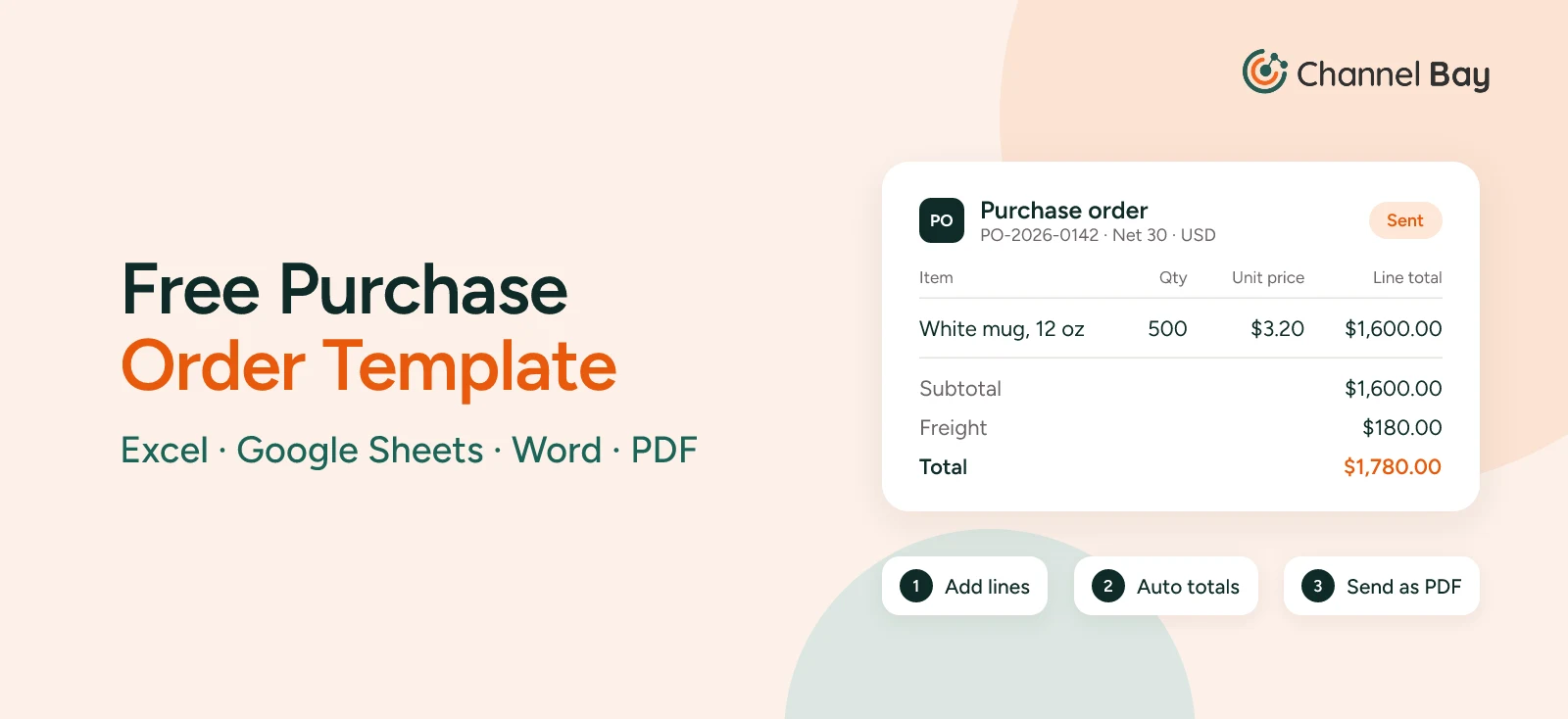
The example used through this guide is the same one in our purchase order guide: a kitchenware brand orders 500 white mugs.
| PO-2026-0142 | |
|---|---|
| Line | 500 x MUG-WHT-12 at $3.20 = $1,600 |
| Freight | $180 |
| PO total | $1,780 |
| Ship to | Main warehouse |
| Due | 10 November, payment Net 30 |
The delivery arrives: 500 mugs in 25 cartons of 20. One carton rattles when it's lifted. The supplier packed it without dividers, and all 20 mugs in it are broken.
Step 1: Check the Paperwork Before You Sign
Match the packing slip's PO number to an open PO, and count the cartons against the carrier's delivery note before the driver leaves. If a carton is crushed, wet or missing, write it on the delivery note before you sign. A clean signature tells the carrier everything arrived in good order, which makes a damage claim much harder later.
In the example, the receiver writes "1 carton damaged, contents rattling" on the delivery note, photographs it and signs.
Step 2: Count Against the PO, Not the Packing Slip
The packing slip is the supplier's account of what it sent. The PO is what you agreed to buy. Count each line and compare it with the PO quantity. If you can, count without looking at the expected quantity first and compare afterwards, so the number on the screen doesn't become the number you count.
Scanning barcodes is faster and catches a common receiving error: the right quantity of the wrong variant.
Step 3: Inspect, and Set Damaged Units Aside
Open enough cartons to check the goods, not just the boxes. Keep damaged units physically apart from good stock, with a note of the PO number, so they don't end up on a shelf and get picked for an order.
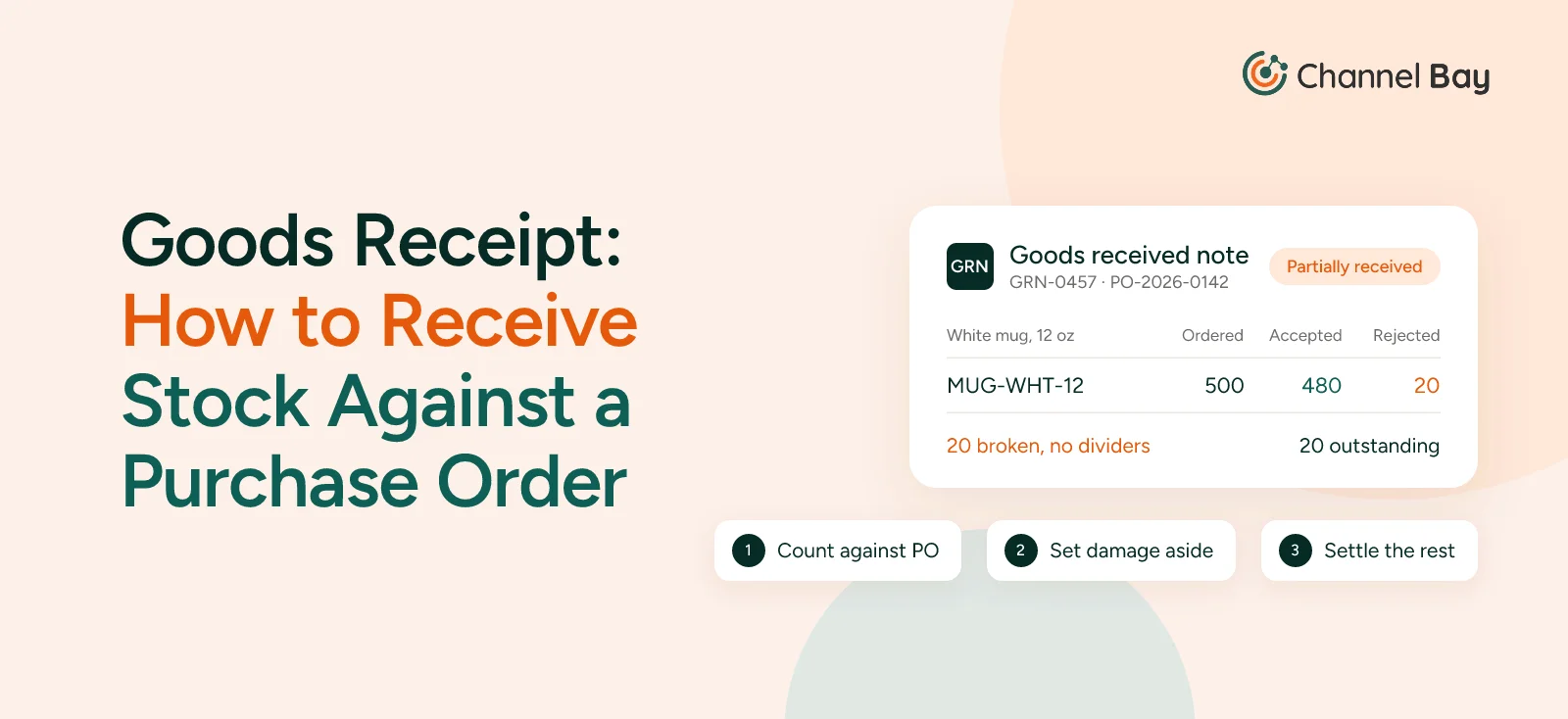
Here, the receiver finds 480 good mugs and 20 broken ones.
Step 4: Record What Arrived, at the Location It Arrived At
Accept 480 into stock, not 500. Stock should only hold units you can sell, so the 20 broken mugs go on the goods received note as delivered but rejected. Receive into the location where the stock physically is. If the delivery lands at a central warehouse and some of it goes on to a shop, receive it at the warehouse and then move it with a stock transfer. Receiving it straight into the shop makes the shop show stock it hasn't got yet.
The PO now shows 480 of 500 received, with 20 outstanding, and its status is "partially received". The goods received note for the delivery reads:
| GRN-0457, 10 November | Ordered | Delivered | Accepted | Rejected |
|---|---|---|---|---|
| MUG-WHT-12, against PO-2026-0142 | 500 | 500 | 480 | 20 (broken, no dividers) |
Step 5: Record the Cost the Delivery Actually Came At
If the supplier's invoice or packing list shows a different price from the PO, decide which one is right before you record the cost. If it said $3.30 instead of $3.20, that's a $50 difference on 500 mugs, and the PO is the agreed price unless you accepted a change. Then add the freight and divide by the units that arrived. If the supplier credits the 20 broken mugs, you pay for 480 x $3.20 = $1,536, so each mug costs ($1,536 + $180) / 480 = $3.58, not the $3.20 on the PO line. If the supplier refuses the credit, you pay $1,780 for 480 sellable mugs: $3.71 each. The full method, including splitting freight across a PO with several products, is in how to calculate landed cost.
Step 6: Decide What Happens to the Balance
Every unit on the PO has to end up in one of three places: received, still expected, or cancelled. The 20 broken mugs won't be received, so the next section is about what to do with them.
What to Do With Damaged, Short and Extra Deliveries
Most receiving discrepancies fall into one of four cases.
| What arrived | Record as received | What to do with the PO | What to pay |
|---|---|---|---|
| Fewer units, more to follow | What arrived | Keep the balance open with a backorder date | The delivered units |
| Fewer units, nothing to follow | What arrived | Close the balance | The delivered units |
| Damaged or wrong units | The sellable units only | Get a credit or a replacement, then close or keep open | The sellable units, or all if replaced |
| More units than ordered | Up to the PO quantity, until you decide | Amend the PO, or return the extras | The PO quantity, plus extras only if you keep them |
Damaged Units
In the example, the supplier agrees to credit the 20 broken mugs at the PO price: 20 x $3.20 = $64. The invoice for $1,780 is reduced to $1,716, the outstanding 20 are cancelled, and the PO is closed. The alternative is a replacement shipment, in which case you keep the 20 open until it arrives.
Damage in transit is a different claim from faulty goods. If a carton was crushed on the way, the claim may sit with the carrier or with whoever arranged the freight, depending on your Incoterms. Poor packing, as in the example, is the supplier's problem. Either way, the note on the delivery note in step 1 is your evidence.
Partial Receipts, Short Deliveries and Backorders
Suppose instead the supplier shipped 400 mugs and confirmed the other 100 will follow in two weeks. Record a partial receipt for the 400 and keep the 100 open: the backorder has a date, so the PO is still telling the truth about what's coming. When the 100 arrive, they get a goods receipt of their own. If the supplier invoices freight on the first shipment, the 400 mugs cost ($1,280 + $180) / 400 = $3.65 each. Cost the backorder on its own when it arrives, with its own freight bill.
If the supplier says the 100 are "coming soon" with no date, close the balance instead and raise a new PO when they confirm. An open balance counts as stock on order. Any reorder calculation that counts stock on order will hold back your next reorder for 100 mugs that may never ship.
Keep a balance open when:
- The supplier has given a ship date you believe.
- The price and terms on the backorder are the same as on the PO.
- You'd still want the stock if it arrived late.
Close it and raise a new PO when:
- There's no date, or the date has already slipped once.
- The price is likely to change, or you might buy the stock from someone else.
- The balance will ship and be invoiced separately anyway, and you want each PO to match one invoice.
Set a rule for how long a partial PO can stay open, such as 30 days past its due date, and review open POs weekly.
Extra Units
Suppose 520 mugs arrive against a PO for 500. The 20 extra are worth $64 at the PO price, but you didn't agree to buy them. Hold them apart and ask the supplier. You can send them back at the supplier's cost, or keep them and have the PO amended to 520 so the receipt, the invoice and the stock count agree.
In the US, the Uniform Commercial Code lets a buyer facing a delivery that doesn't match the contract reject the whole delivery, accept the whole delivery, or accept some commercial units (a unit sold as a whole, such as a carton) and reject the rest (UCC § 2-601, Cornell Legal Information Institute). A rejection has to come within a reasonable time and you have to tell the seller (UCC § 2-602). Other countries have their own rules, and your supplier agreement may set its own.
What not to do is put the extra 20 on the shelf without recording them. The count is then 20 out from the start, with no cost and no supplier behind them.
Receiving Purchase Orders in Shopify
Since 22 June 2026, a Shopify purchase order is received through a linked inventory transfer: you create the transfer from the PO, then receive on the transfer rather than on the PO (Shopify Changelog). According to Shopify's Help Center:
- Create the transfer from the PO. Click Create transfer on a PO marked as ordered and choose the destination location. The transfer copies the PO's supplier, items and quantities. Each PO has one linked transfer at a time.
- Receive on the transfer. Under Products > Transfers, open the transfer and click Receive items. For each item, choose Accept, Reject or Cancel and enter a quantity. You can record more than one action for the same item, and add a note to each.
- Accepted units become available at the destination. Rejected units are recorded on the transfer but don't add to stock at any location. Cancelled is for units the supplier never shipped.
- Partial deliveries are received shipment by shipment. The transfer stays In progress until every unit is accounted for, then changes to Transferred.
- Freight, duty and fees go on each shipment as cost adjustments, and the transfer's cost summary compares them with the cost agreed on the PO.
In the example, that's 480 accepted and 20 rejected. That accounts for all 500 mugs, so the transfer changes to Transferred. For the full set-up with screenshots, see how to create a purchase order in Shopify.
Two things are easy to miss. First, once the transfer exists it works independently of the PO, and changes to one don't update the other. If you change a quantity on the PO after creating the transfer, change the transfer too. Second, a store with a single location still has to create a transfer for every PO it receives, an extra step that has drawn complaints on the Shopify Community forum about partial receiving.
How Channel Bay Handles Receiving
Channel Bay receives against the purchase order itself, so there's no separate transfer to keep in step:
- Each delivery is its own batch: Every delivery you receive against a PO is a batch with its own supplier invoice number and freight, and is costed on its own.
- Full or partial: Enter what arrived, scan barcodes or SKUs to count faster, or receive everything at once. You can save a delivery as a draft and finish it later, and edit a received batch if a count turns out to be wrong.
- Outstanding quantities, always clear: Each line shows what's received and what's still due, and you can never receive more than is outstanding. The PO stays partially received until the rest arrives or you close it, and you can reopen it if something else turns up.
- Cost at the point of receiving: If the invoice price differs from the PO, change the line's unit cost as you receive it. Freight is spread across the lines by value to give each unit a landed cost, and with cost sync on, the new cost goes to Shopify.
- The right location, then move it on: Received stock goes to the PO's Shopify location and updates every channel. If part of a delivery needs to go on to a shop, turn the received batch into a stock transfer instead of entering it again.
See how Channel Bay handles purchase orders, or work through the numbers in how to calculate landed cost.
Frequently Asked Questions
What is a goods receipt?
What is a goods received note (GRN)?
Should I pay for a partial delivery?
What is the difference between a partial delivery and a backorder?
What should I do if a supplier sends more than I ordered?
How do I receive a purchase order in Shopify?

Guides from the team that builds and supports Channel Bay, the Shopify inventory app for purchase orders, stocktakes, stock transfers and multichannel stock sync. About Channel Bay