Shopify B2B Purchase Orders: Pay by PO, PO Numbers and Net Terms
How a Shopify store takes purchase orders from business customers: PO numbers at checkout, draft orders for POs sent by email, and net 30 payment terms.
On this page
- What is a B2B purchase order on Shopify?
- Which Shopify plans include B2B and PO numbers?
- How does a buyer pay by PO at checkout?
- What if the PO arrives by email or phone?
- Can you make the PO number required?
- Where does the PO number show up?
- How do net terms work on Shopify?
- How do you collect payment on a net terms order?
- What do Shopify's help pages leave out for B2B purchase orders?
- What goes wrong with B2B purchase orders?
- Do you still need purchase orders for your own stock?
- Where to start
Key Takeaways
- A B2B purchase order on Shopify is one your customer sends you. The buyer enters its PO number at checkout, or you add it to a draft order when the PO arrives by email or phone. B2B is on the Basic, Grow, Advanced and Plus plans.
- The PO number field is optional for the buyer. Shopify's help pages describe no setting to make it required. A validation Function (a developer job) or an app can do it.
- Payment terms are net 7, 15, 30, 45, 60 or 90 days from the order date, or due on fulfillment, set on a company or company location. A fixed date works on draft orders only.
- Net terms don't charge the buyer's card when the terms end. You charge a saved card yourself, automate it with Shopify Flow, or mark the order paid once the money arrives.
- Your own supplier purchase orders are a different document with your own numbering. Shopify's B2B tools cover the customer side only.
A B2B purchase order on Shopify is a purchase order a business customer sends you to buy from your store. Shopify handles it in two parts. The PO number is entered by the buyer at checkout, or by you on a draft order. Payment terms, such as net 30 (payment due 30 days after the order), let the buyer pay after the order is placed. Paying by PO means the buyer orders against its PO number and pays on those terms. This guide covers that customer side: how to set up B2B, take a PO, offer net terms and collect payment. The purchase orders you send to your own suppliers are a different document, covered in our guide to Shopify purchase order management. If you are unsure how a draft order differs from a purchase order, see Shopify draft orders vs purchase orders.
What Is a B2B Purchase Order on Shopify?
It is the buyer's document. A business customer raises a purchase order listing the products, prices and quantities it wants, gives it a PO number and sends it to you. The number is the buyer's reference, not yours. You record it on the order and quote it on your invoice, so the buyer can match your bill to its own order. How those numbers are built and why they matter is in our guide to the PO number.
Shopify gives you two routes to take a PO:
| Route | Who enters the PO number | Best for |
|---|---|---|
| Checkout | The buyer, signed in to its company account | Repeat buyers who order on your store |
| Draft order | You or your staff, from the PO the buyer sent | POs that arrive by email or phone, or custom prices |
Both end up as an order with the PO number on it (Shopify Help Center, B2B terminology).
Which Shopify Plans Include B2B and PO Numbers?
Basic, Grow, Advanced and Shopify Plus. Shopify's plan page doesn't list Starter or Retail. Shopify's changelog dated 2 April 2026 announced that merchants on Basic, Grow and Advanced can sell wholesale with native B2B features (Shopify changelog). The Help Center's plan table shows what each plan gets (Shopify Help Center, B2B features by plan, read 9 November 2026):
| Feature | Basic, Grow, Advanced | Plus |
|---|---|---|
| Companies and company locations | Yes | Yes |
| PO numbers | Yes | Yes |
| Net terms and payment reminders | Yes | Yes |
| Saved ("vaulted") credit cards, and ACH US bank debit (US only) | Yes | Yes |
| Active catalog assignments | 3 | Unlimited |
| Deposit requirements, partial payments, payment requests per fulfillment | No | Yes |
The table lists PO numbers on every plan.
Before you can take a PO, set up the buyer as a company. A company is the buying business, and a company location is the specific site you sell to. Each location can have its own catalog, payment terms, checkout options and addresses. A location's permission is either ordering only, or location admin, which also lets the buyer see all the location's orders (Shopify Help Center, creating companies).
How Does a Buyer Pay by PO at Checkout?
The buyer signs in to its company account, orders, and enters a PO number. Per Shopify's B2B checkout help (Shopify Help Center, B2B checkout):
- The buyer signs in with its email and a six-digit code, and picks a location if it has more than one.
- Prices come from the location's catalog, and the shipping and billing addresses are filled in.
- The buyer can enter a PO number at checkout.
- With no payment terms, the buyer pays at checkout. With payment terms, it submits the order without paying and the order shows as Payment pending in your Orders list.
- The order status page shows the PO number if one was entered, and the payment due date if the location has terms.
Step 3 says the buyer can enter a number. Shopify's page doesn't describe it as required.
What If the PO Arrives by Email or Phone?
Create a draft order for it. Shopify describes this for a company that submits an order outside your store, by email or on the phone (Shopify Help Center, B2B draft orders, read 9 November 2026):
- Go to Orders > Drafts and click Create order.
- In the Customer section, select the B2B customer, then the company location.
- Add the products. If the PO quotes a negotiated price, set a custom price on the line item.
- In the PO number section, click the edit icon, enter the buyer's PO number and click Done.
- Collect payment now, or choose Payment due later in the Payment section and pick payment terms. If the location already has terms, they are filled in for you. Then send an invoice.
A draft order's prices stay open to change until you lock them. To hold a quoted price while the buyer decides, use Lock product pricing from the Products section's menu. A locked price stays even if you change the product's price later.
If you want to look at every order before accepting it, set the company location to Submit all orders as drafts for review. The buyer then sees a Submit for approval button at checkout, the order lands in your Drafts with its prices locked, and it isn't complete until you click Create order or the buyer pays the invoice you send. That setting applies to the whole location. For review rules based on order value or cart contents, Shopify suggests a Payment Customization Function, which is a small piece of custom code that runs inside checkout.
Can You Make the PO Number Required?
Not with a setting, as far as Shopify's help pages show. They say buyers can enter a PO number and describe no option to require one, check its format or limit its length.
There are two routes if you need it:
- A validation Function. Shopify's changelog for API version 2026-04 (1 April 2026) added a
$.cart.poNumbererror target to Cart and Checkout Validation, with requiring PO numbers for B2B orders as its stated use (Shopify developer changelog). It is developer work. - An app. Search the Shopify App Store for PO number validation apps, and read each listing for what it does and which plan it needs.
Otherwise, make it a process rule. Tell buyers a PO number is part of every order, and check each new order's PO number field before you ship.
Where Does the PO Number Show Up?
Shopify states it in these places:
- The order status page, which the buyer sees, if a number was entered (B2B checkout help).
- The admin and customer accounts. Shopify's B2B page says PO numbers appear in the admin, customer accounts and the Orders API (Shopify B2B).
- The API, for developers.
Order.poNumberis the PO number associated with an order, andOrderInput.poNumberupdates it (Shopify Admin API, Order). - Order Printer.
po_numberis one of the order attributes you can use in a printed document template (Shopify Help Center, Order Printer variables).
Shopify's pages don't say that the PO number appears in order confirmation emails or on Shopify's default invoice. Place a test order with a PO number, check each document you send, and add po_number to any template that needs it.
How Do Net Terms Work on Shopify?
Payment terms set how long a company has to pay for an order. You set them on a company, on a company location, or on a single draft order. After that, the buyer sees the terms on the orders it places in your store (Shopify Help Center, payment terms, read 9 November 2026):
| Term | When payment is due | Set on |
|---|---|---|
| No payment terms | Immediately. This is the default. | Company location, draft order |
| Net 7, 15, 30, 45, 60 or 90 | That many days after the order is placed | Company location, draft order |
| Due on fulfillment | After all the items are fulfilled | Company location, draft order |
| Fixed date | A set calendar date, past or future | Draft order only |
To set them for a location, go to Customers > Companies, open the company, open the location, click the icon in the Payment terms section and choose a term. You can also set terms for all of a company's locations at once, or for several companies from the Companies page.
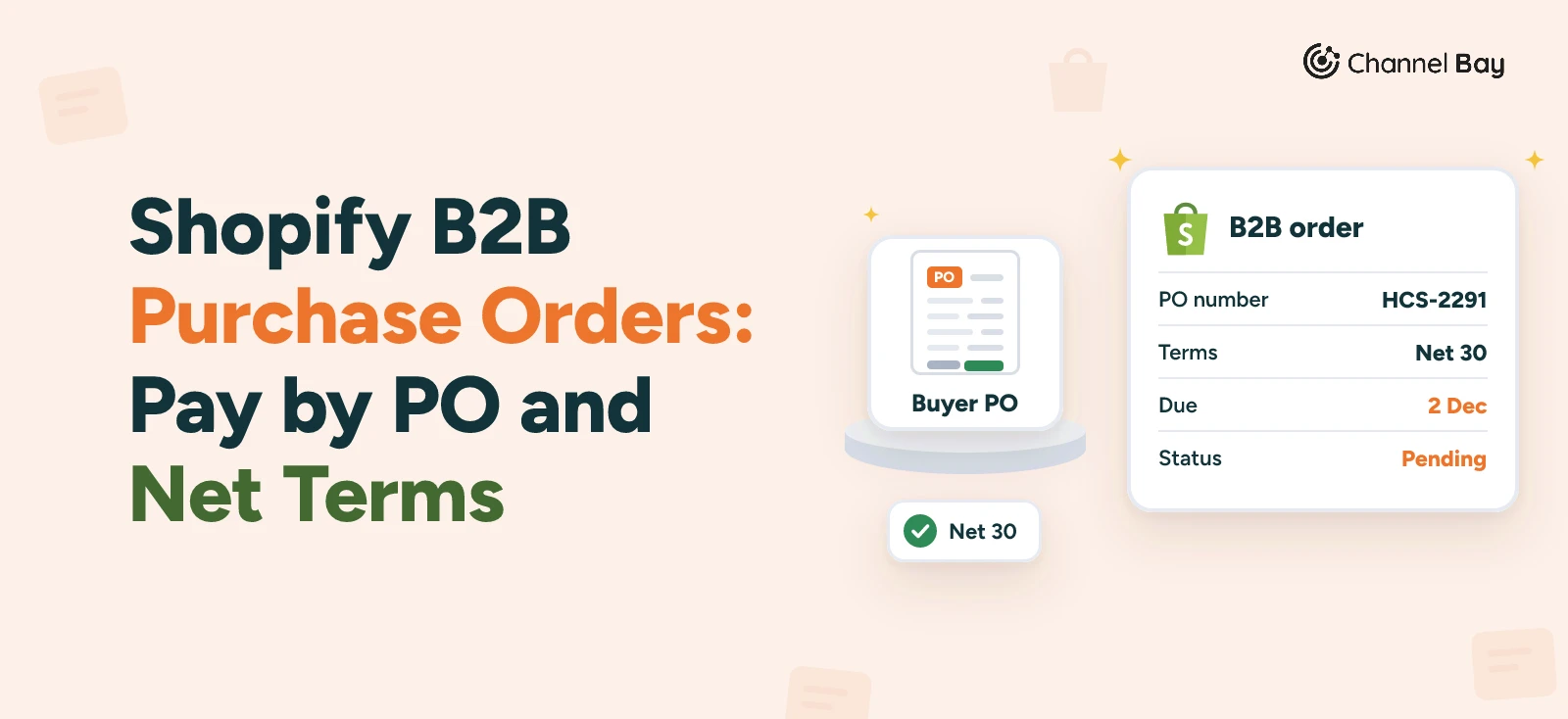
Here is an example. Harbor Cafe Supply, a company on net 30, places an order on 2 November 2026 and enters its PO number, HCS-2291. It doesn't pay at checkout. The order shows as Payment pending, and the buyer's order status page shows a due date of 2 December. To see what is owed, create a filter view of orders that are Due. It shows every order that is overdue or due today.
Deposit requirements are a Plus feature, as are partial payments (see the plan table above). Terms that vary by customer type, cart contents or order total take a Payment Customization Function or an app.
How Do You Collect Payment on a Net Terms Order?
Net terms postpone payment. They don't collect it. These are the ways it is collected:
- The buyer pays online. Any time before the due date, a buyer can sign in to customer accounts, open the order and click Pay now. After the terms expire, the buyer can still pay, and the order shows as Overdue.
- You charge a saved card. Payments aren't captured automatically when terms expire. If the buyer saved a card for the order, you charge it from the order in your admin. To avoid doing that by hand, Shopify Flow has a trigger called Payment schedule is due and an action called Charge vaulted payment for B2B order (Shopify Help Center, vaulted cards). Saving a card or bank account to charge later needs Shopify Payments, and ACH is US only.
- You record a payment made outside Shopify. If the buyer pays by bank transfer or check, open the order, click Collect payment and choose Mark as paid. Per Shopify's payment methods page, manual payment methods such as bank transfer don't show at checkout on orders with payment terms (Shopify Help Center, B2B payment methods). A buyer that pays by transfer therefore orders on terms, and you mark the order paid when the money arrives.
- You send reminders. Shopify can send payment reminders for orders with payment due later, set up under Settings > Notifications (Shopify Help Center, deferred payments).
What Do Shopify's Help Pages Leave Out for B2B Purchase Orders?
These are the gaps in what the pages describe. Each has a workaround:
- A required or checked PO number. No setting is described. Use a validation Function or an app.
- Automatic card charging when terms end. Not on its own. Use Shopify Flow, or charge by hand.
- A credit limit. Shopify's help pages don't describe one. If you need a limit, keep a record of each company's open balance outside Shopify, or look at apps.
- Approval rules by order value. Submitting every order from a location as a draft works natively. For rules by order value or cart contents, Shopify suggests a Payment Customization Function.
- Deposits and partial payments on Basic, Grow and Advanced. Plus only.
- Attaching the buyer's PO document to the order. The help pages describe no file field. Keep the buyer's PO file with your order records.
What Goes Wrong With B2B Purchase Orders?
- The PO number goes in a note instead of the PO number field. It then doesn't appear where Shopify shows PO numbers, and it won't reach a document that reads the field.
- The buyer leaves the field empty. Shopify describes no way to require it, so you may only find out when the buyer's accounts payable team (the people who pay its bills) can't match your invoice.
- You expect net terms to charge the card. Nothing is charged at the due date unless you charge it or a Flow workflow does.
- You promise bank transfer at checkout on a terms account. Shopify's payment methods page says it isn't shown there. Take the order on terms and mark it paid.
- A quoted price drifts. Lock product pricing on a draft order that quotes a price, so a catalog change doesn't alter it.
- Your order number is quoted where the buyer's PO number belongs. The buyer matches on its own number.
Do You Still Need Purchase Orders for Your Own Stock?
Yes. A store that sells wholesale also buys the stock it sells. The PO a customer sends you carries the customer's number. The POs you send to your suppliers carry yours, from your own sequence, and they feed receiving. They sit on the other side of the same pair of documents, as in our comparisons of a purchase order and an invoice and of a sales order and a purchase order.
Channel Bay is where you raise those supplier purchase orders, email them to the supplier, and receive deliveries against them. It doesn't handle your customers' purchase orders, net terms or B2B checkout. That stays in Shopify. The purchase orders page shows the supplier side.
Where to Start
Set up one buyer as a company with one location. Choose its payment terms, then place a test order at checkout with a PO number and check that the number appears on the status page and on the documents you send. Then create a draft order for the same company, and decide whether you need the PO number to be required.
Frequently Asked Questions
Can customers send purchase orders to my Shopify store?
Can I make the PO number required at checkout?
Which payment terms can I offer B2B customers?
Does Shopify charge the customer's card when net 30 ends?
Can I edit a PO number after the order is placed?
OrderInput.poNumber). The help pages describe no admin screen for it and don't say whether the buyer can change it after checkout, so ask buyers to send corrections to you.Is a customer's PO number the same as my order number?

Guides from the team that builds and supports Channel Bay, the Shopify inventory app for purchase orders, stocktakes, stock transfers and multichannel stock sync. About Channel Bay