Purchase Order Software Compared: What to Use by Business Type In 2026
Compare purchase order software by business type, from accounting tools to ERP. See prices checked on 2 November 2026, who each suits and what to ask in a demo.
On this page
- What is purchase order software?
- Which kind of purchase order software do you need?
- Purchase order software for freelancers and very small teams
- Purchase order software for small product businesses
- Purchase order software for ecommerce sellers
- Purchase order software for wholesalers and distributors
- Purchase order software for manufacturers
- Purchase order software for mid-market and enterprise
- Purchase order software for teams that mainly need spend control
- Is there free purchase order software?
- Purchase order software compared
- What to ask in a demo
- Switching purchase order software, or leaving a spreadsheet
- Where Channel Bay fits
Key Takeaways
- Purchase order software, a purchase order system and a purchase order app are the same kind of tool. What differs is what the PO connects to: your accounts, your stock, an approval chain or all three.
- Pick by business type. Accounting software suits occasional buying, inventory systems suit stock businesses, MRP suits manufacturers, ERP suits finance-led mid-market teams and procurement platforms suit teams that mainly need to control spend.
- Prices and plans differ more than the feature lists suggest. QuickBooks Online and Zoho Books keep POs off their cheapest plans, NetSuite and Procurify publish no price at all, and several others publish only a starting price.
- NetSuite, Procurify, Precoro and Ramp state three-way matching on their own pages, and Odoo and Zoho Books offer it as a setting or add-on. We did not find it stated for the other accounting and small inventory tools here, so a small team often matches invoices by hand.
- Before you buy, ask which plan includes POs, approvals and receiving, whether you can receive part of an order, and how you export your data if you leave.
Purchase order software creates POs, sends them to suppliers, tracks what is still on order and records what arrived. Some products also route POs for approval or match invoices. The same tool is sold as a purchase order system, a purchase order management system or a purchase order app, and the label matters less than what the PO has to feed: your accounts, your stock, an approval chain or all three.
The top results for this term are mostly accounting, accounts payable and procurement vendors describing their own products. This guide compares 16 products by business type, using the prices and PO details each vendor publishes, checked on 2 November 2026. Where a vendor publishes no price, we say "quote only". Where we could not confirm a detail on the vendor's own pages, we say so. Channel Bay is our app, so it gets one section at the end, not a place in the comparison. The short version of the categories is in our purchase order guide. This guide goes through named products.
What Is Purchase Order Software?
At minimum, purchase order software numbers a PO, puts the supplier, items, quantities and prices on it, sends it and records its status. Beyond that, products differ in what the PO connects to:
- Accounting software turns a PO into a bill.
- Inventory software turns a received PO into stock and cost.
- Procurement software puts requests, approvals and budgets in front of the PO.
- ERP and MRP run purchasing, stock, production and accounts in one system.
"Purchase order system" and "purchase order management system" usually mean the same software. Some people use "system" for the process (numbering, approvals, filing) and "software" for the tool that runs it. "App" usually means a lighter tool that plugs into a platform such as Shopify. The process after you send a PO, including what to track and how to chase, is in our guide to purchase order management.
Which Kind of Purchase Order Software Do You Need?
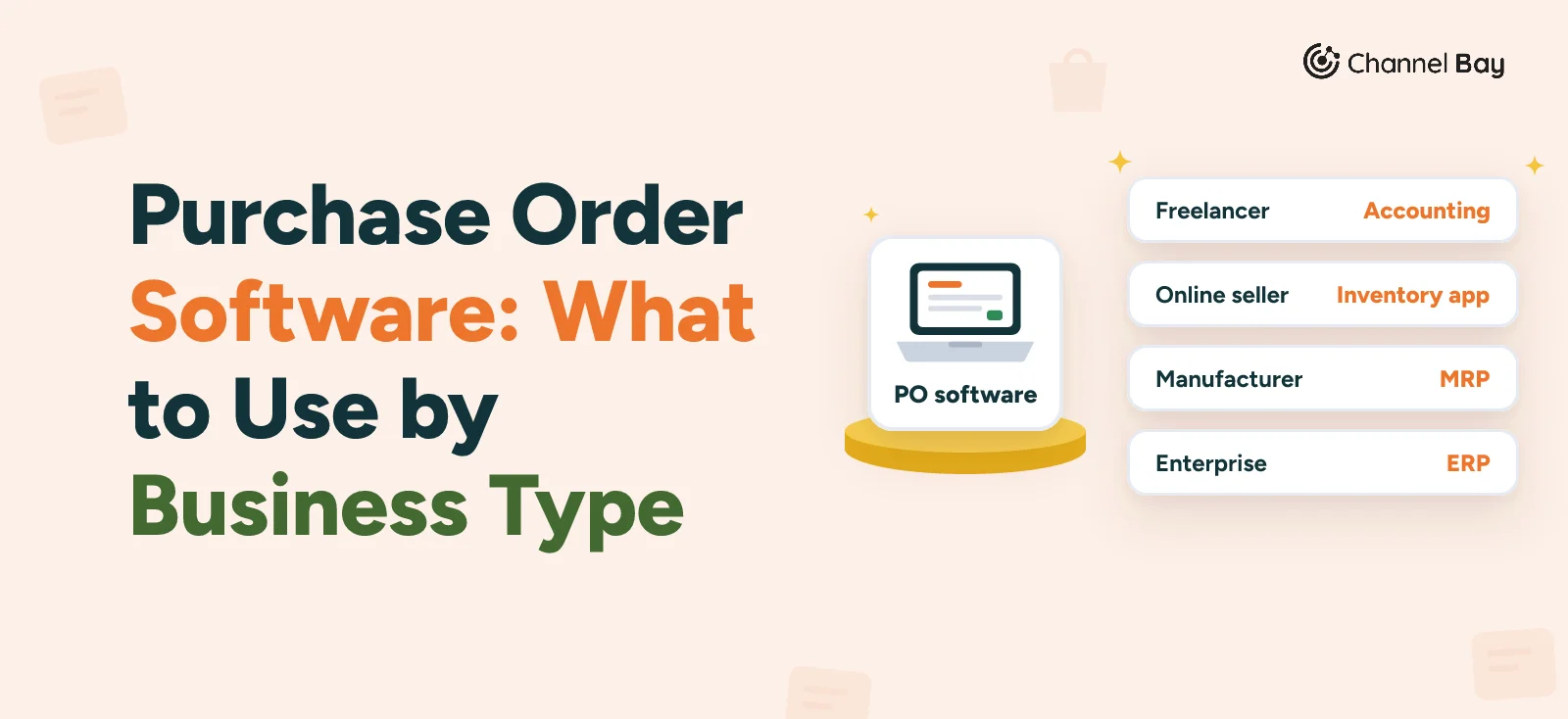
Three questions settle most of it. Do you hold stock that the PO has to update? Does someone need to approve spend before the PO goes out? Does the PO have to feed your accounts, your store or both? Match your answers to your business type:
| Your situation | What the PO has to do | Start with | Products below |
|---|---|---|---|
| Freelancer or very small team, buying occasionally | Record the order and become a bill | Accounting software | QuickBooks Online, Xero, Zoho Books |
| Small product business | Turn received POs into stock and cost | Inventory software | Zoho Inventory, inFlow |
| Online seller | Update store stock and unit cost on receiving | An ecommerce inventory app | See the ecommerce section |
| Wholesaler or distributor | Receive against supplier POs and sell against customer orders | Inventory and order management | Cin7 Core, Fishbowl |
| Manufacturer | Order materials against a bill of materials | MRP | Katana, MRPeasy, Odoo |
| Mid-market, finance-led | Run stock, purchasing and accounts in one system | ERP | Business Central, NetSuite |
| Team that mainly needs spend control | Approve and budget before the PO | Procurement platform | Procurify, Precoro, Ramp, Tradogram |
How We Chose These Products
We picked two to four products for each type (except ecommerce, which links to our Shopify list), from the categories in our purchase order guide, and kept a product only if its own pricing, product or help pages let us check its price and PO features. The order within a type is not a ranking. All prices are the vendor's list prices, in US dollars where the vendor shows a currency, and we leave out introductory discounts. We use no ratings, user counts or third-party roundups, and nothing here comes from memory. A feature marked "not found" means we did not find it on the pages we read, not that the product lacks it.
Purchase Order Software for Freelancers and Very Small Teams
If you place a few orders a month, the PO is mostly a paper trail for the bill, and accounting software does that. It will not track what is still due or update stock unless the plan includes inventory. If you raise only a handful of POs, a purchase order template in a spreadsheet may be enough.
QuickBooks Online: Purchase Orders From the Plus Plan
Prices in the US, per month: Simple Start $38, Essentials $85, Plus $140 and Advanced $340. Intuit advertises introductory discounts, which we leave out. Intuit's pages say purchase orders are available only on Plus and Advanced. On those you can create a PO, email it to the vendor and turn it into a bill, and the PO closes when it is added to a bill. We found no mention of partial receiving or three-way matching on the pages we read. Intuit's pricing page lists approval workflows with Bill Pay Elite on Advanced, which covers bills, not POs.
- Suits: a business already on QuickBooks that wants POs to feed the bill.
- Main limit: the two cheapest plans have no POs, and Plus is limited to 5 users.
Xero: Purchase Orders, but the Plan Isn't Named
Prices in the US, per month: Early $27, Growing $59 and Established $97. Xero's purchase order page says you can create a PO from a template, email it as a PDF and copy it to a bill. If goods arrive in parts, you bill what you received and the order stays open. POs can be saved or submitted for approval, and user roles control who can approve, email and delete them. The pages we read don't say which plan includes purchase orders, so confirm before you buy. Early caps bills at 5 and doesn't offer Inventory Plus, an optional add-on on Growing and Established whose price isn't on the pricing page.
- Suits: a small business already on Xero that receives in parts.
- Main limit: the plan that includes POs is unclear, and stock tracking is an add-on.
Zoho Books: Purchase Orders From the Professional Plan
Prices in the US, per month: Free $0, then Standard $20 ($15 billed annually), Professional $50 ($40), Premium $70 ($60), Elite $150 ($120) and Ultimate $275 ($240). Zoho's comparison page shows purchase orders from Professional up, not on Free or Standard. Professional includes 5 users and inventory tracking. Zoho's purchase order page describes sending POs, converting them to bills, partial receipts, backorder tracking and multi-level approval workflows. Zoho documents three-way matching only in its separate BillPay add-on.
- Suits: a very small team that wants approvals and partial receipts inside an accounting tool.
- Main limit: POs start at the second paid plan, and warehouses start at Elite.
Purchase Order Software for Small Product Businesses
A business that holds stock needs a received PO to become stock and cost, which accounting software does not do on its own. That is the job of inventory software.
Zoho Inventory: From $29 a Month, With a Free Plan
Prices per month, billed annually, in dollars as shown by the pricing page's currency selector: Free $0, Standard $29, Premium $79, Plus $129 and Enterprise $249. The comparison page caps purchase orders per month at 20 on Free, 300 on Standard, 1,500 on Premium, 3,000 on Plus and 7,500 on Enterprise. Free also has 1 user and 1 location; Standard has 3 users and 2 locations. Purchase approvals are ticked from Premium. Zoho describes the free plan as for micro businesses.
- Suits: a very small product business that wants POs and stock tracking at no cost to start.
- Main limit: the PO caps, and approvals only from Premium.
inFlow Inventory: Unlimited POs on Every Plan
Prices per month, billed annually: Lite $99, Core $299, Pro $499 and Max $699. Billed monthly they are $129, $379, $629 and $879. A $499 one-time onboarding package is "required on most plans". inFlow says every plan includes unlimited products, sales, purchases and integrations. Team members run from 2 on Lite to 20 on Max, and Lite has one location. Its help articles describe creating and emailing POs, receiving stock including partial receiving, and approvals where an administrator sets approvers and a dollar limit, so an unapproved PO can't be sent, received or paid. They say approvals are on "select plans or add-ons", so ask which. inFlow lists wholesale and distribution among the businesses it targets, and offers a 14-day free trial.
- Suits: a product or wholesale business that has outgrown a spreadsheet and wants no cap on POs.
- Main limit: the highest entry price in this section, plus the onboarding fee.
Purchase Order Software for Ecommerce Sellers
An online seller needs the PO to end as stock and cost in the store. On Shopify that is a separate category of apps, covered in our list of the best purchase order apps for Shopify, with prices from the App Store. Before you compare them, how to choose a Shopify purchase order app covers what Shopify's admin already does. On other platforms, ask in the demo whether the tool writes received quantity and unit cost back to your store, which accounting software does not.
Purchase Order Software for Wholesalers and Distributors
A wholesaler receives against supplier POs and sells against customer orders, often from more than one location. inFlow, covered above, targets wholesale and distribution too.
Cin7 Core: PO Management From $349 a Month
Prices in the US, per month, excluding tax, for new customers: Standard $349 (5 users, 6,000 sales orders a year), Pro $599 (10 users, 24,000) and Advanced $1,199 (15 users, 120,000). Omni is quote only. We could not confirm whether the prices assume annual billing. Purchase order management is listed on Standard. Cin7's purchasing page describes an order approval feature that mandates approvals before receiving stock, and receiving. The plan limits are on users and sales orders, not POs. Its purchasing page mentions connecting multiple stock shipments and invoices to a single order, and offers a free trial of unstated length. We found no mention of landed cost or three-way matching on the pages we could read.
- Suits: a wholesaler or distributor that wants purchasing and sales orders in one system.
- Main limit: the entry price, and the caps on users and sales orders.
Fishbowl: A PO Module, but No Plan Named on Its Pricing Page
Prices in US dollars, per month billed annually: Essentials $229 (2 users), Growth $429 (5 users) and Scale $729 (10 users). Advanced Warehouse starts at $595 and Advanced Manufacturing at $675, priced by users and deployment. The pricing page has no purchase order row, and receiving first appears at Growth, so ask which plan includes the PO module. Fishbowl's purchasing page says it generates POs from sales orders and from reorder points, "ready for approval", and syncs with QuickBooks and Xero. Landed costing appears on the pricing page only under Advanced Manufacturing. It aims at manufacturers, distributors and small businesses. We did not find partial receiving on the pages we read. We found no free trial, only a demo or a quote.
- Suits: a distributor or manufacturer on QuickBooks or Xero that wants stock and purchasing connected to its books.
- Main limit: the plan that includes POs is unclear, and the sales route is a demo or quote.
Purchase Order Software for Manufacturers
A manufacturer raises POs for materials, and what to order depends on the bill of materials and the production plan. A PO tool without that leaves the planning to you.
Katana: Free to 30 SKUs
Katana has a Free plan at $0, no card required, limited to 30 SKUs, and an Advantage plan that is quote only on an annual contract. Its pricing page lists "Sales and purchase order management" on both, and says Free includes all features within the SKU limit. Its purchasing page states receiving and partial receiving, and its pricing page lists "Added costs" under order management. Users, locations and integrations are unlimited on both plans. Katana aims at product brands and contract manufacturers, and lists 3PL and warehouse integrations.
- Suits: a small product brand or manufacturer that wants to test it on a small catalog.
- Main limit: 30 SKUs on Free, and the real price sits behind a sales contract.
MRPeasy: From $49 per User a Month
Prices per user per month: Starter $49, Professional $69, Enterprise $99 and Unlimited $149. The pricing page doesn't show whether those assume annual billing. Starter lists production planning, bill of materials management, supply chain management and warehouse management. Enterprise adds an approval system, and Unlimited adds API and webhooks on paid accounts. The plan cards don't name purchase orders, so confirm which edition has the PO features you need.
- Suits: a small manufacturer that wants production planning and purchasing together.
- Main limit: per-user pricing means the cost grows with every person who buys.
Odoo: Free for One App
Odoo's Purchase app page describes the app as free, with unlimited users, and its pricing page has a One App Free plan. Paid plans are priced per user per month in your local currency, so we don't quote a figure. Odoo's documentation describes RFQs sent by email, a per-product bill control policy of "on received quantities" and a separate 3-way matching setting. Manufacturing is a separate app, and the pages we read don't make clear whether receiving stock counts as a second app, so ask.
- Suits: a team comfortable configuring a modular ERP that wants to start with purchasing.
- Main limit: one app on the free plan, and you assemble the system yourself.
Purchase Order Software for Mid-Market and Enterprise
At this size the PO usually lives inside an ERP that runs stock, purchasing and finance together.
Microsoft Dynamics 365 Business Central: From $80 per User
Prices per user per month, paid yearly: Essentials $80, Premium $110 and Team Members $8. Microsoft notes that the prices "may not be reflective of actual list price", and its licensing page says licences are bought through a partner. A "Purchasing and payables" row is ticked under Essentials and Premium. Microsoft's documentation describes partial receipts and a purchase order approval workflow with amount limits for approvers. Team Members is described as reading data, approving workflows and updating select information, and we could not confirm that it can create POs. We found no three-way matching on the pages we read. Microsoft aims it at small and midsize businesses and offers a free 30-day trial.
- Suits: a finance-led business that wants purchasing, stock and accounts in one system, bought through a partner.
- Main limit: each PO user needs a paid ERP seat, and we found no PO-only plan.
Oracle NetSuite: Quote Only
NetSuite publishes no price. Its page describes an annual licence made up of the core platform, optional modules and the number of users, plus a one-time implementation fee, with no amounts shown. It describes procurement as an add-on module. Its procurement pages state approval processes, three-way matching, a vendor portal, blanket POs and goods receipts with mobile scan receiving. NetSuite says it serves companies "of every size", and offers a product tour, not a free trial.
- Suits: a growing company that wants approvals, matching and a vendor portal in its ERP.
- Main limit: you can't price it without a quote, and procurement is a module on top.
Purchase Order Software for Teams That Mainly Need Spend Control
If the main job is deciding who can spend what before a PO goes out, the tools are procurement platforms. They are built around requests, approvals and budgets, and the PO is the end of an approval chain. Approval workflows are a topic of their own, and several of these tools include a three-way match. Our three-way match guide shows how to run one without software.
Procurify: Quote Only
Procurify's pricing page says every quote is custom, based on products, add-ons, users and integrations. Every customer starts with its Purchasing product, which includes purchase orders, approvals and budgets. Its PO page states automatic POs from approved requests, PO emails to vendors, "Automated Three-Way Matching", budget-informed approvals and blanket POs. Its homepage says standard implementation takes about eight weeks and 33 hours of your team's time, and it aims at "growing mid-sized organizations". We found no free trial, only a demo.
- Suits: a mid-sized organization that wants approvals, budgets and matching from the start.
- Main limit: no published price, and an implementation of weeks.
Precoro: From $499 a Month
Precoro's pricing page lists Core from $499 a month and Automation from $999, billed annually, with Enterprise custom and a separate AP module at $499. Each has a "Request a Quote" button, so treat $499 as a starting point. Core lists purchase requisitions, POs, receipts, invoices, two- and three-way match and automated approvals. The pricing page puts the supplier portal and real-time budget tracking on Automation. We found no free trial, only a demo.
- Suits: a small to mid-sized team that wants requisitions, approvals and matching in one tool.
- Main limit: the entry price, with the supplier portal and budget tracking a tier up.
Ramp: POs Through a Procurement Add-on
Ramp's pricing page lists Free at $0 per user, Plus at $15 per user per month plus a platform fee based on team size that isn't published, and Enterprise as custom. Purchase order management sits under "Procurement", an add-on to Plus or Enterprise, with no published price. Ramp's pages state approvals, auto-generated POs, two- and three-way matching, item receipts and PO-to-budget tracking. Its FAQ says most finance teams don't have dedicated procurement staff. There is a free 30-day trial of Plus.
- Suits: a finance team that wants POs and approvals alongside spend management, without a procurement department.
- Main limit: POs aren't on Free or Plus alone, and the add-on price is quote only.
Tradogram: $99 A Month, With Add-Ons
Tradogram's pricing page lists Essentials at $99 a month on its monthly toggle, with Premium (20 or more users) and Scale on custom quotes. Essentials includes creating and sending POs. Custom approvals routing, receiving through goods received notes and budget tracking are add-ons on Essentials, and extra users cost extra. Its PO page mentions three-way matching, but receiving is an add-on on Essentials. Tradogram aims at "growing procurement teams", and Essentials has a self-serve sign-up, though we did not see a trial stated.
- Suits: a smaller procurement team that wants a low entry price and will add what it needs.
- Main limit: approvals, receiving and budgets are paid add-ons, so the real price is higher.
Is There Free Purchase Order Software?
Yes. Most free options cap something, and a spreadsheet caps nothing but does not see stock:
- A spreadsheet. A purchase order template and our free purchase order tracker have no cap, but they don't see stock.
- Zoho Inventory Free. 20 POs a month, 1 user and 1 location.
- Katana Free. 30 SKUs.
- Odoo. One app free, with unlimited users.
Free accounting plans don't help here. Zoho Books Free doesn't include purchase orders, and Ramp's Free plan doesn't include its Procurement add-on. For Shopify stores, the Shopify apps list shows which apps have free plans.
Purchase Order Software Compared
Prices are list prices checked on 2 November 2026. "Stated" means the vendor's own pages say so, and "not found" means we did not find it on the pages we read.
| Product | Suits | Published price | POs from | Approvals | Three-way match |
|---|---|---|---|---|---|
| QuickBooks Online | Very small teams | $38 to $340 a month | Plus ($140) | Bills only, not POs | Not found |
| Xero | Small businesses | $27 to $97 a month | Plan not stated | Submit for approval, user roles | Not found |
| Zoho Books | Very small teams | Free, then $15 to $240 a month annual | Professional ($40 annual) | Stated | BillPay add-on only |
| Zoho Inventory | Small product businesses | Free, then $29 to $249 a month annual | Free (20 POs a month) | From Premium ($79) | Not found |
| inFlow | Small product, wholesale | $99 to $699 a month annual | Lite ($99) | Stated, plan not named | Not found |
| Cin7 Core | Wholesalers | $349 to $1,199 a month, Omni quote | Standard ($349) | Stated | Not found |
| Fishbowl | Distributors, manufacturers | $229 to $729 a month annual | Plan not named | Stated | Not found |
| Katana | Product brands, manufacturers | Free (30 SKUs), Advantage quote only | Free | Not found | Not found |
| MRPeasy | Small manufacturers | $49 to $149 per user a month | Plan not named | Enterprise ($99) | Not found |
| Odoo | Teams that configure an ERP | Free for one app, paid per user | Purchase app (free) | Not found | Stated (setting) |
| Business Central | Mid-market | $80 to $110 per user a month | Essentials ($80) | Stated | Not found |
| NetSuite | Mid-market and up | Quote only | Procurement module | Stated | Stated |
| Procurify | Mid-sized, spend control | Quote only | Entry package | Stated | Stated |
| Precoro | Spend control | From $499 a month, quote | Core | Stated | Stated |
| Ramp | Finance teams | Free, Plus $15 per user, Procurement quote only | Procurement add-on | Stated | Stated |
| Tradogram | Smaller procurement teams | $99 a month, other plans quote | Essentials | Add-on | Mentioned, receiving is an add-on |
What to Ask in a Demo
Feature lists look alike. These questions are where products differ:
| Question | Why it matters | A good answer |
|---|---|---|
| Which plan includes POs, approvals and receiving? | Several products here keep one of them on a higher plan or an add-on | A named plan and a price for the features you need |
| Can I receive part of a PO and keep the balance open? | Deliveries arrive in parts | You see received and outstanding quantities on each line |
| What happens to cost when the invoice price differs from the PO? | The PO price and the invoice price often differ | You can change the unit cost at receiving, and the cost updates |
| Can freight and duty be added to the cost of each item? | Landed cost is the real cost of stock; see our guide to landed cost | Freight and other charges are spread across the lines |
| Who can edit a PO after it is approved or received? | Edits after receiving change cost and stock | A clear rule, and a record of what changed |
| Does it match invoices against POs and receipts? | A match is the difference between paying what arrived and paying what was billed; see three-way match | Built in, with a tolerance you set, or a clear no |
| What does the price do at three times my volume? | Caps on POs, sales orders, SKUs, users or apps can change the plan you need | The price at your own numbers, in writing |
| What does it write back to my accounts or store? | Stock, cost and bills have to land somewhere | A named integration, and what it sends |
| How do I export my data if I leave? | You don't want to retype your history | Suppliers, products and POs export as files |
Switching Purchase Order Software, or Leaving a Spreadsheet
A switch goes better as a short project than as a weekend.
- Decide what comes across. Suppliers and their terms, products with supplier codes and open POs. Closed POs usually stay as an export you keep.
- Clear the decks first. Receive what has arrived and close or cancel finished POs, so you don't import balances that are no longer true. Our guide to the goods receipt shows how to record a partial delivery.
- Keep PO numbers continuous. Start the new numbering after your last number so no two POs share one. See what a PO number is and how to assign one.
- Run both for a short while. Move one supplier or one location first, and make the spreadsheet read-only after cutover. If you are not sure it is time, see where a spreadsheet tracker breaks in purchase order management.
- Check the cost on the first receipt. Compare the unit cost the new tool records with your supplier's invoice.
- Know your exit. If you can't export suppliers, products and POs, the tool will be hard to leave later.
Where Channel Bay Fits
Channel Bay is our app, so we're not neutral here. It is a Shopify inventory app for purchase orders, stocktakes, transfers and multichannel stock sync, which puts it with the ecommerce inventory apps in the ecommerce section above. For the full list of Shopify options, see the best purchase order apps for Shopify.
- Suppliers and sending. Each product can have several suppliers, with the supplier SKU, cost, pack size and minimum order. The PO is emailed to the supplier as a PDF from the app.
- What to reorder. Each product shows days of stock left and a suggested quantity, and has a reorder point, 10 units by default, which you can change.
- Receiving. Each delivery is its own batch with its own invoice number and freight, and a PO stays partially received until the rest arrives or you close it. The invoice number can be edited after receiving and shows in the PO list, and a received quantity column can be added to the PO document through a custom template.
- Cost. You can change a line's unit cost as you receive it, and freight and discounts are spread across the lines by value for a landed cost per unit.
It doesn't route POs for approval, match invoices or set tolerances, doesn't create POs on its own, does no production planning and has no QuickBooks or Xero connection. Channel Bay is free for stores with fewer than 1,000 orders in the last 365 days, and the prices are on the pricing page. See how Channel Bay handles purchase orders.
Frequently Asked Questions
What is purchase order software?
What is the difference between a purchase order system and purchase order software?
Is there free purchase order software?
Do I need purchase order software, or is accounting software enough?
How much does purchase order software cost?
Does purchase order software do three-way matching?
What is the best purchase order software for a small business?
Can I switch from a spreadsheet without losing history?

Guides from the team that builds and supports Channel Bay, the Shopify inventory app for purchase orders, stocktakes, stock transfers and multichannel stock sync. About Channel Bay