Shopify Cost per Item and Landed Cost: How to Track True Unit Cost
Shopify keeps one cost per item per variant, and each new value replaces the last. See where Shopify uses it and how to enter landed cost, in bulk too.
On this page
Key Takeaways
- Shopify keeps one cost per item for each variant. Every new value replaces the last, and Shopify keeps no history of earlier costs, so record each delivery's landed cost somewhere else.
- Shopify records the cost on each sale when the sale happens. Changing cost per item affects new orders only, and sales made while a variant had no cost are left out of profit reports.
- Shopify's purchase orders fill in the PO cost and let you add freight and duty to a shipment as cost adjustments, but its help doesn't say receiving or those adjustments change cost per item. Update it yourself.
- Landed cost per unit is everything you paid to get a delivery sellable, divided by the units you can sell. For PO-2026-0142 that's $1,836 / 480 = $3.83 a mug, not the $3.20 on the PO line.
- Decide whether cost per item holds the last landed cost or a weighted average, update it before the new stock sells, and use the bulk editor or a CSV import for more than a few variants.
Shopify keeps one cost per item for each product variant, and every new value replaces the last one. To track true unit cost in Shopify, work out each delivery's landed cost per unit (the supplier price plus freight, duty and fees, divided by the units you can sell) and enter it as the cost per item before that stock starts selling. Shopify records the cost on each sale when it happens, so a change only affects orders placed after it.
That single field drives the profit and margin on the product page, Shopify's profit reports and its inventory value report. It holds no history, and receiving a purchase order isn't documented to change it. This guide covers where Shopify uses cost per item, what the June 2026 purchase order changes do and don't do for cost, how to work out landed cost per unit, and how to update the field, including in bulk. It's part of our guide to Shopify purchase order management.
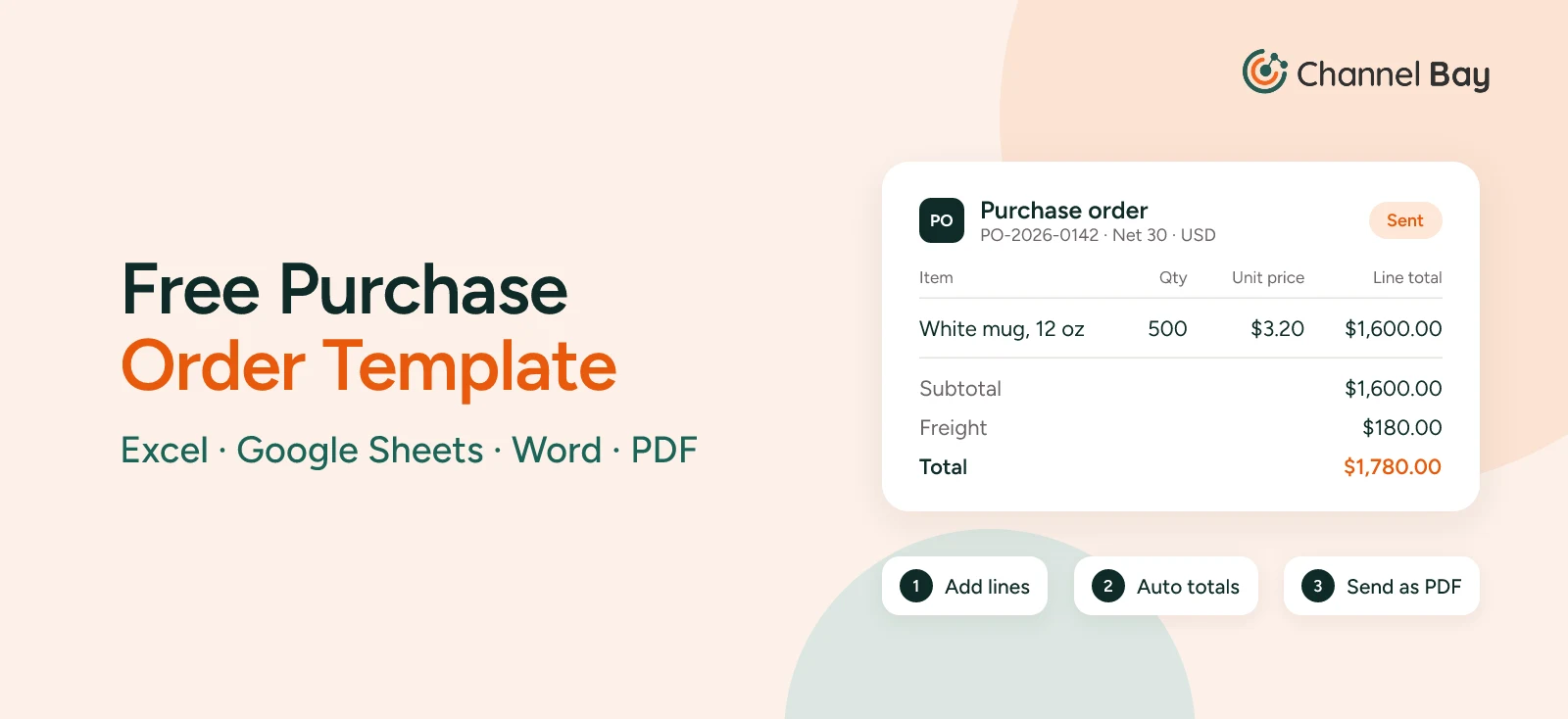
The example is the order that runs through our purchase order guides: PO-2026-0142, for 500 white mugs (MUG-WHT-12) at $3.20 each plus $180 freight. 480 arrived intact, and the mug sells for $16.
How Cost per Item Works in Shopify
Cost per item is a field in the Price section of each product or variant. Shopify's help describes it as "the cost to you of the product or variant", and for a reseller, "the price that you paid the manufacturer, excluding taxes, shipping, or other costs" (Shopify Help Center). Once it's filled in, the product page shows a projected Profit and Margin, with margin worked out as (price - cost) / price x 100.
Three things about the field shape everything else in this guide:
- One value per variant. A product with sizes or colors has a cost per item on each variant, and you edit each one.
- No history. Shopify calls it static data (Shopify Help Center). Type in a new cost and the old one is gone from the product, with no record of when it changed or which delivery it came from.
- Supplier price by default. Shopify's help suggests the manufacturer's price without shipping. That leaves freight and duty out of every margin Shopify shows you.
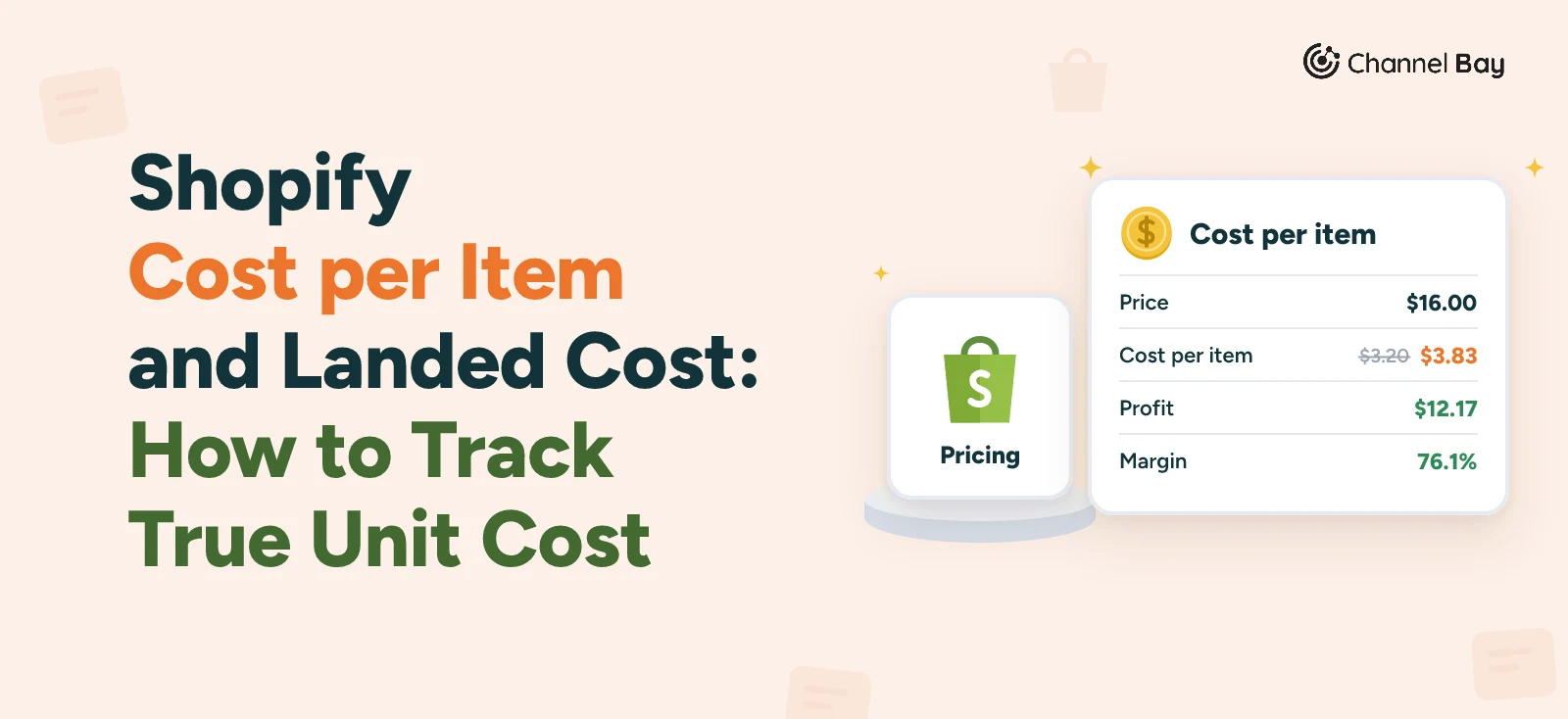
The mug shows the gap. At the $3.20 supplier price, the product page shows $12.80 profit and an 80.0% margin on a $16 sale. At the $3.83 landed cost, it's $12.17 and 76.1%. If you want Shopify's margins to show what stock really cost you, put landed cost in the field. Agree that choice with whoever does your accounts, and use it for every product, so no report mixes the two.
A merchant moving to Shopify from a retail system that tracked cost over time put it plainly: Shopify doesn't track cost changes, and with overseas suppliers and freight changing from one PO to the next, they were about to lose sight of what their stock really cost.
Where Shopify Uses Cost per Item
| Where | What it does with cost per item |
|---|---|
| Product details page | Shows projected profit and margin against the full price |
| Profit reports | Gross profit by product, Gross profit by product variant, Gross profit by POS location, Profit margin by order and Average profit margin by market use the cost recorded on each sale |
| Inventory reports | Month-end inventory value totals on-hand units on variants with a cost per item at the time of sale. ABC product analysis shows a Total value (cost) column |
| Purchase orders | Fills in a PO line's cost when you've never ordered the product from that supplier |
Profit reports are under Analytics > Reports, in the Profit Margin category (Shopify Help Center), and they aren't limited to higher plans. The Basic plan "comes with access to all reports" (Shopify Help Center). The inventory reports multiply cost per item by the ending quantity to give Total inventory value (Shopify Help Center), so a stale cost misstates what your stock is worth as well as what your sales earned.
Does Changing Cost per Item Change Past Orders?
No. Shopify records the cost on each sale at the time it's made. Its help puts it this way: "Profit is reported only for products and variants that had cost recorded at the time they were sold" (Shopify Help Center). A new cost per item applies to orders placed after you save it. Orders already placed keep the cost they were sold at.
Two things follow from that:
- Sales with no cost are left out. If a variant had no cost per item when it sold, that sale doesn't appear in the profit reports at all, so net sales in your profit reports can be lower than in your sales reports, as Shopify's help notes. Adding the cost later doesn't bring those sales back in, and Shopify's help describes no way to backfill them.
- Timing matters. Update cost per item when the new stock arrives, before it sells. Every mug sold before you update the field is recorded at whatever cost was there.
Say someone copies the $3.20 from the PO line into cost per item, and the 480 mugs sell before anyone corrects it. Each sale records $3.20 against a real cost of $3.83, so the profit reports overstate gross profit by about $0.63 a mug, around $300 across the delivery. Correcting the field afterwards fixes the next sale, not those 480.
What Shopify's June 2026 Purchase Order Changes Do for Cost
On 22 June 2026, Shopify linked purchase orders to inventory transfers (Shopify Changelog). You now receive a PO on its linked transfer, and the change brought three cost features with it.
The PO cost fills in for you. When you create a purchase order in Shopify for a product you've ordered from that supplier before, its cost comes from your previous POs with that supplier. If not, it "defaults to the cost per item that's set on the product variant", and you can edit any value that was filled in (Shopify Help Center). This one runs in the opposite direction from what you might expect: cost per item feeds the PO, not the other way round. Once you've put landed cost into cost per item, a PO to a new supplier starts at $3.83, a landed figure, on a line that should hold the supplier's price. Check the line before you send it.
Freight and duty go on the shipment. Shipping costs, customs duties and other fees are added to each shipment on the linked transfer as cost adjustments, and the transfer's cost summary adds them up, "so you can compare the agreed cost on the purchase order with the actual cost to receive the goods" (Shopify Help Center). Our guide to receiving inventory in Shopify has the steps.
Purchase order costs are now a report. Since 6 October 2026, a Purchase order costs report in Shopify Analytics shows ordered items, quantities, supplier costs, estimated taxes and purchase order costs (Shopify Changelog).
What They Don't Do
None of those pages says that receiving a PO, or adding cost adjustments to a shipment, changes a variant's cost per item. The receiving help says accepted units become available at the destination, and stops there. Shopify's help doesn't describe spreading a shipment's adjustments across its units either. So the transfer for PO-2026-0142 can show $180 of freight, $96 of duty and $24 of fees next to the $1,600 of mugs on the PO, but not what that makes each mug, and it doesn't put the answer into the product. Receive a test PO and check the variant afterwards: if the cost per item hasn't moved, updating it is your job.
Stocky used to fill this gap. It kept an average unit cost per product, updated on every PO received, and could sync it to cost per item, but those averages were "unique to Stocky" and never displayed in Shopify (Shopify Help Center). Stocky stopped being available after 31 August 2026. If you relied on it, see what happened to Stocky.
How to Work Out Landed Cost per Unit for Shopify
Landed cost per unit is what it took to get a delivery sellable, divided by the units you can sell. For PO-2026-0142, after the supplier's $64 credit for 20 broken mugs:
| Cost | Total | Per mug (480) |
|---|---|---|
| Paid to the supplier: 480 x $3.20 plus $180 freight | $1,716 | $3.58 |
| Import duty, billed by the freight forwarder | $96 | $0.20 |
| Brokerage and bank fees | $24 | $0.05 |
| Landed cost | $1,836 | $3.83 |
Freight alone takes the mug from $3.20 to $3.58. Duty and fees take it to $3.83. Divide by the 480 you can sell, not the 500 you ordered: the broken mugs were credited, and the ones you keep carry the cost of getting them there. The supplier's invoice and the credit note are matched in our guide to purchase order vs invoice.
Cost each delivery on its own. If the supplier had shipped 400 mugs first with all $180 of freight, those 400 would cost ($1,280 + $180) / 400 = $3.65 each, and the backorder would get its own figure when it arrived (goods receipt guide). On a PO with several products, split freight and duty across the lines before you divide. Our guide to landed cost covers splitting by quantity, value and weight, and when to use each.
Last Landed Cost or Weighted Average?
Shopify's single field forces a choice when you still hold stock from an earlier delivery. Say 120 mugs from an earlier delivery, which landed at $3.60, were still on the shelf when PO-2026-0142 arrived.
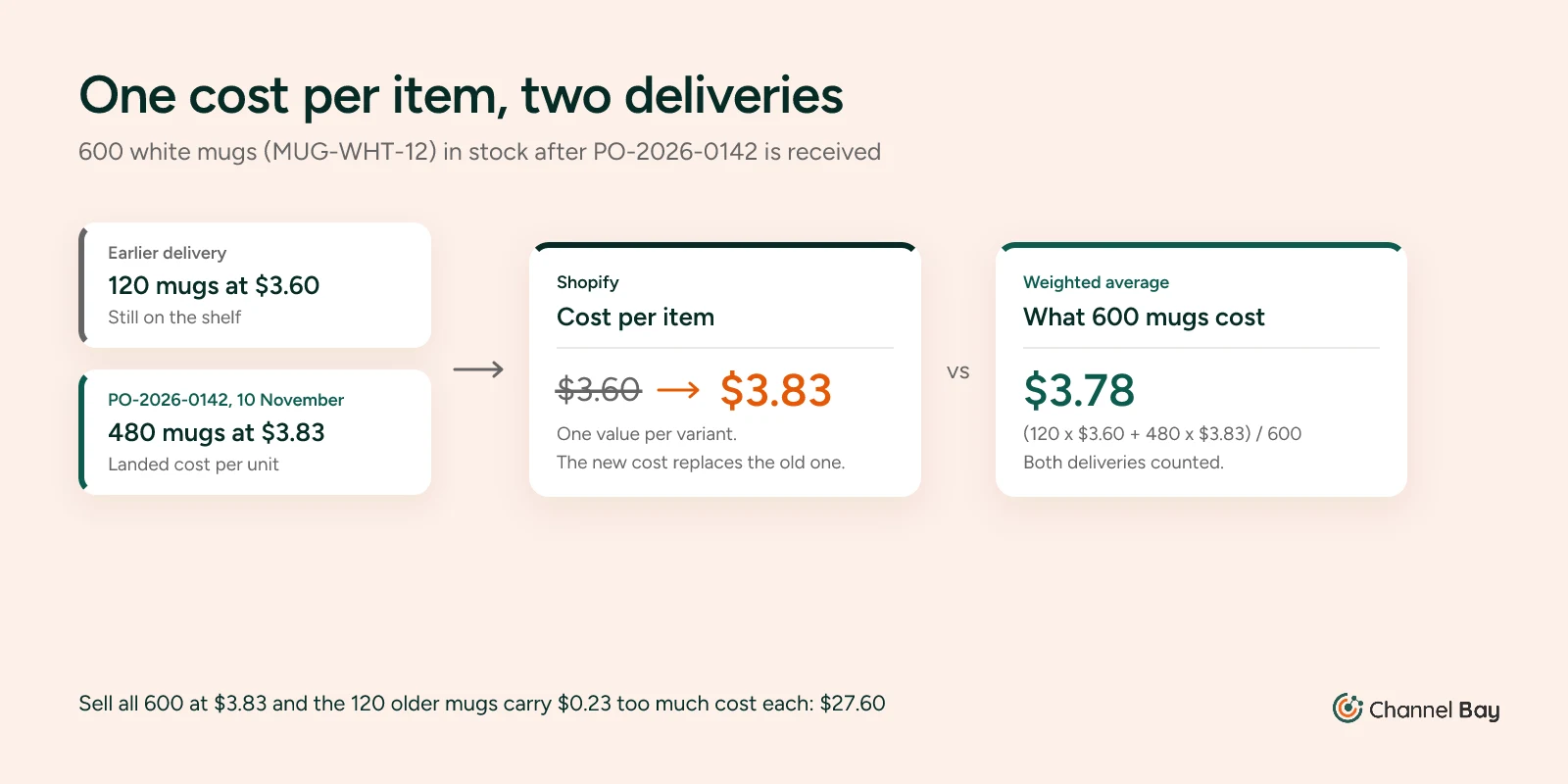
- Last landed cost. Enter $3.83. The field now prices all 600 mugs as if they'd come on the new PO, so the 120 older mugs each carry $0.23 too much cost when they sell: $27.60 in all. It's simple, and it tracks what you'd pay to restock today.
- Weighted average. Enter (120 x $3.60 + 480 x $3.83) / 600 = $3.78. Across all 600 mugs, that puts $2,268 into cost of goods, which is what they cost. It's what Stocky's average unit cost did, and it's what the purchase order guide means by rolling average cost.
Either way, the field changes again with the next delivery. When the mug lands at $4.20 on a later PO, last landed cost moves straight to $4.20 and the margin on a $16 sale drops to 73.8%. A weighted average moves part of the way, depending on how many mugs are still in stock. Whichever you pick, keep a log outside Shopify of every delivery's date, PO number, units and landed cost per unit. It's the only record you'll have of when your margin moved.
How to Update Cost per Item in Shopify
For one product, from the Shopify admin (Shopify Help Center):
- Go to Products and click the product.
- In the Price section, click Cost per item.
- Enter the cost in the Cost field.
- Click Save.
If the product has variants, set the cost on each one.
Update Cost per Item in Bulk
A PO with a dozen variants is quicker in the inventory bulk editor (Shopify Help Center):
- Go to Products > Inventory and select the variants on the PO.
- Click Edit variants to open the bulk editor.
- Click Columns and select Cost per item.
- Enter each variant's landed cost per unit, then save.
Cost per item has no history in Shopify, and the bulk editor overwrites it, so note the old and new costs in your delivery log first. For a whole catalog, export your products to CSV, change the Cost per item column and import the file again. Enter the cost as a number with no currency symbol, such as 3.83 (Shopify Help Center). Export a fresh copy first, so you have the old costs if the import goes wrong.
Make It Part of Receiving
Update cost per item on the day you receive the stock, as the last step of receiving, once the freight and duty invoices are in. Then, once a month, compare net sales in Gross profit by product with net sales by product in your sales reports, for the same dates. A large gap can mean variants are selling without a cost, and those sales are missing from your profit reports. Open the products with the biggest gaps and check their cost per item.
How Channel Bay Handles Cost per Item
Channel Bay works out landed cost when you receive a purchase order and can send it to Shopify as the cost per item:
- Freight and adjustments per delivery: Each delivery you receive is its own batch, with its own freight charge and an adjustment that can be negative, for a supplier credit. Freight is spread across the items in that delivery by value, to give each line a landed cost.
- Cost changes at the point of receiving: Change a line's cost as you receive it if the invoice says something different. The copy button fills the same cost into the product's other variants on the PO, and the cost you save becomes that supplier's price, so the next PO starts from it.
- Last received cost or rolling average: Each receipt records both on the variant. The rolling average uses the stock on hand before the delivery, the same sum as the $3.78 above.
- Cost sync, off until you turn it on: With cost sync on, you choose which of the two costs goes to Shopify as the cost per item, for each Shopify store. It's off by default. One merchant whose sourcing costs swing from order to order asked for exactly that, so PO prices never reach Shopify's margins until they're ready.
- Supplier currencies converted: A PO in the supplier's currency is converted to your shop currency at the rate on the day it was opened.
See how Channel Bay handles purchase orders and landed cost, or work through the allocation methods in our guide to landed cost.
Frequently Asked Questions
Does Shopify calculate landed cost?
Does changing cost per item in Shopify change the cost of past orders?
Does receiving a purchase order update cost per item in Shopify?
Should cost per item include shipping and import duty?
How do I update cost per item for many products at once?
Why are some sales missing from my Shopify profit reports?

Guides from the team that builds and supports Channel Bay, the Shopify inventory app for purchase orders, stocktakes, stock transfers and multichannel stock sync. About Channel Bay