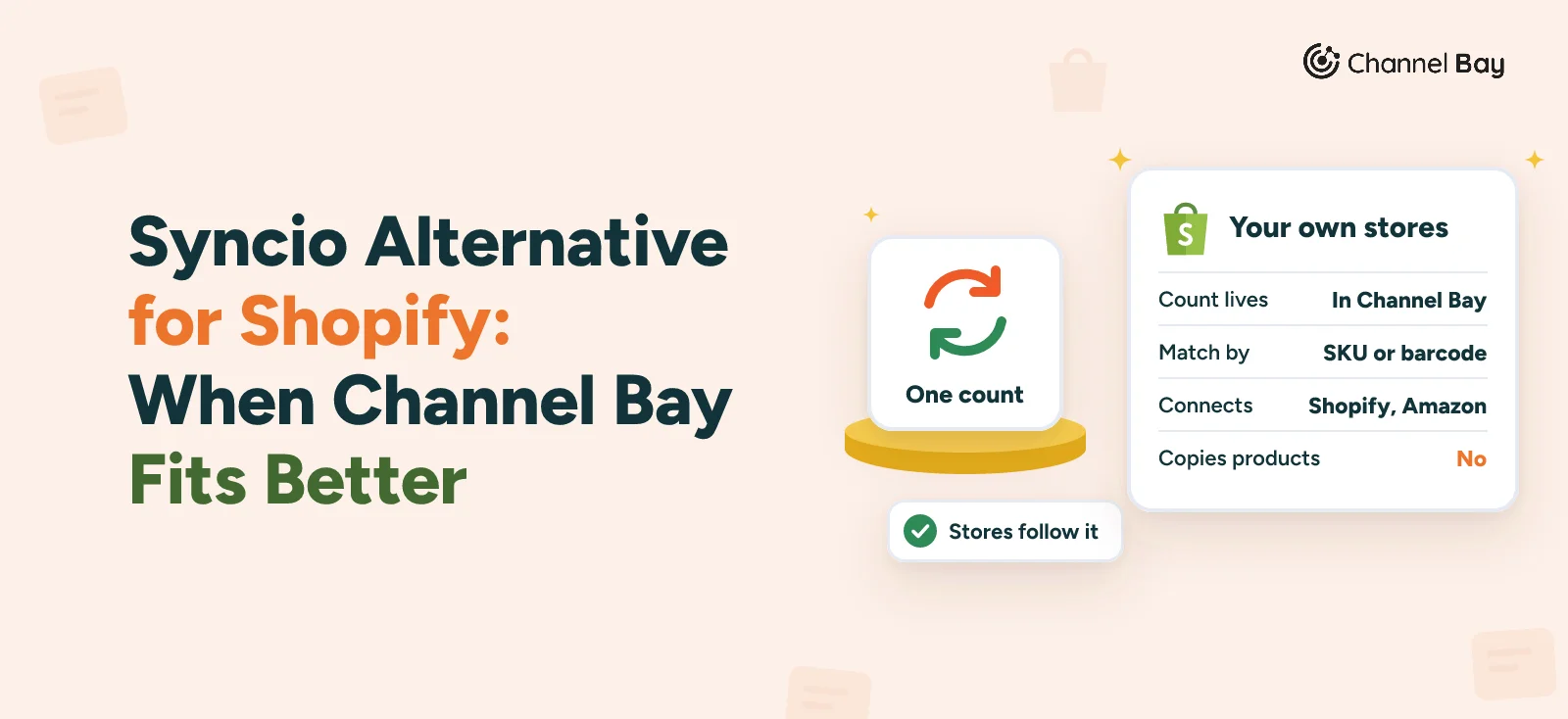
Syncio Alternative for Shopify: When Channel Bay Fits Better
Compare Channel Bay and Syncio for Shopify inventory sync: how each matches products, shares stock, handles Amazon and WooCommerce, and what each costs.
On this page
- What is Syncio?
- Where does the stock count live?
- How does each app match products?
- Does either app copy products between stores?
- How do locations work in each app?
- How fast does each app sync?
- What does each app cost?
- How do Syncio and Channel Bay compare?
- Which one fits you?
- About Channel Bay
- The short version
Key Takeaways
- Syncio and Channel Bay keep Shopify stock in step, but they suit different owners. Syncio shares products and stock from a Source store to Destination stores, on Shopify and WooCommerce. Channel Bay holds one count for all your own Shopify stores and Amazon.
- Stay on Syncio if you run a supplier and retailer network, use WooCommerce, or need Syncio's product copy, order forwarding or payouts. Channel Bay does none of those.
- Channel Bay matches products by SKU or barcode and never creates products in another store. Syncio matches by SKU and its Sync action creates products in the Destination store.
- Syncio prices Source stores by orders and Destination stores by products synced. Channel Bay prices by plan with unlimited orders: Basic at $30 a month adds multiple Shopify stores, and real-time multichannel sync is on Pro at $60.
- Both say stock moves fast. Syncio says within seconds and almost always within a minute. Channel Bay pushes every minute. Time one order on either app before you trust it.
Channel Bay is the better Syncio alternative if you own every store you sell on and want one stock count across them and Amazon, with purchasing and counts on the same stock. Syncio is the better fit if you run a supplier and retailer network, use WooCommerce, or need to copy products, forward orders or split payouts between stores.
Channel Bay is our app, so weigh this guide with that in mind. Everything about Syncio below comes from its Shopify App Store listing, its site and FAQ, its pricing page and its help center, read on 18 November 2026.
The two apps solve different problems. Syncio shares products and stock from a Source store to Destination stores. Channel Bay holds the count itself and pushes it to every store you connect. Neither is a drop-in replacement for the other, and this guide shows where each one stops.
What Is Syncio?
Syncio is a Shopify app for syncing inventory, products and orders across stores. Its Shopify listing calls it "Syncio Inventory Sync", launched on 11 December 2017, and shows 4.7 stars from 174 reviews, 93% of them five-star. Its site describes real-time inventory sync across Shopify and WooCommerce stores, for brands with several storefronts, retailers, and suppliers that share inventory with partner stores.
Two roles run through everything it does. A Source store shares products. A Destination store receives them. Syncio's help center says syncing "is managed by the Destination store", and its pricing treats the two roles as separate plans. The site says product sync, order forwarding and payouts work on Shopify only. It names Shopify and WooCommerce as the platforms and does not mention Amazon or other marketplaces. Its "Marketplace" is a directory for finding partner stores.
Reviews on the listing are mostly positive and often praise support, for example "very hands-on and respond promptly with solutions and answers" (August 2026). Nine of the 174 reviews are one-star, dated 2020 to 2026, and Syncio replied to several. They report problems such as stock not updating, products deleted or duplicated, and price: one from April 2026 says the sync "did not work" and the app "created around 300 duplicate products", and another from February 2026 says "Prices, stocks, and product statuses are absolutely never updated". These are merchants' reports, and the listing does not show what caused each.
Where Does the Stock Count Live?
In Syncio, the count follows the Source and Destination roles. A product is synced from the Source store into the Destination store, or mapped if the Destination already has it, and the sync is managed from the Destination side.
In Channel Bay, the count lives in Channel Bay. The first store you connect is the primary store and its products link directly. Every store you add afterwards is matched to those products. Each product and location has one count, a sale in any store lowers it, and Channel Bay pushes that number to every connected store, so the stores follow Channel Bay rather than each other.
The practical difference is ownership. If one business supplies another, Syncio's roles fit. If one business owns all the stores, we find a single count that every store follows simpler to reason about, because there is one number to check. For the setup steps, see our guide to syncing inventory between Shopify stores.
How Does Each App Match Products?
Both match on a product code, with different rules.
Syncio's help center documents matching by SKU, with three rules:
- SKUs must correspond between stores, and be unique per variant. Its mapping guide states "Corresponding SKUS must match", and bulk mapping "requires unique SKUs for all products and variants".
- The variant count must match, or mapping fails with a "variants count mismatch!" error.
- A SKU changed after the first sync breaks the link. Syncio's SKU repair guide says to restore the SKU and resync, or unsync and sync a fresh copy.
Mapping an existing product updates inventory only. Product details such as titles and images sync only with the Product Settings add-on, and only on Shopify. The listing mentions SKU or barcode, while the help articles name SKU only.
Channel Bay matches by SKU or by barcode, chosen once when you connect the first extra store, and every later store uses the same choice. A product links only when the value is filled in and exactly one product in Channel Bay has it. Blank and duplicate values stay unlinked, and a product that exists in only one store becomes a Channel Bay product with its own count.
Whichever app you pick, clean SKUs come first. Export products from each store and fix blanks, duplicates and near-misses before you connect.
Does Either App Copy Products Between Stores?
Syncio does, on Shopify. Its help center says to use Sync "to create NEW products in a Destination store", and Map to connect products that already exist in both. This is the core of a supplier and retailer setup, where a retailer takes products from a supplier's catalog. A Shopify store connected to a WooCommerce store can share inventory, but product sync is a Shopify feature.
Channel Bay does not. It creates no products in any Shopify store. A product has to exist in each store before its count can reach it, so you create or import the product in the second store yourself. If you need products copied from one store to another, that is a Syncio job.
How Do Locations Work in Each App?
Syncio: the Source store can select up to 10 locations, in priority order, and the Destination store sees the combined total of the selected locations. Fewer selected locations means a lower Destination quantity. Saving a location change resyncs the synced products and locks the location settings for 10 minutes. If the Destination store changes its receiving location, Syncio sets the synced products at the old location to 0 (Syncio help, dated 18 October 2026).
Channel Bay: you pair each Channel Bay location with one location in each store, and a location left on None is left out of the sync. Two stores share a count wherever both are paired to the same Channel Bay location. When a new store holds products Channel Bay already has, you choose which count wins on day one, and Fetch-Only mode reads the store without writing to it until you are ready. Each location also has a Sync Inventory switch that stops pushes for that location.
How Fast Does Each App Sync?
Syncio's site says "Stock sells anywhere. Updates everywhere. In seconds." The site's FAQ says updates arrive "typically within seconds, and almost always within a minute", and that bulk updates of 500 or more products can take longer. That is Syncio's claim, and nothing here measures it.
Channel Bay pushes stock changes to connected stores every minute, so a change can wait up to a minute for the next cycle. Channel Bay sends the count as it is, with no safety buffer, and a sync that pushes on a cycle cannot fully close the gap in which the last unit can sell twice. Shopify itself says webhook delivery isn't always guaranteed. Our guides to how fast inventory sync should be and to overselling explain the arithmetic, and the same test works on any app: place one order in one store and time how long the other store takes to change.
What Does Each App Cost?
Syncio has two pricing models, read from its pricing page on 18 November 2026.
| Role | Billed on | Tiers |
|---|---|---|
| Source store | Orders with synced products in the monthly cycle | Free 0 to 10, Starter 11 to 100 at $19, Pro 101 to 1,000 at $49, Enterprise 1,001 to 10,000 at $99 |
| Destination store | Products synced (products, not variants) | Free up to 25, Starter 26 to 100 at $19, Traction up to 500 at $29, Growth up to 1,000 at $39, Pro up to 3,000 at $69, Business up to 5,000 at $99, Enterprise up to 10,000 at $129, Custom above that |
All prices are per month. Source tiers include unlimited Destination connections and unlimited synced products. The free Destination plan allows 5 order pushes and 5 payouts a month. Add-ons, on Shopify only, are Product Settings at $19, Order Sync at $22, Payouts at $9, and Metafields at $9 for 10 definitions. A Destination store with 800 synced products reads as Growth at $39 a month before any add-on. Which tier applies to which of your stores depends on the role each store plays.
The page gives two figures in two places. The Source free tier reads "0-10" orders in the table and "less than 10" in the text, and the Destination trial is 14 days in one answer and 15 in another. The Shopify listing says 15 days on paid plans. The listing also shows plan prices in the store's billing currency, which was Indian rupees when read (₹1,784.91 for the Destination Starter plan), so its figures differ from the dollar prices above.
Channel Bay prices by plan, with unlimited orders and products on every plan and no per-order charge (read on 23 November 2026). Free is $0 and covers one channel. Basic is $30 a month and adds multiple Shopify stores. Pro is $60 a month and adds real-time multichannel sync. A second Shopify store therefore costs at least $30 a month on Channel Bay, and real-time sync between stores is on Pro, while Syncio's free Destination plan covers up to 25 synced products. Basic and Pro start with a 14-day free trial.
Here is one scenario on both apps: an owner with two stores, 800 synced products and about 500 orders a month.
| Plan | Reading | Per month | |
|---|---|---|---|
| Channel Bay | Pro | Real-time multichannel sync, unlimited orders | $60 |
| Syncio Source store | Pro | 101 to 1,000 orders with synced products | $49 |
| Syncio Destination store | Growth | Up to 1,000 products | $39 |
| Syncio total | Before add-ons | $88 |
Syncio's page does not say how orders are counted across the two roles, so treat the $88 as a reading of its tables and confirm the tier on its plan screen. The two prices buy different things, since Syncio's includes product sync and Channel Bay's includes purchasing and counts.
How Do Syncio and Channel Bay Compare?
| Feature | Syncio | Channel Bay |
|---|---|---|
| Built for | Multi-store networks: brands, retailers, suppliers | One owner's Shopify stores and Amazon |
| Platforms | Shopify and WooCommerce | Shopify and Amazon |
| Where the count lives | Source and Destination store roles | In Channel Bay, one count per product and location |
| Matching | SKU in the help center (listing: SKU or barcode), unique, same variant count | SKU or barcode, exactly one product per value |
| Copies products to another store | Yes, with Sync (Shopify) | No |
| Syncs product details | Shopify only, with the Product Settings add-on | No |
| Order forwarding and payouts | Yes, Shopify only, as add-ons | No. Orders stay in the store they came from |
| Locations | Up to 10 source locations, summed in priority order | Each location paired to one location per store |
| Speed | "Typically within seconds, and almost always within a minute" (Syncio's claim) | Pushes every minute |
| Amazon | Not mentioned on its site, listing or help articles read | Yes |
| Purchasing and counts | Not described on the pages read | Purchase orders, transfers, stocktakes |
| Shopify permissions | Listing: edit access to products, orders, locations and custom data, alongside product copy and order forwarding | Reads products and orders, writes inventory. Product write access only if you turn on the optional retail price sync (Pro) |
| Free plan | Yes, Destination up to 25 products | Yes, one channel, unlimited orders |
| Trial | 15 days on paid plans on the listing; the pricing page says 14 or 15 | 14 days on paid plans |
Which One Fits You?
Stay on Syncio, or choose it, if:
- You are a supplier, or a retailer taking products from one, or a brand with several storefronts that wants products copied between them.
- You use WooCommerce, or you connect a Shopify store to a WooCommerce store for shared inventory.
- You need products copied into other stores, orders forwarded to a supplier, or payouts split between stores. These features are Shopify only.
Choose Channel Bay if:
- You own every store and want one stock count across them.
- You also sell on Amazon and want it on the same count.
- You want purchase orders, stock transfers and stocktakes on the same stock, rather than a second tool for them.
About Channel Bay
Channel Bay is our app. Channel Bay holds one count per product and location, pushes it to every connected Shopify store and Amazon every minute, and connects Shopify and Amazon only. It does not copy products, forward orders or split payouts between stores. For the wider picture, see our guide to multichannel inventory management, and for Amazon in particular, syncing Shopify and Amazon stock. Other options are compared in our guide to the best inventory management software for Shopify, and the sync apps alone in our comparison of Shopify inventory sync apps.
The Short Version
Syncio shares products and stock from a Source store to Destination stores and covers Shopify and WooCommerce. Channel Bay holds one count for your own Shopify stores and Amazon and adds purchasing and counts. Choose by who owns the stores and which platforms they run on, then test one order. If you move from Syncio to Channel Bay, expect each store to keep its own products: Channel Bay matches them by SKU or barcode and copies nothing, so a product has to exist in every store first.
Frequently Asked Questions
Is Syncio free?
Does Syncio work with Amazon?
How does Syncio match products?
Does Channel Bay copy products to my other store?
Can I run Channel Bay and Syncio together?

Guides from the team that builds and supports Channel Bay, the Shopify inventory app for purchase orders, stocktakes, stock transfers and multichannel stock sync. About Channel Bay