Matching Supplier Invoices to Shopify Purchase Orders
Shopify's PO help describes no invoice field. Here is where to keep the invoice number, what to check on the linked transfer and how to hold a wrong bill.
On this page
- Where the three documents live in Shopify
- Where to record the invoice number
- How to match a supplier invoice to a Shopify purchase order
- A worked example: PO-2026-0155
- When the PO arrives in parts, or the invoice comes first
- What the matched invoice does for your costs
- Do you need to match every invoice?
- Where Channel Bay fits
Key Takeaways
- Shopify's purchase order help pages describe no invoice field, and they say supplier payments are made outside Shopify. The match is a manual check across three places: the PO, the linked transfer and the supplier's invoice.
- Use each record for what it holds. The PO sets the price and the terms. The linked transfer shows what you accepted and rejected, per shipment. The invoice is what you are checking.
- Pay for the lowest of the ordered, accepted and billed quantities, at the PO price. Hold an invoice that disagrees, ask for a credit note or a corrected invoice, and pay the corrected amount.
- The PO and the transfer don't update each other, and a PO's costs can be edited after it is marked Ordered. Take the quantity from the transfer and check the PO still shows the confirmed price.
- Keep the invoice number, its status and any credit note in a tracker or your accounting software, because Shopify's help describes no place for them.
Shopify's help doesn't describe a place for the supplier's invoice. Its purchase order pages (read on 11 November 2026) cover a reference number, a note to the supplier, payment terms and a supplier currency, but not an invoice, and they say supplier payments are made outside your Shopify admin (Shopify Help Center). So matching an invoice to a Shopify purchase order means checking three records that live in three places: the PO, the transfer you received on, and the invoice in your inbox.
The rule is the one from our three-way match guide: pay for the lowest of the ordered, accepted and billed quantities, at the PO price, and hold what doesn't agree. This guide shows where each number lives in Shopify, a six-step check you can run on any invoice, and a worked example with a short delivery and a price that crept up. It also covers what to record, and where, since Shopify's help describes nowhere to put it.
Where the Three Documents Live in Shopify
Since 22 June 2026, a Shopify PO and the delivery against it are two records (Shopify Changelog). The PO holds the agreement. The linked inventory transfer holds what actually arrived. Our guide to receiving inventory in Shopify has the steps. For matching, what matters is which record answers which question.
| Question | Where Shopify answers it | What it holds |
|---|---|---|
| What did I agree to buy, and at what price? | The purchase order, under Products, then Purchase orders | Products, quantities, cost and tax per line, a reference number, a note to the supplier, payment terms and supplier currency |
| What arrived? | The linked inventory transfer | Per shipment, the quantity accepted, rejected or cancelled for each line |
| What did freight and duty cost? | The shipment's cost adjustments on the transfer | Shipping amount, customs duties and other fees, added up in the transfer's cost summary |
| What is the supplier billing? | Not described in Shopify's help | Your email, the supplier's portal or your accounting software |
| Has it been paid? | Not described in Shopify's help | Your bank or accounting software |
Two details in Shopify's help change how you match:
- The transfer can disagree with the PO. Once a transfer exists it operates independently of the PO, and you can add items to the transfer that were not on the PO. Changes to one record don't update the other (Shopify Help Center). Take the quantity from the transfer, and the price from the PO.
- The PO can change after the supplier confirmed it. Shopify says you can edit a PO's supplier, products and costs at any time, including after you mark it Ordered (Shopify Help Center). Check that the PO still shows the price the supplier confirmed.
Where to Record the Invoice Number
Shopify's PO has a Reference number field, in the Purchase order details section, next to the note to the supplier. Shopify's help doesn't say what the field is for, and it doesn't say you can search the list by it. It is one field, so it can't hold two invoice numbers for a PO that arrives in two parts, and the note next to it is a note to the supplier, not an internal one. The help also lists an optional Tags section when you create a PO, but it doesn't say you can filter the list by tag, so test that on your own list before relying on it.
That leaves a record kept outside Shopify. Three options, in order of effort:
- A tracker. One row per invoice, with the PO number, the invoice number, the amount, the due date and a status of held, approved or paid. Our free purchase order tracker has columns for the supplier invoice number and amount, and flags an invoice that arrived before the delivery was complete. Add a due date and the held, approved or paid status yourself. The purchase order template has a row above each delivery column for that delivery's invoice number.
- Your accounting software. If your bookkeeper enters bills there, put the Shopify PO number in the bill's reference. It then works in the other direction too: from the bill, you can find the PO.
- The PO number on the invoice itself. This one is the supplier's job, and it's worth asking for. Ask each supplier to quote your PO number on every invoice, so the first step of the check is a lookup and not a hunt.
Whichever you pick, record the invoice against the PO on the day it arrives. A match you do three weeks later, from memory, is the one that gets skipped.
How to Match a Supplier Invoice to a Shopify Purchase Order
Run the same six steps on every invoice you decide to match. They follow the order of the records, so each step opens one screen.
- Find the PO. Use the PO number on the invoice. Without one, search by supplier and date, and ask the supplier to add the number going forward. Check the invoice isn't a duplicate by looking for its number in your tracker.
- Check price, tax and terms against the PO lines. Open the PO and compare each line's cost and tax percentage with the invoice. Check the supplier currency matches the invoice's currency, and read the PO's payment terms to get the due date. Terms and currency are set per PO, and Shopify doesn't save them on the supplier (Shopify Help Center).
- Check the PO price is the one the supplier confirmed. If a line cost looks odd, compare it with the supplier's confirmation email. If a cost was edited after the order, the PO and invoice can agree and both be wrong.
- Check the quantity against the transfer. Open the linked transfer, from the Linked transfer card on the PO or the Linked transfer column on the PO list. For each line, compare the billed quantity with the quantity you accepted. Rejected units are recorded on the transfer but don't add to inventory at any location (Shopify Help Center), so, unless your supplier's terms say otherwise, they are not units you pay for.
- Check freight and fees against the shipment. Open the shipment, then its Cost summary. Compare the freight, duty and fees on the invoice with the cost adjustments you entered for that shipment.
- Approve, or hold and ask. If every line agrees, mark the invoice approved in your tracker. If not, hold the whole invoice, send the supplier the difference with the transfer's figures and pay the corrected amount once the credit note or corrected invoice arrives.
Decide in advance how big a difference you'll let through. A few cents of rounding isn't worth an email. A price that's 3% higher on every line is. Those are examples, not rules. The three-way match guide has tolerance rules you can adapt, and purchase order vs invoice covers short deliveries, price drift and extra charges.
A Worked Example: PO-2026-0155
A kitchenware brand orders three products from one supplier on PO-2026-0155. The PO's payment terms say 30 days. All figures are invented for this example, and no tax is charged on the lines.
| Line | Ordered | PO cost | Line value |
|---|---|---|---|
| TT-LIN-NAT (linen tea towel) | 240 | $3.40 | $816.00 |
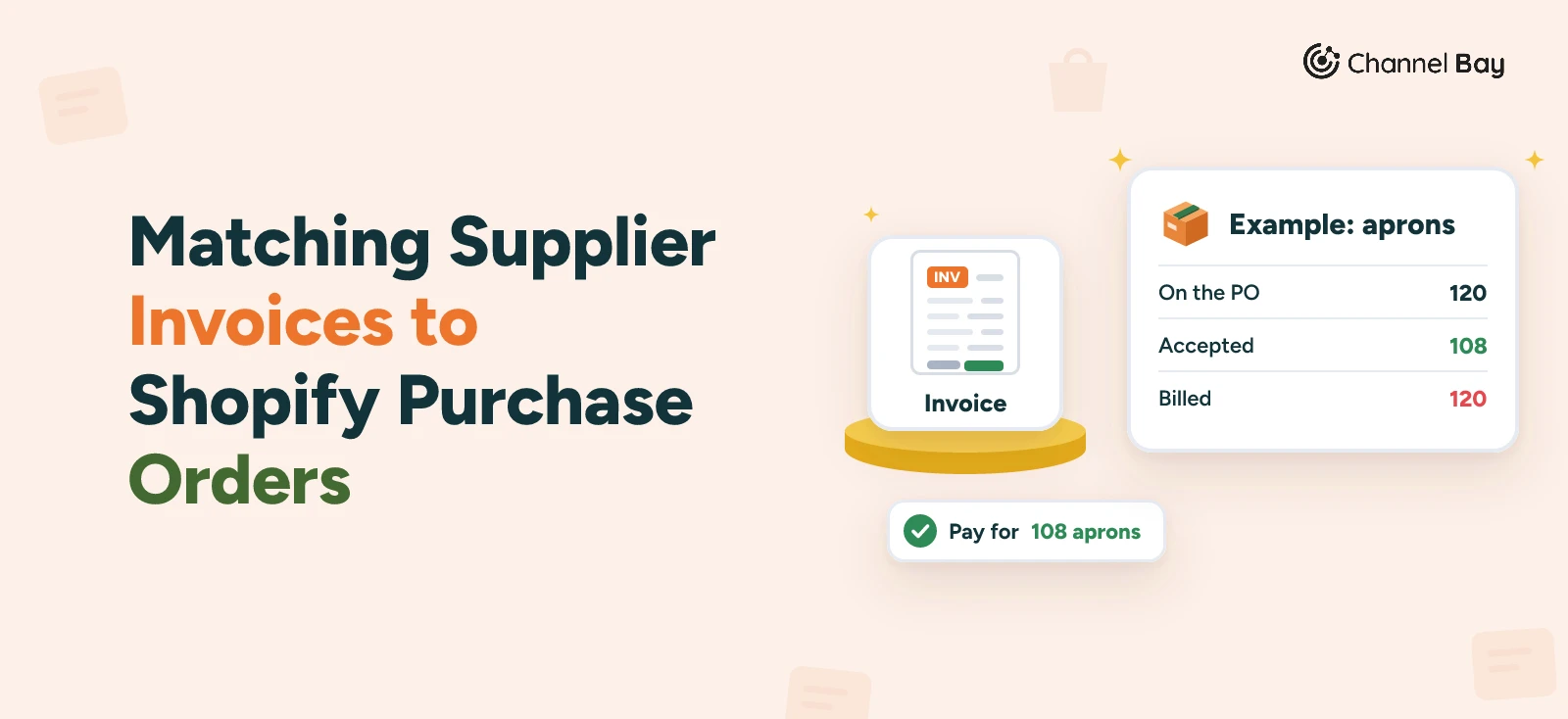
| APR-CTN-GRY (cotton apron) | 120 | $6.90 | $828.00 |
| SPN-ACA-3 (acacia spoon set) | 150 | $2.60 | $390.00 |
| Goods | $2,034.00 |
The shipment arrives and is received on the linked transfer. The brand accepts 240 tea towels and 150 spoon sets. It accepts 108 aprons and rejects 12 that arrived stained. Freight was not known when the PO was created, so the brand adds a Shipping amount of $85.00 as a cost adjustment on the shipment.
The supplier's invoice, INV-6120, arrives by email and is logged in the tracker. It bills $2,141.50: the three lines, plus $85.00 freight.
| Line | PO | Accepted on the transfer | Billed on INV-6120 | Pay for |
|---|---|---|---|---|
| Tea towels | 240 at $3.40 | 240 | 240 at $3.40 = $816.00 | $816.00 |
| Aprons | 120 at $6.90 | 108 (12 rejected) | 120 at $6.90 = $828.00 | 108 x $6.90 = $745.20 |
| Spoon sets | 150 at $2.60 | 150 | 150 at $2.75 = $412.50 | 150 x $2.60 = $390.00 |
| Freight | Not on the PO | Shipping amount $85.00 | $85.00 | $85.00 |
| Total | $2,034.00 | $2,141.50 | $2,036.20 |
Three things come out of the six steps, in the order you meet them:
- Spoon sets (step 2). The invoice price is $2.75 and the PO says $2.60. The PO line has not been edited, and the supplier's confirmation email quotes $2.60 (step 3), so the difference is 150 x $0.15 = $22.50 and it is the supplier's to explain.
- Aprons (step 4). The invoice bills 120, and 12 were rejected on the transfer, so the brand owes for 108. That is 12 x $6.90 = $82.80 too much.
- Freight (step 5). $85.00 on the invoice and $85.00 on the shipment's cost adjustment. It agrees, so it passes.
The brand holds INV-6120 and emails the supplier the transfer's rejected quantity for the aprons and the confirmed spoon price. The supplier agrees both and issues credit note CN-0340 for $105.30 ($82.80 plus $22.50). The brand pays $2,141.50 less $105.30, which is $2,036.20, inside the 30 days.
The tracker row for the PO now reads: INV-6120, $2,141.50, held, then approved, CN-0340 for $105.30, paid $2,036.20. Had the brand paid the invoice when it landed, it would have paid $105.30 for 12 stained aprons it couldn't sell and a price rise it never agreed to, and the PO would still have looked fine.
Nothing was edited on the PO. Rejecting units doesn't change the PO, and the credit note is the record of what the brand didn't pay for. If the supplier had instead shown that the price rise was agreed, the right fix would be to edit the spoon line to $2.75 and record why, so the PO shows the price that was actually agreed.
When the PO Arrives in Parts, or the Invoice Comes First
A PO that arrives in several shipments is one PO with several shipments on its linked transfer. The PO's Linked transfer card has an expandable preview that lists the received items and quantities for each shipment (Shopify Help Center). Match each invoice to the shipment it bills, and keep a running count of what you have accepted and what you have been billed. The test for each invoice is that billed so far never goes above accepted so far.
Many suppliers invoice when they dispatch. If the transfer hasn't been received yet, you have nothing to match against. Log the invoice against the PO, note the due date from the PO's payment terms, mark it held, and finish the match when the transfer shows what you accepted. If the due date comes round first, ask for tracking or proof of delivery before you pay.
Our three-way match guide has a longer example of two deliveries and two invoices. The goods receipt guide covers the receiving record that sits behind the quantity.
What the Matched Invoice Does for Your Costs
The invoice you have just matched is the first reliable record of what the stock cost. The price per unit is on the PO line, and the freight and fees are on the shipment. Shopify's help doesn't say that receiving a PO changes a product's cost per item, so working out the real cost per unit and updating the product is still your job. In the example, freight of $85.00 across 498 accepted units adds about $0.17 to each, before you split it by value. Landed cost in Shopify shows how to work that out and where Shopify uses the figure.
Do You Need to Match Every Invoice?
No. The check costs time, and it earns that time on invoices where a mistake costs real money. Match every invoice when the order is large for your business, the supplier is new, the supplier invoices before delivery, the delivery came in parts or you rejected units on receiving. For a small routine order from a supplier with a clean record, check the invoice total against the PO and the transfer, and spot-check a few a month.
If someone else approves payments, the matching is also a handover: the person who received the goods records what was accepted, and the person who pays does the check. In a one-person business, write the date you matched and the transfer you matched it to next to the invoice in your tracker.
Where Channel Bay Fits
Channel Bay is our app, so we're not neutral here. It has its own purchase orders, which hold the invoice details on the order itself, and it doesn't match invoices for you. The check stays manual, with fewer places to look.
- Invoice details on the PO. An Invoice Detail section on the PO holds the supplier's invoice number, invoice date, payment date and invoice notes. The PO detail panel shows them with the payment terms, and the PO list has an Invoice No. column that you can sort and search.
- An invoice number for each delivery. Every delivery you receive against a PO is its own batch, and each batch has its own invoice number, up to 35 characters. You can add or change it later from the PO's Reception History, so an invoice that arrives after the stock does can still be tied to its delivery.
- What arrived, next to what was ordered. Reception History lists each batch with its date, received quantity, invoice number and batch cost. Each line on the PO shows what has been received and what is still due, and a received quantity column can be added to the PO document through a custom template.
- Freight for each delivery. Each batch takes its own freight and adjustment, so two deliveries and two invoices stay separate.
- Payment status. A PO can be marked paid or unpaid, and the list can mark several as paid at once, so you can see what is still unpaid.
Channel Bay's Generate Invoice button produces the PO as a supplier-facing document. It isn't the supplier's invoice. Channel Bay doesn't set tolerances, route approvals or compare the supplier's invoice with your receipt, and it has no QuickBooks or Xero connection. You approve and pay invoices in your accounting software. Channel Bay is free for stores with fewer than 1,000 orders in the last 365 days, and the prices are on the pricing page. See how Channel Bay handles purchase orders.
Frequently Asked Questions
Can you attach a supplier invoice to a Shopify purchase order?
Does Shopify match supplier invoices to purchase orders automatically?
Where do I see what I received against a Shopify purchase order?
What do I do if the invoice bills for more than I accepted?
Should I change the PO cost to match the invoice?
What if the supplier's invoice arrives before the goods?
Is this the same as a three-way match?

Guides from the team that builds and supports Channel Bay, the Shopify inventory app for purchase orders, stocktakes, stock transfers and multichannel stock sync. About Channel Bay