Stocktake: Meaning, Types and How to Do One in 7 Steps
A stocktake is a physical count of your stock checked against your records. Learn the 3 types, how to do a stock take in 7 steps, and build a count sheet.
On this page
- Stocktake meaning: what is a stocktake?
- What is the purpose of a stocktake?
- What are the types of stocktake?
- How to do a stocktake in 7 steps
- Stocktake template: count sheet and reconciliation sheet
- How long does a stocktake take?
- What is a stocktake in retail?
- Stocktakes in Shopify: built-in tools and Stocky
- Stocktaking for small businesses
- How often should you do a stocktake?
- What are the benefits and drawbacks of stocktaking?
- What are the most common stocktake mistakes?
- Stocktake software and tools
- Where Channel Bay fits
Key Takeaways
- A stocktake counts the stock you physically hold, compares it with your records, corrects the records and finds out why they were wrong.
- The three main types are periodic (a full count, often annual), continuous (small rotating cycle counts) and spot checks (unscheduled counts of a few items).
- Records drift a long way: in one study of 37 stores, 65% of inventory records did not match the shelf.
- Blind counts, a firm cut-off, a recount of every line outside tolerance and a decision about uncounted items matter more than counting speed.
- Report gains and losses separately and fix the cause of each confirmed variance, or the same loss returns at the next count.
A stocktake (also written stock take) is a physical count of every item a business holds, checked against the quantities in its inventory system so the records can be corrected. You plan the count, freeze stock movements and count area by area. Then you compare the results with your system, recount mismatches, post approved adjustments and find out why the gaps happened.
That last step is the easiest to skip and often the most valuable, because records drift a long way from the shelf. When researchers examined nearly 370,000 inventory records across 37 stores of one retailer, 65% of them did not match what was physically there (DeHoratius and Raman, Management Science, 2008).
This guide covers the types of stocktake, a seven-step process with a worked example, a count sheet template, retail and Shopify specifics, and the mistakes that ruin results.
Stocktake Meaning: What Is a Stocktake?
A stocktake is the process of physically counting all the stock a business holds at a set point in time and comparing that count with its inventory records. Those records might live in inventory management software, a point-of-sale (POS) system, a spreadsheet or a paper ledger. Wherever they live, the physical count wins, and the records are updated to match it once the count has been checked.
A stocktake has three outputs, not one:
- A corrected stock record: the on-hand quantity for every product, matching the shelf.
- A variance report: what was missing or extra, by product, in units and in value.
- A closing stock value: what the stock is worth, for your accounts.
Other Names for a Stocktake
You'll also hear it called a stock count, stocktaking, a physical inventory count or a wall-to-wall count. A count of only part of your stock is usually called a cycle count, a partial stocktake or a spot check, depending on how it is planned.
A Stocktake Example: Shortfall vs Surplus
The gap can run in either direction. Here's what each looks like for a single SKU (stock keeping unit, the code that identifies one product variant).
| Scenario | System quantity | Counted quantity | Difference | Common causes |
|---|---|---|---|---|
| Shortfall (shrink) | 500 | 450 | -50 | Theft, damage, unrecorded sales, picking errors |
| Surplus | 450 | 500 | +50 | Unrecorded delivery, returns not booked back in, wrong variant scanned |
In both cases you correct the system to the counted figure, but only after a recount confirms it. If each unit cost $12, the 50-unit shortfall takes $600 off your stock value. The adjustment fixes the number. Finding out where the 50 units went is what stops it happening again.
What Is the Purpose of a Stocktake?
The purpose of a stocktake is to make your inventory records true again and find out why they drifted. Every sale, delivery, return and transfer is a chance for the system and the shelf to disagree. A stocktake serves five practical purposes:
- Accurate stock records: Reorder points, low-stock alerts, online availability and purchase plans all depend on the on-hand figure being right.
- Loss detection: Repeated shortfalls on the same SKUs, shelves or shifts point to theft or a broken internal process.
- Financial reporting and tax: Closing stock feeds directly into cost of goods sold (COGS), gross profit and the balance sheet, so the year-end figure affects the tax you pay. Tax authorities such as the IRS, HMRC and the ATO expect a closing stock figure your records can back up.
- Audit evidence: If your accounts are audited, expect the auditor to attend or test the count. Observing inventory is a generally accepted auditing procedure under the US public-company standard (PCAOB AS 2510.01), and the international standard, ISA 501, requires auditors to attend the count when inventory is material, unless that is impracticable (see Australia's equivalent, ASA 501 paragraph 4).
- Stock condition checks: Counters see expired, damaged and dead stock that never shows up on a standard digital report.
What a Stocktake Catches
Some of the gap is loss. In the National Retail Federation's 2023 survey of 177 retail brands, average shrink reached 1.6% of sales in FY2022, and internal and external theft accounted for about 65% of it (NRF, 2023). That is still the NRF's most recent shrink rate: it stopped publishing the figure in 2024 (Retail Dive, 2025). Most of the rest traces back to process failures and admin errors, which no security camera will catch. Only a count will.
Some of it arrives from upstream. In Auburn University's "Project Zipper" study (2017 to 2018), orders shipped from brands to retailers contained data errors 69% of the time when RFID was not used (Retail Dive, 2018). If you receive stock without checking it, those errors land straight in your records.
And record errors feed a much bigger problem: stock in the wrong place at the wrong time. IHL Group's 2026 Inventory Distortion study puts the global cost of inventory distortion, meaning out-of-stocks plus overstocks, at around $1.7 trillion, or 6.2% of worldwide retail sales (reported by Retail Insight Network, 2026). Not all of that is down to bad counts, but a system that thinks you have stock you don't will sell it, and one that thinks you're out will hide stock you could have sold.
What Are the Types of Stocktake?
There are three main types of stocktake: periodic, continuous and spot check. They differ in how much you count and how often. Most businesses end up combining them rather than picking one.
| Type | What you count | How often | Best for | Trade-off |
|---|---|---|---|---|
| Periodic (including annual) | Everything, wall to wall | Yearly, half-yearly or quarterly | Year-end accounts, audits, small catalogs | Big disruption; errors pile up between counts |
| Continuous (cycle counting) | A small rotating batch of SKUs or locations | Daily or weekly, all year | Large catalogs, fast-moving stock, multichannel sellers | Needs a schedule and a way to track coverage |
| Spot check | A handful of SKUs, bins or shelves | Unscheduled, as needed | Investigating a suspected error or high-theft item | Doesn't verify the whole inventory |
Periodic Stocktaking and the Annual Stocktake
Periodic stocktaking is the traditional full count of everything in a location. The annual stocktake, done at financial year-end, is the most common version. It gives you one clean, complete snapshot for your accounts, but the records can drift for months between counts, and the count itself usually means closing or pausing fulfillment.
Continuous Stocktaking (Cycle Counting)
Continuous stocktaking splits the catalog into small batches and counts a few every day or week, so every item is counted at least once over a cycle. Many teams count high-value or fast-selling items more often than slow movers, which is often called ABC cycle counting.
Auditors accept this approach too. Under the US public-company standard, when well-kept perpetual records are regularly checked against physical counts, the auditor's observation can usually be done during or after the year rather than as one count of everything at year-end (PCAOB AS 2510.10).
Spot Checks
Spot checks are short, unannounced counts of a few products or one area. Use them when one SKU keeps running out unexpectedly, after a suspicious delivery, or to test whether counters are following the process.
Other Types of Stocktake
- Selective (ABC) stocktake: counts only high-value or high-risk items, usually the "A" items that make up most of your inventory value.
- Food stocktake: used in restaurants and kitchens to track ingredients, expiry dates and wastage, often weekly.
- Wet stocktake: measures liquid stock such as draught beer, spirits or fuel, usually by volume or weight, to catch over-pouring and losses.
- Stock at valuation (SAV): a count focused on putting a cash value on stock at a set date, typically for a business sale, handover or financial report.
How to Do a Stocktake in 7 Steps
The stocktake process is the same whether you run one stockroom or ten warehouses: plan the count, prepare the site, freeze stock movements, count blind, compare and recount, approve and value, then investigate. Scale changes how many people and devices you need, not the steps.
1. Plan the Count and Set Its Scope
Pick a date and decide the scope: which locations, which product categories, and whether it's a full or partial count. Appoint one stocktake lead who owns the schedule, the count lists and the final sign-off.
Then build your count teams. Pairs work well, with one person counting and one recording or scanning. Where you can, use people who don't handle that stock day to day. For multi-location businesses, give each site its own lead, the same instructions and the same cut-off time, so every location's numbers describe the same moment.
Agree two rules before anyone counts:
- A variance tolerance. For example, any line that's off by more than 5% or more than $50 at cost gets a mandatory recount.
- What happens to items you don't count. In a full stocktake, expected items that nobody finds are usually set to zero after a final check. In a partial count, anything outside the scope must be left alone, or you'll wipe out stock you never looked at.
2. Prepare and Label the Site
Tidy the storage areas, consolidate split cases and make sure every bin, shelf and pallet has a visible label. Map the site into numbered zones and print or load a count list for each one. A count list names locations and SKUs but, ideally, not the expected quantities.
Separate anything that shouldn't be counted as sellable stock: damaged goods, customer orders awaiting collection, and supplier consignment stock.
3. Freeze Stock Movements and Set a Cut-off
Pause receiving, dispatch, transfers and returns for the duration of the count. If you can't stop trading, set a precise cut-off time and log every movement after it separately. Deliveries that arrive mid-count stay in a holding area, uncounted, until the stocktake closes.
The tricky part is paperwork in transit. Make sure every sale, receipt and transfer before the cut-off is fully posted in the system, or your comparison in step 5 will be wrong before anyone counts a single box.
4. Count Each Zone Blind
Count zone by zone in a fixed pattern, such as top shelf to bottom, left to right. Counters should record what they find without seeing the system quantity. This is called a blind count, and it removes the temptation to "find" the number the system expects.
Scan barcodes where you can rather than typing SKUs. Count sealed cases by the case only if you open a sample to confirm the quantity inside. Mark each zone as complete so nothing is counted twice or skipped. If several people count the same product in different places, such as the shop floor and the stockroom, their counts are added together, not overwritten.
5. Compare Against Your Records and Recount Variances
Load the counts into your inventory system or spreadsheet and compare them line by line with the expected quantities. Any line outside your tolerance gets recounted, ideally by a different person.
Plenty of variances disappear on recount. A wrong variant scanned, a miscounted case or stock sitting in the wrong bin can all look like missing stock at first glance. Then apply your step 1 rule to anything left uncounted.
Watch the timing, too. If a count sits in draft overnight while you keep trading, the expected quantities move on and the comparison goes stale. Compare against the expected quantity at the moment you post, or apply only the difference between expected and counted, so sales made during the count don't turn into false shortfalls.
6. Approve, Adjust and Value the Stock
The stocktake lead reviews the confirmed variances and approves them. Only then do the adjustments get posted, so the system matches the verified count.
Next, value the closing stock using your costing method, such as FIFO (first in, first out) or weighted average cost. Record damaged, expired or obsolete items separately and write them down in line with your accounting policy.
7. Investigate Causes and Report
Write up the results: total variance by value and units, the biggest SKU-level gaps, write-offs, and what caused them. Report gains and losses separately as well as the net figure, because a surplus on one line can hide a loss on another.
Then fix the cause, not just the number. That might mean checking deliveries against purchase orders, retraining staff on returns, or moving a high-shrink product closer to the till. Repeat offenders are the best candidates for more frequent cycle counts.
A Worked Stocktake Example
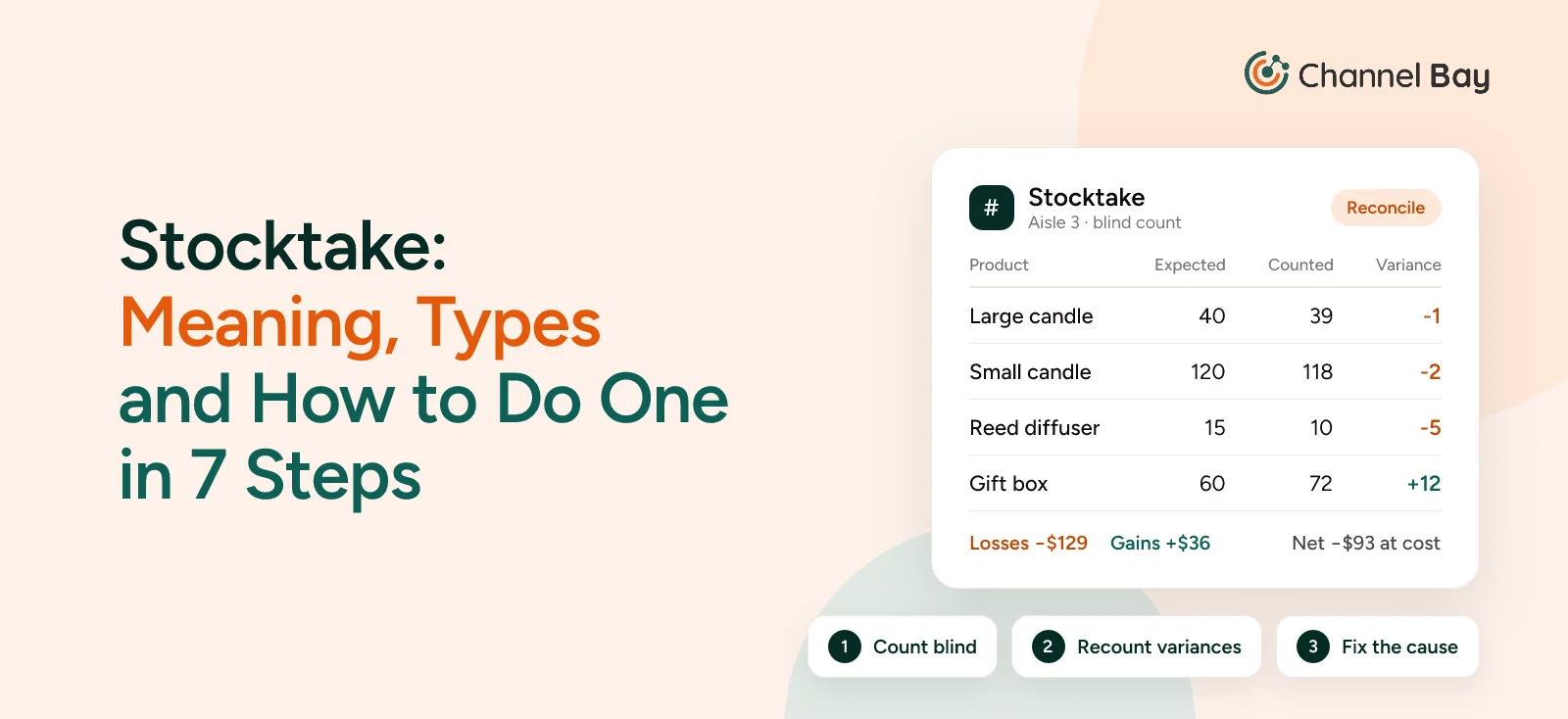
Here is how that plays out for a hypothetical gift shop counting one aisle of four products after closing. A line that breaches either threshold, 5% of expected units or $50 at cost, is recounted.
| Product | Unit cost | Expected | First count | Variance | Recount? | Confirmed count | Confirmed variance | Value at cost |
|---|---|---|---|---|---|---|---|---|
| Large candle | $9 | 40 | 36 | -4 (-10%) | Yes | 39 | -1 | -$9 |
| Small candle | $5 | 120 | 118 | -2 (-1.7%) | No | 118 | -2 | -$10 |
| Reed diffuser | $22 | 15 | 10 | -5 (-33%) | Yes | 10 | -5 | -$110 |
| Gift box | $3 | 60 | 72 | +12 (+20%) | Yes | 72 | +12 | +$36 |
The recount found three large candles pushed behind another product, so a 4-unit "loss" became 1. The diffuser shortfall held up on recount: five small, $22 items missing from an open shelf is consistent with theft, so they move behind the counter and onto a weekly cycle count.
The 12 extra gift boxes matched a delivery that was put on the shelf but never received in the system. The right fix is to receive that delivery against its purchase order, which corrects the count and the cost record together, rather than posting +12 as a stocktake adjustment. Posting it as an adjustment would leave the order open, and the boxes would be counted twice if someone received it later. Once the delivery is received, the gift-box line drops out of the variance altogether.
Before that delivery is received, the net variance is -$93, but $129 of stock went missing and $36 turned up unrecorded. Reporting only the net figure would have understated the loss by more than a quarter, and posting the first count without a recount would have written off three candles that were on the shelf all along.
Stocktake Template: Count Sheet and Reconciliation Sheet
A stocktake template has two tabs in one spreadsheet: a count sheet that counters fill in, and a reconciliation sheet where the stocktake lead compares the counts with your records. Keeping them separate is what keeps the count blind. You can build both in Excel or Google Sheets in a few minutes; the formulas below work in either.
The Count Sheet
Name this tab "Count". It is what counters see: one row per product per zone, and never the expected quantity.
| Column | Heading | What goes in it | Example |
|---|---|---|---|
| A | Zone | The shelf, bin or area being counted | Aisle 3, shelf B |
| B | SKU | The product code | CANDLE-LG-VAN |
| C | Product and variant | Name, size, color | Large candle, vanilla |
| D | Counted quantity | What the counter found | 36 |
| E | Counted by | Initials, so you know who to ask | JS |
| F | Recount quantity | Filled in only for lines flagged for a recount | 39 |
| G | Notes | Damaged, open case, found in the wrong place | 3 behind diffusers |
| H | Final count | =IF(F2="",IF(D2="","",D2),F2), copied down every row |
39 |
| I | Check | =IF(B2="","",IF(COUNTIF(Reconcile!$A:$A,B2)=0,"Not in export","")) |
(blank) |
Columns H and I are for the stocktake lead. Resolve every "Not in export" row before you approve: fix a mistyped SKU, or add a product that was on the shelf but missing from your records.
The Reconciliation Sheet
Name this tab "Reconcile". Export your SKUs, expected quantities and unit costs at the cut-off time into columns A to C, one row per SKU, then put these formulas in row 2 and copy them down. Counts of the same SKU from different zones are added together automatically.
| Column | Heading | Formula or source |
|---|---|---|
| A | SKU | From your inventory export |
| B | Expected quantity | From your inventory export |
| C | Unit cost | From your inventory export |
| D | First count | =IF(COUNTIFS(Count!$B:$B,$A2,Count!$D:$D,"<>")=0,"",SUMIF(Count!$B:$B,$A2,Count!$D:$D)) |
| E | Variance | =IF(D2="","",D2-B2) |
| F | Recount? | =IF(D2="","Not counted",IF(OR(ABS(E2)>ABS(B2)*0.05,ABS(E2*C2)>50),"Recount","")) |
| G | Confirmed count | =IF(D2="","",SUMIF(Count!$B:$B,$A2,Count!$H:$H)) |
| H | Confirmed variance | =IF(G2="","",G2-B2) |
| I | Value at cost | =IF(H2="","",H2*C2) |
| J | Cause | Your note after investigating |
The layout matches the worked example above. Column F applies the same tolerance, 5% of expected units or $50 at cost, to the first count; change the two numbers to match your own rule. Recounts go in the Count tab's column F, so the first count is kept and the confirmed figures update on their own.
Rows marked "Not counted" are never treated as zero. In a partial count, delete the rows outside your scope; in a full count, apply your step 1 rule to them. If the count turns up a missed delivery, receive it against its purchase order and add the received quantity to that SKU's expected figure. Re-export everything only if trading was frozen, or the new export will pick up sales made after the cut-off.
Finally, total gains and losses separately, outside column I, with =SUMIF(I2:I5000,">0") and =SUMIF(I2:I5000,"<0"), rather than one net sum (extend the range if you have more than 5,000 SKUs). Format the SKU columns in both tabs as text, and avoid *, ? and ~ in SKUs: SUMIF and COUNTIF treat them as wildcards.
How Long Does a Stocktake Take?
A stocktake takes anywhere from a couple of hours to several days, depending mostly on how many variants you hold, how many people count and whether you scan. Shopify's planning guide for in-store counts gives these rough figures (Shopify Help Center):
| Variants in the location | Time | People |
|---|---|---|
| Fewer than 500 | 2 to 4 hours | 1 |
| 500 to 2,000 | Most of a day | 2 |
| 2,000 to 5,000 | A full day | 2 to 3 |
| More than 5,000 | Several days, counted by zone | 3 or more |
Labeling every location beforehand and scanning barcodes usually saves more time than adding extra counters.
What Is a Stocktake in Retail?
A retail stocktake is a count of every product a store holds, across the shop floor, stockroom and any off-site storage, compared against the quantities in the POS or inventory system. The steps are the same as any stocktake. What changes is the environment: customers move stock around, sales happen constantly, and one product can come in dozens of sizes and colors.
Retail record accuracy is often poor to begin with. A 2018 study by Auburn University's RFID Lab and GS1 US, using a different measure from the store study above, found that item-level RFID raised inventory accuracy from 63% with barcodes to 95%, and cut out-of-stocks by up to 50% (reported by DC Velocity, 2018).
Why Retail Stocktakes Are Harder
- Customers move stock. Items get left in fitting rooms, moved to the wrong rail or hidden for later. Count before opening or after close.
- Omnichannel orders depend on store stock. With buy online, pick up in store (BOPIS) and ship-from-store, a wrong store count means accepting orders you can't fulfill. The same goes for marketplaces fed from store stock (see syncing Shopify and Amazon inventory).
- Variants multiply errors. One T-shirt in 5 sizes and 6 colors is 30 SKUs. Scanning the wrong one at the till creates a shortage on one variant and a surplus on another.
- Theft concentrates on a few items. Small, high-value products such as cosmetics, electronics accessories and razors are worth counting weekly, not yearly.
Stocktakes in Shopify: Built-in Tools and Stocky
Shopify now has two built-in counting tools. Stock counts, in the admin under Inventory > Stock counts, is the one Shopify recommends for a full-location stocktake or a cycle count. Quick Count, an app inside Shopify POS, is for quickly spot-checking specific products or zones (Shopify Help Center).
Planning, labeling and investigating happen outside Shopify. The counting steps map onto Stock counts like this:
- Receive pending shipments and finish open transfers, so admin quantities are current.
- Create a stock count for one location under Inventory > Stock counts (Shopify Help Center). Each count covers a single location.
- Count in the admin by scanning barcodes or typing quantities. Locations with Shopify POS Pro can also count in the POS app; those counts go to a manager to review and approve before inventory changes (Shopify changelog, 2026).
- Recount anything with a large variance. Shopify's planning guide suggests physically recounting any variant that is off by more than 5%.
- After submitting, review the Inventory adjustment changes report in Analytics > Reports to check what moved (Shopify Help Center).
Each Quick Count session holds up to 1,000 variants (same planning guide), which suits spot checks rather than whole-store counts.
Stocky, the app many merchants used for stocktakes, was delisted from the Shopify App Store on 2 February 2026 and stopped working on 31 August 2026. Shopify keeps read-only access for exporting data for at least 90 days after that date (Shopify Help Center), so if you still have Stocky stocktake history you want to keep, export it now. See what you can still export from Stocky.
For the click-by-click workflow, see how to do a stocktake in Shopify. If you need more than the built-in tools, compare the best Shopify stocktake apps.
Stocktaking for Small Businesses
For a small business, a stocktake doesn't need special software or a closed day. A shop with fewer than 500 variants can usually be counted by one person in an evening.
A simple setup that works:
- Count after closing, when no customers are moving stock.
- Use your phone as a scanner with your POS or inventory app, rather than pen and paper.
- Do one full count at financial year-end for your accounts, then spot-check your top 20 sellers monthly, or weekly for anything small and easy to steal.
- Count your most expensive or most stolen items more often than everything else. That's where small errors cost the most.
- Keep a short note of why each big variance happened. After two or three counts, the pattern tells you which process to fix.
How Often Should You Do a Stocktake?
Most businesses should do a full stocktake at least once a year, at financial year-end, and cycle count their most important items between full counts. How often beyond that depends on how fast stock moves, how valuable it is, and how big your variances were last time.
| Business situation | Suggested rhythm |
|---|---|
| Small catalog, slow-moving stock | Annual full count, plus spot checks on anything that looks wrong |
| Retail store or ecommerce brand with fast sellers | Annual or half-yearly full count, weekly cycle counts on top sellers |
| Food service and hospitality | Weekly or monthly food stocktake, because of expiry and wastage |
| High-value or high-theft items (electronics, spirits, cosmetics) | Cycle counts as often as daily or weekly |
Some events call for an extra count regardless of schedule:
- After a peak season or big promotion, when sales volume makes errors more likely.
- When numbers stop making sense, such as repeated stockouts on items the system says you have.
- After a large or messy delivery, to spot-check the affected lines.
- When you open, close or reorganize a location, or move stock between sites.
- Before and after switching inventory software, so you migrate correct quantities rather than old errors.
What Are the Benefits and Drawbacks of Stocktaking?
Beyond the purposes above (correct records, loss detection, accounts and audit), the main benefits of stocktaking are fewer lost sales and better buying decisions. The cost is time, labor and some disruption to trading. Cycle counting reduces most of the drawbacks; it doesn't remove them.
| Benefits | Drawbacks |
|---|---|
| Fewer oversold orders and false stockouts online | Trading or fulfillment may pause during a full count |
| Reorders based on real stock, so less cash tied up in overstock | Labor-heavy, often scheduled out of hours |
| Slow sellers spotted before you reorder them | Fatigue leads to miscounts and wrong-variant entries |
| A baseline to measure accuracy from one count to the next | Badly planned counts can add new errors to the system |
The last drawback is worth taking seriously. A rushed stocktake that posts unverified counts can leave your records worse than before. Recounting every variance and getting sign-off before posting adjustments is what prevents it.
What Are the Most Common Stocktake Mistakes?
The most common stocktake mistakes are counting while stock is still moving, letting counters see expected quantities, mishandling uncounted items, and posting adjustments without investigating them. Each one either adds errors to the count or hides the cause of the errors you find.
| Mistake | What goes wrong | How to avoid it |
|---|---|---|
| No cut-off time | Stock is counted twice or missed as orders ship mid-count | Freeze movements, or log everything after a fixed time |
| Counters see system quantities | People "find" the expected number instead of the real one | Run blind counts |
| No rule for uncounted items | A partial count zeroes stock nobody looked at, or missing stock is never written off | Decide before the count: zero them in a full count, exclude them in a partial one |
| Messy, unlabeled storage | Duplicate counts and skipped bins | Tidy the storage area and label every location first |
| Untrained or rushed staff | Wrong variants, unit-vs-case confusion, typos | Brief every counter, use pairs, keep shifts short |
| Pen and paper only | Transcription errors when keying counts in later | Scan barcodes straight into the system |
| Inconsistent SKU records | One product under two codes, or two products under one | Clean up product and barcode data before the count |
| Adjusting without investigating | The same loss repeats next quarter | Recount, find the cause, fix the process |
| Annual count only | Errors sit undetected for up to 12 months | Add cycle counts between full stocktakes |
Multi-location businesses face one extra trap: different sites counting at different times or with different rules. Use one instruction sheet, one cut-off and one lead per site so the totals can be combined.
Stocktake Software and Tools
The stocktake software or system you need depends on catalog size, how many locations you run and how many people count at once. Each option below removes a manual step where errors creep in, and scanners or RFID readers work alongside the software, not instead of it.
| Method or system | Best for | Strength | Limitation |
|---|---|---|---|
| Paper count sheets | Very small catalogs, one-off counts | No setup, works anywhere | Every count is typed in later, with typos |
| Spreadsheet (export, count, import) | Small single-location stores | Free, familiar; use the template above | Stock keeps moving while the file is offline |
| Built-in POS or platform tools | Single-location counts, spot checks | No extra cost, counts update stock once submitted or approved | Check the limits: Shopify counts cover one location each, and Quick Count caps a session at 1,000 variants |
| Inventory management apps | Multi-location and multichannel sellers | Count lists, scanning, variance reports, stock synced to every channel | A subscription and some setup |
| Barcode scanners | Any business with barcoded stock | Fast, accurate entry; most phones can scan | Only as good as your barcode data |
| RFID | Apparel and high-volume retail | Counts tagged items without line of sight | Tag cost on every item |
RFID is the biggest step change in speed: the same Auburn and GS1 US study found it cut cycle count times by 96% compared with barcode scanning (DC Velocity, 2018). For most small and mid-sized sellers, though, the cost of tagging every item usually outweighs those gains, and barcode scanning into an inventory app is the practical step up from paper. For a wider comparison, see the best inventory management software for Shopify and our complete guide to Shopify inventory management.
Tools don't fix a weak process. A scanner in untrained hands still records the wrong variant, so training, blind counting and a recount rule matter as much as the hardware. When a stocktake goes wrong, it is usually a process problem, not a counting problem.
Where Channel Bay Fits
Channel Bay is a Shopify inventory app, and stocktakes are one of its core workflows. You build a count list for a shelf, a supplier or a whole warehouse by filtering on vendor, collection, tag or SKU. Several staff can count the same session from their own devices, each scan is logged against the person who made it, and counts of the same product from different people are added together.
Before you submit, you see expected, counted and variance per line, plus the variance value at cost, and you choose whether uncounted items are set to zero or removed from the session. Expected quantities stay live while the count is open, so on submit only the difference is applied, and Shopify and Amazon get the corrected stock in the same step through multichannel sync. Each stocktake covers one location, and you can run several locations at the same time.
If you are moving off Stocky or a spreadsheet, see how Channel Bay handles stocktakes.
Frequently Asked Questions
What is the difference between a stocktake and a cycle count?
Can I do a stocktake without closing my store?
What are the methods of stocktaking?
How do I calculate stock variance and accuracy?
Should I value a stocktake at cost or retail price?
What is the difference between a stocktake and stock reconciliation?
Is stocktake one word or two?

Guides from the team that builds and supports Channel Bay, the Shopify inventory app for purchase orders, stocktakes, stock transfers and multichannel stock sync. About Channel Bay