Open Purchase Order: What It Means and How to Manage Them
An open purchase order has been placed but is not finished. See what keeps a PO open, what closes it and how to review open POs and clear the stale ones.
On this page
- What is an open purchase order?
- What keeps a PO open
- What open POs do to your stock and cash
- A worked example: three open POs on one Monday
- How to review open POs
- How to close an open PO
- Open PO vs blanket PO
- Common mistakes with open purchase orders
- Open purchase orders in Shopify
- How Channel Bay handles open purchase orders
- Where to start
Key Takeaways
- An open purchase order (open PO) is a PO placed with the supplier whose goods have not all arrived. This guide also treats a PO as open while its invoice is unmatched or unpaid, as a working rule. A draft is not open.
- Software disagrees on what open and closed mean. Microsoft Dynamics 365 keeps Open order while a PO is partly received or invoiced, QuickBooks Online closes it when every quantity is billed, and Oracle treats closing as a decision once no more transactions are expected. Pick a rule and write it down.
- In Channel Bay, an open PO counts as stock on order, so a balance that is never coming makes your inventory position look better than it is. Cancel it or close it short, and tell the supplier.
- As a rule of thumb, close a PO only after the goods are in or the balance is cancelled, the invoice is matched and paid, and any credit is recorded. In some systems a PO closed too early cannot be reopened to finish invoicing.
- Channel Bay counts the units still owed on Open, Partially Received, Overdue and Expired POs as incoming stock. It leaves closing to you and does not check the invoice or payment first.
An open purchase order (open PO) is a purchase order that has been placed with the supplier and is not finished yet. In the common sense, that means the goods have not all arrived. Corporate Finance Institute defines it that way: it describes an open PO as one where "the order is placed but the goods have not yet been received", and says it can also mean that only part of the order has been received (Corporate Finance Institute, published May 11, 2020). This guide also counts a PO as open while its invoice is unmatched or unpaid. That is a working rule for small sellers, not a standard definition.
This guide works through three invented open POs, and it builds on our purchase order guide and the weekly review in our purchase order management guide.
What Is an Open Purchase Order?
An open PO is a purchase order that has been placed with a supplier and is not finished: either the goods have not all arrived or, under this guide's working rule, the invoice is unmatched or unpaid. It stays open until it is closed or cancelled.
A draft is not open, because nothing has been ordered yet. What counts as placed depends on the tool. In Channel Bay, for example, a PO becomes Open when you activate it, and it counts as incoming stock from then, before you email it to the supplier.
An open PO is not the same thing as a blanket PO, a standing agreement that can stay open for a period. See the section on open PO vs blanket PO below.
What Keeps a PO Open
Three things can still be outstanding on a placed PO:
| Outstanding | How you can tell | What clears it |
|---|---|---|
| Goods | Units ordered are more than units received | Receive the rest, or agree with the supplier to cancel the balance |
| Invoice | Goods are in but there is no invoice, or it has not been matched to the PO and the receipt (three-way match) | Get the invoice, match it and settle any difference |
| Payment | The invoice is matched but unpaid | Pay it on the terms in the PO |
The goods side is the one people notice, because it is the one that makes the shelf look wrong. The other two are quieter. A PO whose goods all arrived last month is still open if nobody has chased the invoice.
Where Software Draws the Line
Systems disagree about which of those three ends "open":
| System | What the help says | Source |
|---|---|---|
| Microsoft Dynamics 365 Supply Chain | Open order stays the status for an order that is partly received or partly invoiced. Received and Invoiced apply once the full quantity is received or invoiced. The page lists no Closed status | Microsoft Learn, updated 8 September 2026 |
| QuickBooks Online | Every quantity is on a bill, expense or check, at which point QuickBooks closes the PO for you. A closed PO can be changed back to Open by hand | QuickBooks help, updated 16 July 2026 |
| Oracle Fusion Cloud Procurement | Oracle's help describes closing an order yourself once no more transactions are expected, while tolerance settings can close receiving schedules automatically | Oracle help, no date shown |
So "open" can mean not yet fully received or invoiced (Microsoft), not yet billed (QuickBooks) or not yet closed (Oracle, where you close an order once no more transactions are expected). None of them is wrong. What matters is that you use one rule for your own POs and that everyone who touches them uses it too.
A Rule for a Small Seller
Treat a PO as open until three things are true: the goods are received or the balance is cancelled, the supplier's invoice is matched to the PO and the receipt, and it is paid. Then close it. This matches the Closed status in our purchase order guide, which means received, matched and paid.
What Open POs Do to Your Stock and Cash
Stock. The unreceived units on an open PO are stock on order. Your reorder decisions should count them, because inventory position is stock on hand plus stock on open POs, less units sold but not yet shipped. Our reorder point guide shows a worked example. Counting an open PO matters in both directions. Leave a real PO out and you order the same stock twice. Leave a dead PO in and the system thinks stock is coming that never will, so a reorder fires late.
Cash. Every open PO is a future payment. Adding open POs up by payment date tells you how much cash you will need over the next 30, 60 or 90 days.
Your books. Accounting treatment depends on your system and your accountant. As one example, NetSuite's help says "a purchase order has no accounting impact until the ordered items are received" (NetSuite help, no date shown). So an open PO is a commitment, not a bill.
The case to watch, in our view, is goods that arrive before the invoice. The same help says NetSuite uses the Accrued Purchases account to offset your accounts payable register. That is the moment your PO list and your books can disagree, so ask your accountant how it should be handled.
A Worked Example: Three Open POs on One Monday
Here is a weekly review of three open POs for a small home goods seller. The POs, products, quantities and prices are all invented for this example.
| PO | Product | Ordered | Received | Still owed | Days late | Invoice |
|---|---|---|---|---|---|---|
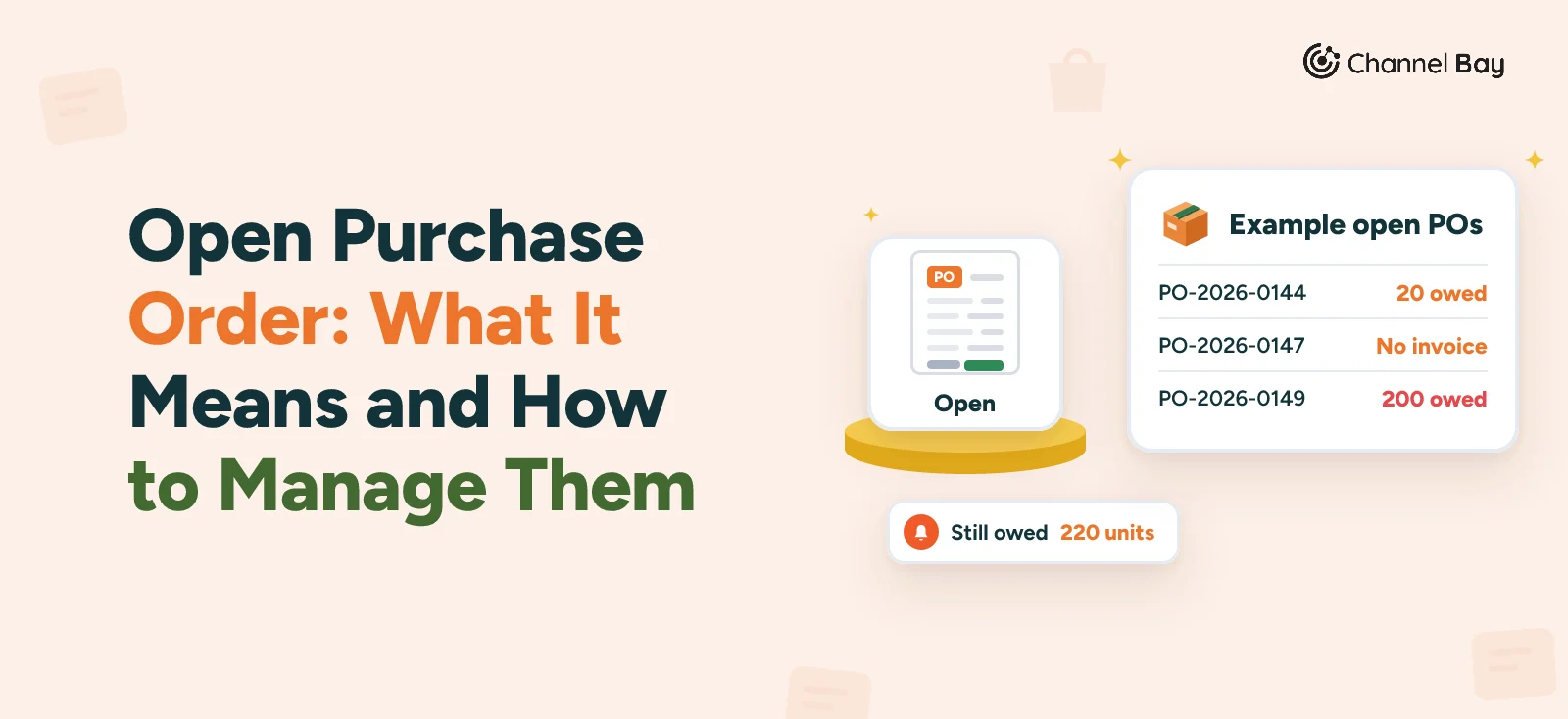
| PO-2026-0144 | Sage mugs, $3.40 each | 300 | 280 | 20 | 12 | Matched for 280, unpaid |
| PO-2026-0147 | Linen napkins, $1.80 each | 300 | 300 | 0 | None | Not received |
| PO-2026-0149 | Tote bags, $2.10 each | 200 | 0 | 200 | 21 | Not received |
Three open POs, 220 units still owed, and $488 of goods still to come ($68 for the 20 mugs and $420 for the 200 tote bags). Each one needs a different decision:
- PO-2026-0144: decide on the balance. The last 20 mugs are 12 days late, which is $68 of stock. Phone the supplier. If the 20 are coming, set a new date and note it. If they are not, get the cancellation in writing, pay the invoice for the 280, then close the PO short. Until then, those 20 count as stock on order.
- PO-2026-0147: chase the invoice. The goods are in, so there is nothing to receive and it will never show as late. It is still open, because the invoice has not arrived. Ask the supplier for it, match it to the receipt, pay it, then close the PO.
- PO-2026-0149: find out what happened. Nothing has arrived and the supplier has gone quiet for three weeks. Ask for a ship date or a cancellation. If the supplier cannot deliver, cancel the PO, tell the supplier you have, and decide whether to reorder from someone else. The 200 bags stay in stock on order until you do.
Suppose the 20 mugs are cancelled and the tote bag supplier cannot deliver. Then one PO is closed short once its invoice is paid, one is waiting for an invoice, and one is cancelled. Stock on order falls by 220 units, so your inventory position drops by 220 and your next reorder check should use the lower number.
How to Review Open POs
- List every placed PO that is not closed or cancelled. Include fully received POs that are waiting on an invoice or payment. They are the ones a "late" filter misses.
- Note three things for each: units still owed, days late, and what the supplier last said. The acknowledgement guide covers how to read the supplier's reply.
- Give each PO one decision: nothing yet, chase, receive, or close or cancel. Our management guide has the weekly routine and a free tracker.
- Set a limit for part-delivered POs. Our goods receipt guide suggests something like 30 days past the due date, then a decision about the balance.
- Look for the signs of a stale PO. The supplier cancel date has passed, there has been no activity for weeks, the product has been dropped, the supplier is no longer used, or the PO duplicates another one.
- Write down what you decided. One line on the PO, with the date.
How to Close an Open PO
What to do depends on what is outstanding:
| Situation | What to do |
|---|---|
| Goods received, invoice matched, paid | Close the PO |
| Goods received, no invoice yet | Do not close it. Chase the invoice first |
| Part received, balance not coming | Get the supplier's written confirmation that the balance is cancelled, then close the PO short |
| Nothing received, supplier cannot deliver | Cancel the PO and confirm the cancellation in writing |
| Nothing received, still wanted | Chase, update the expected date and note why |
| Goods received with faults, credit pending | Record the return and the credit first (return to vendor), then close |
Closing short means closing a PO that was received in part, with the rest cancelled. Two warnings from one university finance office are worth keeping in mind. Ohio University's guide says that closing a PO without contacting the supplier "will result in the product being shipped" once it is available, with an invoice sent against the closed PO, and that "when a PO is closed prior to the invoice being received, we are unable to open the PO to finish invoicing" (Ohio University Finance, March 27, 2024). Your system may differ, but the lesson holds: tell the supplier, and get the invoice before you close.
Open PO vs Blanket PO
A blanket PO is a standing agreement with one supplier that can take several deliveries. Illinois State University's purchasing office describes one as a PO "issued to a vendor that may be left open for a complete fiscal year" (Illinois State University, no page date shown). Our blanket purchase order guide covers how releases work. In our blanket guide, each release is raised as its own PO. It opens when you place it and closes when the goods are in and the invoice is paid, so a blanket PO can stay open for a year while its releases open and close.
If a supplier or a system says "open order", ask which it means: a standing order that takes releases, or an order that has not arrived yet.
Common Mistakes With Open Purchase Orders
- Leaving a dead balance open. Units that are never coming still count as stock on order, so a reorder can fire late.
- Closing before the invoice arrives. In some systems a closed PO cannot be reopened to finish invoicing.
- Closing without telling the supplier. At Ohio University, the goods can still ship, with an invoice.
- Reviewing only late POs. A PO that is fully received and waiting on an invoice is not late, but it is still open.
- Treating drafts as open. A draft has not gone to the supplier, so it should not count as stock on order.
- Raising a second PO after a change. Keep the same PO number and mark the revision, or you will have two open orders for the same goods.
- Not recording why a PO was closed. A short close with no note looks like a mistake in three months.
Open Purchase Orders in Shopify
Shopify's help page on purchase orders names two statuses, Draft and Ordered ("mark it as Ordered after your supplier confirms"). It says that once a PO is Ordered you can create an inventory transfer to track shipments and receive inventory (Shopify Help Center, no date shown, read 11 November 2026). The page does not describe closing or cancelling a purchase order, or a filter for open or outstanding orders.
Progress shows on the transfer. Shopify's transfers page gives each item a receive action: Accept adds the units to stock, Reject logs them without changing inventory, and Cancel is for items that were never shipped. The transfer stays In progress while you have received only some items, and it changes to Transferred after all items are received (Shopify Help Center, no date shown, read 11 November 2026). Cancel is the closest match to a balance that is never coming, and our Shopify receiving guide covers the steps.
On our reading, a Shopify open PO is in practice an Ordered PO whose transfer is not finished, or one that has no transfer yet. The pages we read do not describe closing a PO itself or checking an invoice, so those checks stay in your own records. The free tracker in the management guide gives you the open list Shopify does not describe.
How Channel Bay Handles Open Purchase Orders
Channel Bay, our app, has more statuses than Shopify and does the incoming-stock sum for you, as of November 2026.
Statuses and Incoming Stock
- Statuses. Draft, Planned, Open, Partially Received, Fully Received, Overdue, Expired, Closed and Cancelled, plus Imported for Stocky orders. In Channel Bay, Open is one status. This guide's open PO also covers Fully Received POs that are still waiting on an invoice or payment. Draft and Planned are not active yet, and Planned is a draft whose expected delivery is more than 90 days away. Open means activated with Mark as ordered or Activate PO. Emailing the supplier is a separate step.
- What counts as incoming. The units still owed (ordered minus received) on Open, Partially Received, Overdue and Expired POs. Drafts, planned POs, closed POs and cancelled POs do not count.
- Where it shows. The forecast's suggested order subtracts the same PO remainder, on plans that include forecasting, such as Pro. A dead balance on an open PO therefore holds back the next suggested order until you deal with it. The Incoming column on the inventory list also adds units on inbound stock transfers.
Late POs and the List
- Overdue. A daily job marks an Open PO whose expected delivery date has passed as Overdue and sends an in-app notification. A PO that already has units received is not switched to Overdue: it keeps its Partially Received status, and its detail panel shows an Overdue badge and an "Arrival overdue by N days" banner instead.
- Expired. A second daily job marks a PO past its supplier cancel date as Expired, with a notification. The supplier cancel date is optional.
- A dead end to know about. Expired can replace a Partially Received status, and Channel Bay offers neither Close PO nor Cancel PO on an Expired PO that has units received. If you set a supplier cancel date, decide on any balance before it passes.
- The list. The PO Status cards group the list: To receive holds Open, Overdue and Partially Received, All POs counts everything except closed POs, and Received holds Fully Received and Closed. The list starts with the last 30 days, so widen the date range to find older POs.
- Columns. You can add Units Outstanding, % Received and Supplier Cancel Date, and the Expected Arrival column shows how many days late a PO is. For the invoice-and-payment check in the weekly review, filter the status to Fully Received and look at the Invoice No. column and the Payment Status filter.
Closing, Closing Short and Cancelling
- Close PO. It is offered for Partially Received and Fully Received POs. Nothing closes a PO for you when the last unit arrives, and Close PO does not check that the invoice is matched or paid, so that check is yours. A closed PO leaves the active list, and Reopen PO brings it back with its status worked out again from the quantities received.
- Closing short. Closing a Partially Received PO takes the unreceived units out of Incoming. Receiving in batches, which is what produces Partially Received, is included from the Basic plan. On Lite the page receives every remaining item in one step.
- Cancel PO. It works on Open, Overdue and Expired POs with nothing received, and it takes the incoming units off. Channel Bay does not tell the supplier, so tell them yourself.
- Closed means locked. Receiving batches and supplier returns cannot be edited once the PO is closed, so record any credit first.
What it does not do: it sends no reminder to chase a supplier beyond the Overdue and Expired notices, and it has no structured field for the supplier's reply. The weekly review in this guide is still a habit you keep.
Where to Start
Open your PO list today and list everything you have placed that is not closed or cancelled, including fully received POs that are still waiting on an invoice or payment. In Channel Bay, filter the status to Open, Partially Received, Overdue, Expired and Fully Received. For each PO, write down the units still owed and the date the supplier last confirmed anything. Close the ones that are finished, cancel or close short the ones that are never coming, and put a date on the rest. Then repeat it next Monday.
Frequently Asked Questions
What is an open purchase order?
What is the difference between an open PO and a closed PO?
Is an open purchase order a liability?
How do you close an open purchase order?
Is an open PO the same as a blanket PO?
How often should you review open purchase orders?
Can you reopen a closed purchase order?

Guides from the team that builds and supports Channel Bay, the Shopify inventory app for purchase orders, stocktakes, stock transfers and multichannel stock sync. About Channel Bay