Return to Vendor (RTV): The Process, the Paperwork and Getting the Credit
Return to vendor (RTV) sends stock back to a supplier. See when to return it, the steps and paperwork, how to track the credit, and what Shopify does.
On this page
- What is a return to vendor?
- When should you return stock to a vendor?
- The return to vendor process, step by step
- What to record for every return
- What a return does to your stock, cost and reorder numbers
- Returning stock to a vendor in Shopify
- How Channel Bay handles supplier returns
- Common return to vendor mistakes
- Where to start
Key Takeaways
- A return to vendor (RTV) sends stock you already own back to the supplier for a credit, a refund or a replacement. It is also called a return to supplier, a vendor return or a purchase return.
- Return only when the stock is faulty, wrong or covered by the supplier's terms. Catch problems at the door when you can, because rejecting a delivery is simpler than returning stock you have already counted in.
- Get the supplier's return authorization (RMA) before you ship, and record the expected credit when the stock leaves. The credit is money owed to you until the supplier's credit note arrives.
- Shopify has no return-to-supplier workflow in its purchase order, receiving or adjusting pages. You can reduce the quantity by hand, but nothing ties the adjustment to the supplier, the PO or the credit.
- Channel Bay records a return against a PO or on its own, takes the units out of stock, works out the expected credit and lets you record what the supplier actually credited. It has no draft state, supplier RMA field or accounting link.
Return to vendor (RTV) means sending stock back to the supplier you bought it from, usually for a credit, a refund or a replacement. It is also called a return to supplier, a vendor return or, in accounting, a purchase return. The stock leaves your count, the supplier owes you money or goods, and until that credit arrives you hold a claim that someone has to track.
Most guides on this topic are written for retail chains and warehouse systems. This one is for a Shopify store that buys from a handful of suppliers and finds a faulty batch after it has been put away. It covers when to return stock, the process and the paperwork, what to record so the credit doesn't get lost, and what Shopify and Channel Bay do about it. Return to vendor comes after receiving in the purchase order cycle. It picks up where the goods receipt leaves off.
What Is a Return to Vendor?
A return to vendor is the whole job of sending stock back and getting something for it. Four terms come up, and they are issued by different people.
| Term | Who issues it | What it is |
|---|---|---|
| Return to vendor (RTV) | You | Your record that stock is going back to the supplier, with a number of your own |
| RMA (return merchandise authorization) | The supplier | Permission to send the stock back, with a number to quote on the parcel. Some suppliers call it an RA or an RGA |
| Credit note (credit memo in the US) | The supplier | The document that reduces what you owe, or leaves a balance in your favor |
| Debit note (debit memo in the US) | You | Your notice that you are deducting an amount from what you owe, which some buyers send with a return |
A return to vendor is not a customer return. A customer return starts from a sales order and ends with a refund or exchange for the customer. A vendor return starts from stock you already hold and ends with a credit from your supplier. In Channel Bay they live in different places: customer returns are in Returns, supplier returns are in Supplier Returns.
When Should You Return Stock to a Vendor?
Not every problem needs a return. Some are a claim, and some cost more to send back than they are worth.
| Situation | Usual answer | Why |
|---|---|---|
| Defective units found after receiving | Return for a credit or a replacement | The fault is the supplier's |
| Wrong item sent | Return it | You did not order it |
| Damaged in transit | Make the claim first, and return if asked | The claim may sit with the carrier, depending on the shipping terms |
| Extra units over the PO quantity | Return them, or keep them and amend the PO | See the extra units section of the goods receipt guide |
| Good stock you ordered and cannot sell | Only if the supplier's terms allow it | A supplier is not obliged to take back goods that match the order, and may charge a restocking fee |
| A small fault on a cheap item | Ask for a credit without a return, or write it off | Shipping it back can cost more than the credit |
If you catch the problem at the door, don't receive the units at all. Rejecting them on the receipt is simpler than returning stock you have already counted in, and the goods receipt guide covers how. A return to vendor is for stock that is already in your inventory. A supplier shortfall or breakage you never claim ends up as inventory shrinkage, and the guide shows how to separate it from the rest of a count's gap.
Before you return anything, read the supplier agreement for four things: the return window, who pays the freight, whether there is a restocking fee, and what condition the goods must be in. If any of them isn't written down, get the supplier to confirm it by email, and put it in your purchase order terms for the next order.
The Return to Vendor Process, Step by Step
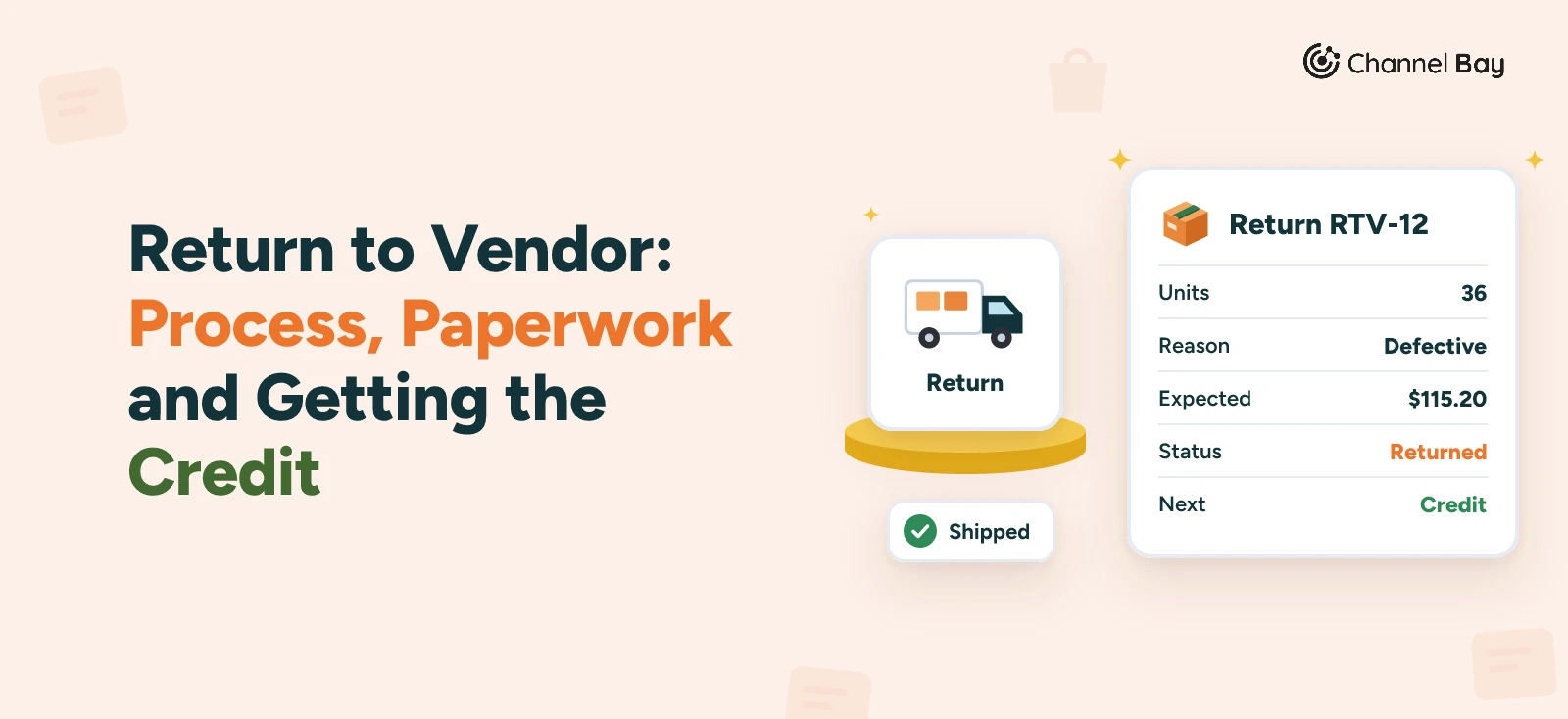
The example is the mug brand from our other purchase order guides. It is invented, and it follows the numbers from the purchase order guide. The brand ordered 500 mugs on PO-2026-0142 at $3.20 each, plus $180 freight, and accepted 480 of them at receiving. Three weeks later, the warehouse finds that 36 of the 480 have a glaze fault that was not visible when they were counted in.
- Confirm the stock is returnable. The 36 mugs are on the shelf, they came from PO-2026-0142, and the return window in the supplier agreement has not closed. Check the quantity against what is on hand now. Units already sold or moved can't go back. PO-2026-0142 was closed after the $64 credit note, so the brand reopens it first, because in Channel Bay a closed PO can't take a return.
- Ask for the RMA. Email the supplier with photos, the PO number, the SKU and the quantity, and ask for an RMA number, who pays the return freight, and whether they want a credit or a replacement. Here the supplier sends RMA-7781 and a prepaid label, and agrees to a credit.
- Take the stock out of sellable inventory. Do it once the return is agreed and the mugs are being packed, so they are not sold while they wait for the courier. Record the return, with the reason and the unit cost. A return that is sent without a record is one reason a later count comes up short, as the inventory reconciliation guide explains.
- Pack it and ship it. Put the RMA number on the box and inside it, and keep the tracking number and the delivery confirmation. If the supplier says it never arrived, that is your proof.
- Record the expected credit. It is the units times the PO price: 36 x $3.20 = $115.20. Until the credit note arrives, that is money the supplier owes you.
- Chase and record the credit note. Set a follow-up date when you ship. When the credit note arrives, note its number, its amount and the date.
- Reconcile the difference. Compare the credit with what you expected. If it is lower, find out why before you accept it.
In the example, the supplier's credit note is for $105.60, which is 33 mugs. The supplier says three were chipped after delivery.
| Item | Figure |
|---|---|
| Mugs returned | 36 |
| Expected credit | 36 x $3.20 = $115.20 |
| Credit note received | $105.60 (33 mugs) |
| Difference | $9.60, three mugs the supplier disputes |
The brand can accept the $9.60, or send photos taken before the return to dispute it. Either way, the record shows what was expected, what arrived and what is still open.
What to Record for Every Return
A return that is not written down is a credit you forget to chase. Keep these on one record, whether it is a spreadsheet row or a system entry.
| Field | Example | Why it matters |
|---|---|---|
| Your return number | RTV-12 | One number to find it by |
| Supplier's RMA number | RMA-7781 | The supplier needs it to match the parcel |
| PO number | PO-2026-0142 | Ties the credit to the original purchase |
| SKU and quantity | MUG-WHT-12, 36 | What went back |
| Reason | Defective | The supplier's evidence, and your pattern spotting |
| Unit cost | $3.20 | The basis for the credit |
| Expected credit | $115.20 | What you should receive |
| Shipping proof | Tracking number, date delivered | If the parcel is disputed |
| Credit note | Number, amount, date | What you actually got |
If you have already paid the invoice, the credit can be refunded or taken off your next invoice from that supplier. Agree which one with the supplier. For how credit notes sit beside the PO and the invoice, see purchase order vs invoice, and for catching billing differences before you pay, the three-way match.
What a Return Does to Your Stock, Cost and Reorder Numbers
Stock. The units leave your count at the location they ship from. Available stock falls, so days of stock left fall with it, and a product can drop to or below its reorder point as a result. If you wanted the mugs, the supplier's credit does not replace them: raise a replacement order or reorder (see the reorder point guide).
Cost. The credit is money owed back to you, not a loss, but it is not always the whole cost. In the example, the $180 freight over 480 accepted mugs adds $0.375 to each one, so each mug cost $3.575 with freight, before any duties and fees. The 36 returned mugs carry $13.50 of freight that the supplier's credit note does not return, unless you agreed it would. The supplier credits the price, so the freight stays in your costs. The landed cost guide shows how that is worked out.
The PO. The quantities ordered and received on the PO don't change because of a return. The return sits beside the PO, and the credit note settles the money. Editing the PO to hide a return makes the receipt, the invoice and the stock count disagree.
Returning Stock to a Vendor in Shopify
Shopify's purchase order, receiving and adjusting pages describe no return-to-supplier workflow (Shopify Help Center, purchase orders, read 9 November 2026). Two things come close.
- Rejecting at receiving. Receiving a PO happens on a linked transfer, where each unit is accepted, rejected or cancelled. Rejected units are recorded on the transfer but do not add to available stock at any location (Shopify Help Center, receiving inventory). That covers problems caught at the door. See how to receive inventory in Shopify.
- Removing the units by hand. On the Inventory page you change the quantity with Adjust by, choose your location as the origin and Inventory removal as the destination, and optionally add a reason. The reasons are a fixed list, including Damaged and Theft or loss (Shopify Help Center, adjusting inventory quantities). Shopify keeps an adjustment history of who changed what and when, but nothing in it names the supplier or a return.
For stock you have already counted in, the second route is the only one. A merchant in a Shopify Community thread describes the gap: they sent 45 faulty boots back to a supplier and had nothing to record it against. A 2024 reply in the thread points to the adjustment reasons. Because the reasons are a fixed list, the return number has nowhere to go, so keep the supplier, the RMA number, the expected credit and the credit note in a sheet or an email thread, and note the date of the adjustment beside them so the two can be matched.
How Channel Bay Handles Supplier Returns
Channel Bay has a Supplier Returns module in the Purchasing group of the sidebar, next to Suppliers and Purchase Orders. This is what it does, as of November 2026:
- Two ways to start. Click Return items on a received purchase order, which opens the return with the PO, supplier and location filled in. Or click New Return in Supplier Returns, choose the supplier and the location the stock ships from, and optionally pick a PO. Without a PO, you can return products linked to the supplier.
- A limit on each line. The most you can return is the smaller of the stock on hand at that location and, with a PO, the units received on the line minus the units already returned. A larger entry is cut down to the limit.
- A reason and a scan. Each line takes an optional reason: Defective, Damaged, Wrong item, Overstock or Other. You can add products by scanning a barcode or SKU.
- Stock leaves when you save. The return gets a number like RTV-12. The units come out of inventory at the source location and out of the channel inventory Channel Bay holds for a mapped product, and the change goes to Shopify on the next sync. In inventory history it shows as a supplier return.
- An expected credit. Each line's unit cost times the quantity, with the unit cost fixed when the line is first saved. With a PO, the cost is the PO line's unit price. Without one, it is the supplier's cost for the product, or the product's cost price if the supplier has none. Freight and line discounts on the PO are not included.
- Three statuses. Returned, Credited and Cancelled. Mark as Credited starts from the expected credit, and you change it to what the supplier actually credited. If the two differ, the return shows a note saying so. You can amend the credit, or un-credit it, but a credited return can't be cancelled or edited until you un-credit it.
- Edit and cancel. Until a return is credited or cancelled you can change its quantities and reasons. Cancelling puts the units back into inventory at the source location, and with a PO they count as returnable again.
- A PDF and a list. Generate PDF makes a Supplier Return document with the return number, PO number, date, supplier, lines with reasons, quantities, unit costs and the expected credit. The list can be searched by RTV number, supplier or PO number, and filtered by supplier, status, location and date. The list shows the last 30 days of returns until you change the date range.
- The PO stays as it is. A return does not change the PO's status or totals. The return is logged in the PO's history, and More Actions, then View Return History, on the PO lists its returns.
Some limits to know about:
- No draft state. A return takes the stock out the moment you save it. Create it when the units are leaving, not when someone first asks.
- No fields for the supplier's side. There is no field for the supplier's RMA number, the carrier or tracking, or a restocking fee. Keep those in your email thread or a note.
- No email to the supplier. You can download the PDF and send it yourself.
- The credit is a record you enter. Channel Bay does not talk to an accounting package or the supplier. It holds the amount you tell it, beside the expected one.
- Locked when the PO closes. Editing, crediting and cancelling are only possible while the linked PO is Partially received, Fully received, Overdue or Expired. Record the credit before you close the PO, or reopen it with More Actions, then Reopen PO. Returns with no PO are not affected.
- No credits report. You can filter the list, but there is no report that totals credits owed by supplier.
Supplier Returns uses the same permission as Purchase Orders. Staff need full access to create, edit, credit or cancel a return, and view-only staff can open the list and the PDF. Supplier returns follow Purchase Orders, which are on every plan including Free, so check the pricing page for the plan you are on. The purchase orders page shows where returns fit with the rest of the order.
Common Return to Vendor Mistakes
- Shipping without an RMA. The parcel arrives, nobody knows what it is for, and the credit is delayed or refused. Ask first.
- Leaving the stock in sellable inventory. The mugs get sold while they wait for the courier. Take them out when you decide to return them.
- Closing the PO before the credit is recorded. In Channel Bay, that locks the returns. In a sheet, the PO is easy to forget about, and the credit with it.
- Expecting the credit to cover freight. It usually covers the price of the goods. Check what was agreed.
- No follow-up date. A credit that nobody chases tends to stay open. Put a date in the record when you ship, and check open returns weekly with your open POs.
Where to Start
Look at the last faulty or wrong delivery you dealt with. Was the stock taken out of the count, did you have an RMA, and did the credit arrive? If any of those has a gap, start by writing down the nine fields in the table above for every return. A sheet is enough for a few returns a quarter. A system earns its place when returns come from several suppliers and several locations and the credits are hard to match to POs.
Frequently Asked Questions
What does return to vendor (RTV) mean?
What is the difference between an RTV and an RMA?
What is the difference between a credit note and a debit note?
Who pays for return shipping?
Can I return stock to a supplier without a purchase order?
Does Shopify have a return to vendor feature?
Is a return to vendor the same as a customer return?

Guides from the team that builds and supports Channel Bay, the Shopify inventory app for purchase orders, stocktakes, stock transfers and multichannel stock sync. About Channel Bay