Purchase Order Approval: How to Set Up an Approval Workflow
Purchase order approval is the sign-off before a PO goes to a supplier. See who should approve, a limits matrix, what to check and how to set it up.
On this page
- What is a purchase order approval workflow?
- Why approve purchase orders at all?
- Which POs need approval?
- The approval matrix: who approves what
- A worked example: three POs on one Monday
- What an approver should check
- How to set up a PO approval workflow
- When a PO changes after approval
- If the approver is away
- Keep the person who raises it apart from the person who approves it
- Do you need purchase order approval software?
- Common mistakes with purchase order approval
- Purchase order approval in Shopify
- How Channel Bay handles purchase order approval
- Where to start
Key Takeaways
- Purchase order approval is the sign-off that happens before a PO is sent to a supplier. An approval workflow is the set of rules for which POs need it, who gives it and where the answer is recorded.
- Approve by exception. A routine reorder from the usual supplier at the usual price needs no sign-off. A PO over your limit, or one with a new supplier, a new product or a price jump, goes to the owner.
- Amount alone is not enough. In the worked example a $1,950 PO from a new supplier is under a $2,000 limit and still needs a yes.
- Send the PO back to the approver when it changes after approval: a new supplier, line, location or payment term, or a total that rises past a set margin.
- Shopify's help page describes only Draft and Ordered, with no approval step. Channel Bay has none either, but you can keep a PO as a draft until the owner marks it ordered, limit who can edit POs (Pro plan) and see in the history who created and activated one.
Purchase order approval is the sign-off a purchase order (PO) gets before it is sent to the supplier. A person with authority to spend the money checks the supplier, the lines, the prices, the delivery date and the terms, then approves the PO, changes it or rejects it. A purchase order approval workflow is the set of rules around that sign-off: which POs need it, who gives it, how fast, and where the answer is written down.
It matters because the PO is where a plan becomes a commitment. Once a supplier accepts it, you owe the goods. This guide covers which POs need approval, how to write an approval matrix with limits, what an approver should check, how to run the workflow step by step, what to do when a PO changes after approval, and what Shopify and Channel Bay do about it. It is a companion to the purchase order guide, which follows one PO from approval to payment.
What Is a Purchase Order Approval Workflow?
It is a gate between a drafted PO and a sent PO. The buyer drafts the order, the approver reviews it, and only an approved PO goes to the supplier. A workflow is just that gate made repeatable: the same triggers, the same approver for the same kind of order, the same record every time.
It is not the same as approving a purchase requisition. A purchase requisition is an internal request, and approving it answers "should we buy this at all?" Approving the PO answers "is this order right?": the right supplier, the right quantity, the price we expected, a date we can live with. If you use requisitions, the PO check can be quick, a comparison with what was approved. If you don't, the PO approval is the only gate, so it carries more weight.
Why Approve Purchase Orders at All?
Three reasons, in the order they usually bite:
- Cash. A PO commits money before any invoice exists. A wrong quantity or a missed price rise is cheapest to fix while the PO is still a draft.
- Stock. Open POs count as incoming stock in many systems, and reorder decisions then lean on them. A PO that should never have been sent distorts every later reorder.
- The supplier may hold you to it. Cornell's Legal Information Institute describes apparent authority as the power of an agent to act for a principal when a third party reasonably infers, from the principal's conduct, that the agent has it, and says the principal is typically liable for what the agent does within that authority (Cornell LII Wex, apparent authority, last reviewed June 2022). The same page notes that a limit the principal placed on an agent, if the other side doesn't know about it, doesn't remove that authority. As an illustration, an internal rule such as "nothing over $2,000 without the owner" may not help if a PO over $2,000 has already reached the supplier. The control has to sit before the send. This is general information, not legal advice, and rules differ outside the US.
Which POs Need Approval?
Not all of them. A workflow that stops every PO becomes the reason stock runs out. Approve by exception, with triggers like these:
| Trigger | Why it needs a look | Example |
|---|---|---|
| Total over your limit | The most money at risk | Any PO over $2,000 |
| New supplier | No track record on price, quality or lead time | First order from a new factory |
| New product | No sales history to size the quantity | 300 units of a product you have never sold |
| Price above the last PO | A rise you may be able to negotiate | Unit price up more than 5% on the last order |
| Quantity far above normal cover | Cash tied up in stock that sits | More than a set number of days of sales |
| Unusual terms | Cash leaves earlier or the risk moves | Payment up front, or a longer lead time than usual |
| Raised after the fact | The goods are already coming | A PO written to match an invoice that has arrived |
A routine reorder needs none of these: the usual supplier, the usual quantity, the price on file, under the limit. Let the buyer send it. Our purchase requisition guide makes the same point from the request side, with the reorder point acting as the approval.
The Approval Matrix: Who Approves What
An approval matrix is a short table that says who approves a PO depending on its amount and other triggers. Tradogram, a procurement software vendor, recommends writing it by role, amount and category and not by named person, so it keeps working when people change jobs, and keeping it short enough to hold in your head, since a complex matrix applied selectively controls less than a simple one applied consistently (Tradogram, purchase order approval workflow guide, published 30 August 2023, updated 23 October 2026, read 11 November 2026). Its advice on levels is that each one needs a distinct reason to exist, and a level that approves everything is a notification and not an approval.
For an online seller that usually means one or two levels. How many depends on who can place orders:
| Business | Who raises POs | Who approves | Typical rule |
|---|---|---|---|
| Solo owner | The owner | Nobody else | A written limit and a checklist before sending; sleep on anything over it |
| Two to five people | A buyer or warehouse lead | The owner | Exceptions go to the owner; routine reorders don't |
| Several locations or a finance team | Store managers or buyers | Owner or operations manager, with finance above a second limit | Two levels, each with a stated reason |
Here is an example matrix for a small brand. The dollar limits are invented for this example, and yours should come from your own orders:
| PO | Who approves |
|---|---|
| Routine reorder: usual supplier, usual quantity, price within 5% of the last PO, under $2,000 | The buyer sends it, no sign-off |
| Over $2,000, or a new supplier, new product or price up more than 5% | The owner |
| Over $10,000, or payment up front on any amount over $5,000 | The owner and whoever keeps the books |
How to Pick the Limit
Pull your last 12 months of POs and sort them by total. Find the line above which you would have wanted to see every order, and set the limit just below it. Then watch what happens. If the owner approves almost everything that arrives, the limit is too low and approval has become a rubber stamp. If a PO the owner would have queried went out unseen, it is too high.
A Worked Example: Three POs on One Monday
Three POs sit in the buyer's draft list. The example is invented, apart from the mug PO, which is the running example from our other guides, and the matrix above applies.
| PO | What it is | Total | What the matrix says |
|---|---|---|---|
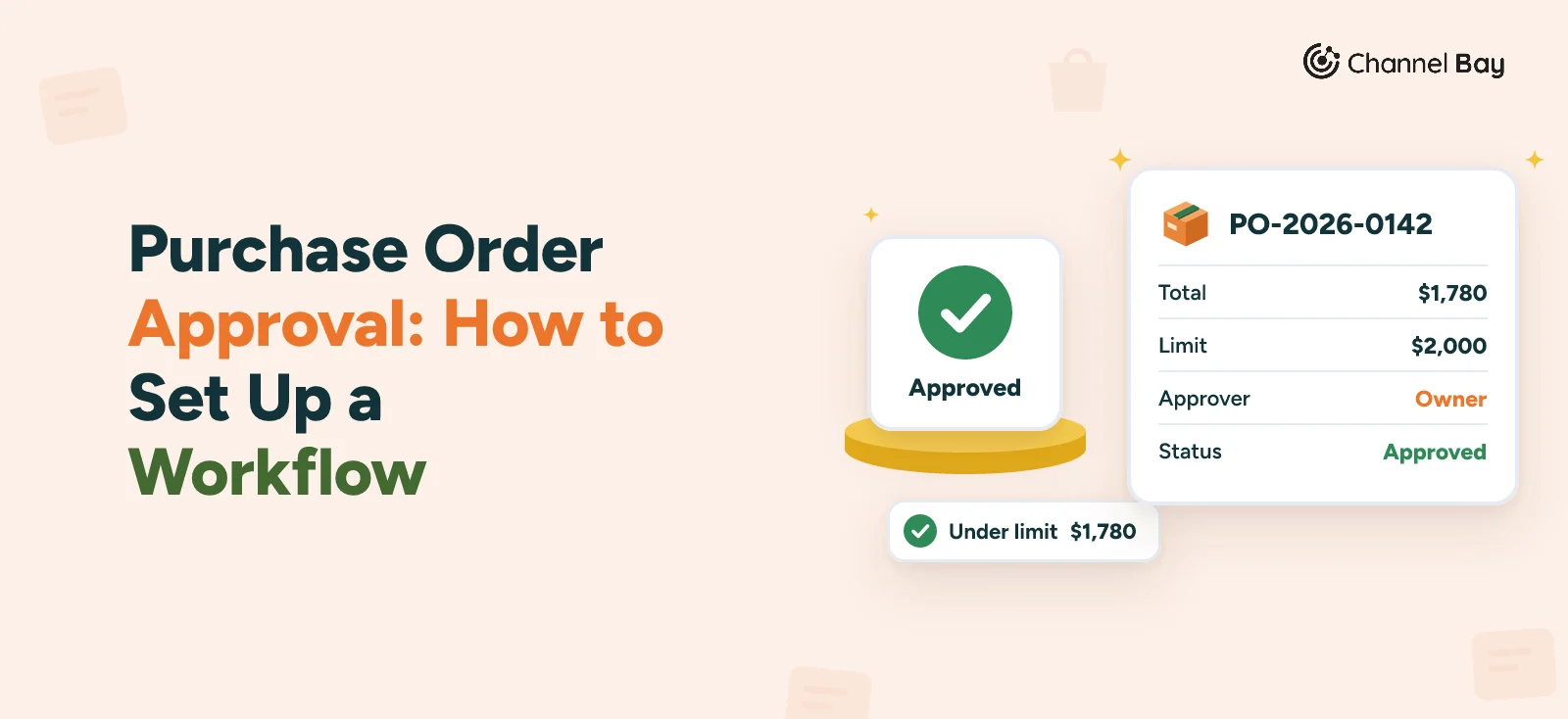
| PO-2026-0142 | 500 white mugs (MUG-WHT-12) at $3.20, plus $180 freight, usual supplier, usual quantity, same price as last time | $1,780 | Routine and under $2,000, so under this matrix the buyer sends it. In our other guides the operations manager's quick check against the requisition is the sign-off |
| PO-2026-0151 | 300 canvas tote bags at $7.50, plus $150 freight, usual supplier, a product the brand has never sold | $2,400 | Over $2,000 and a new product. Owner |
| PO-2026-0153 | 2,000 enamel pins at $0.85, plus $250 freight, from a supplier the brand has never used | $1,950 | Under $2,000, but a new supplier. Owner |
The third row is why amount alone is not a rule. At $1,950 the pins PO is under the limit and would have gone out on a limits-only workflow, with a supplier nobody had checked. The trigger that caught it was "new supplier".
What does the owner check on the totes? At 3 a day, which is invented for this example, 300 bags is 100 days of stock for a product with no sales history. The reply might be "approved for 100 bags, then reorder on what sells". That is the point of approval: a short, specific answer that changes the order before it exists.
What an Approver Should Check
Keep the check short and the same each time. Eight questions cover most of it:
| Check | The question | Where to look |
|---|---|---|
| Need | Is stock actually low, or is this a guess? | Stock against the reorder point and days of cover |
| Supplier | Is this a supplier on your list, with the right contact and terms? | Your supplier record |
| Lines | Are the products, SKUs and pack sizes right? | The PO against the request or the plan |
| Quantity | Does it respect the minimum and fit the sales rate? | The supplier's minimum order quantity and recent sales |
| Price | Is each unit price what was quoted, and no higher than last time without a reason? | The last PO or the quote |
| Freight and costs | Are freight, duty and fees allowed for, so you know the cost per unit? | Your landed cost sheet |
| Delivery date | Does it fit your lead time, or will stock run out first? | The expected date against sales per day |
| Terms and cash | Are the payment terms right, and can you pay when it falls due? | The PO terms and your cash position |
The PO should also carry a number and the approver's name. Our guides to PO numbers and the purchase order template cover both, including an Authorized by field.
How to Set Up a PO Approval Workflow
- Write the matrix on one page. Triggers, approver by role, a named backup. If it doesn't fit on a page, it is too complicated to follow.
- Decide where a PO waits. A PO that needs approval should sit in a state that can't be mistaken for sent: a draft in your system, or a row marked "pending" in a spreadsheet. A PO that waits in an email thread gets lost.
- Make the request a message with four things. The PO number, the supplier, the total and a one-line reason ("below reorder point", "new supplier, first order"). It lets the approver decide in a minute without opening anything else.
- Give a time limit. Ask for an answer within one working day, and tell the buyer when to chase. Slow approvals cause the stockouts the workflow is meant to avoid.
- Let the approver approve, change or reject. "Yes", "yes but fewer" and "no, because" are all valid. A rejection comes with a reason so the buyer can fix it.
- Record the approval with the PO. Name and date, on the PO if there is a field or in the notes or the thread if not. It must be findable later, by someone who wasn't in the conversation.
- Send only after the record exists. The send is the point of no return, so it comes last.
- Review it monthly. Look at how long approvals take, how many are approved at first pass, how many POs went out without approval and how many were raised after the invoice arrived. The last should trend towards zero, and if it doesn't, the limits are probably wrong, not the people. That list is adapted from Tradogram's four measures (same guide).
When a PO Changes After Approval
An approval covers the PO as it was approved. Decide in advance what sends it back:
| Change | Back to the approver? |
|---|---|
| A different supplier | Yes |
| A new line, or a different product | Yes |
| The total rises past a set margin, such as 5% or $100 | Yes |
| A different ship-to location | Yes |
| Payment terms change | Yes, quickly |
| The total falls and nothing else changes | No, record it |
| A date moves by a few days | No, record it |
The supplier's acknowledgement is where this usually comes up. In our acknowledgement guide, a reply to PO-2026-0142 cuts 500 mugs to 400, moves the ship date to 14 November and changes net 30 to net 15. The total falls from $1,780 to $1,460, which looks fine, but the payment terms changed, so under this table it goes back to the approver for a quick yes before anyone accepts it.
If the Approver Is Away
Name a backup with the same limit and write it into the matrix. If the owner hasn't replied in a working day, the backup decides up to that limit. Above it, someone rings the owner. Without that, approvals pile up on the days the approver travels, and a stockout waits for them.
If you are a solo owner, you are the approver, so use the checklist instead of a person. Draft the PO, leave it until the next morning when it is over the limit, and check the eight questions before it goes. It costs a day and catches the order you typed with the wrong number of zeros.
Keep the Person Who Raises It Apart From the Person Who Approves It
In a team of three or more, the buyer who raises the PO shouldn't be the only one who approves it. The same applies down the chain: whoever approves the PO shouldn't also be the only person who receives the goods and approves the invoice. Separate those roles and a mistake or a bad actor has to get past a second person. The three-way match is the control at the other end, comparing the PO, the receipt and the invoice before you pay. For a small team a clear rule is enough, as long as everyone follows it.
Do You Need Purchase Order Approval Software?
Often not. Most small teams approve by hand, and it works while the number of approvers and POs is small.
| Approach | Good for | Where it breaks |
|---|---|---|
| Message or email, plus a note on the PO | One or two approvers, a few POs a week | Approvals get buried; no audit trail beyond the inbox |
| The approval feature in an accounting or inventory tool | A small team that wants routing and limits inside the tool it already uses | Features and plans vary, so check which plan includes approvals |
| A procurement platform | Several departments, budgets and many approvers | Cost and setup, and it is built for spend control more than resale stock |
When you evaluate software, check whether its rules can express your real matrix, whether it handles an absent approver, and whether an approved request becomes a PO without retyping. Our purchase order software guide lists which products state approvals on their own pages and which plan they sit on, and the purchase order management guide covers the routine around open POs.
Common Mistakes With Purchase Order Approval
- Approving by amount only. A new supplier or a new product can sit under the limit.
- Setting the limit so low that everything needs approval. The owner starts approving without reading.
- Approving in a chat nobody can search. Record the approval somewhere findable with the PO.
- Letting approved POs change. A quantity or term change after sign-off is a new decision.
- Raising POs after the invoice arrives. The approval is then a formality, and it should be counted and chased.
- Naming a person, not a role. The rule fails the day that person is on leave or leaves.
- No backup approver. One absence stops ordering.
- Treating approval as the last control. It checks the order. The receipt and the invoice match check what arrived and what you were billed.
Purchase Order Approval in Shopify
Shopify's purchase orders page describes two statuses, Draft and Ordered, and no approval step or approver (Shopify Help Center, read 11 November 2026). It says to mark a PO as ordered after your supplier confirms it. Our guide to how to create a purchase order in Shopify adds that marking a PO as ordered can't be undone.
That leaves you to build the approval yourself. Keep the PO as a draft, send your approver the four-part message, and write the yes in a note or the thread. Then send the PO from the draft and, as Shopify's page says, mark it ordered once the supplier confirms (see our acknowledgement guide). Marking it ordered is not your approval point here, because by then the PO has already gone out.
How Channel Bay Handles Purchase Order Approval
Channel Bay has no approval workflow. It has no approver field, no limits and no request or notification that goes to an approver, and a PO has no pending-approval status. What it does give you is a few things to build a manual process on, as of November 2026:
- A draft holds the PO back. Save as Draft keeps a PO for later. A draft can't be received, marked paid, invoiced or emailed to the supplier, and its units don't count as incoming stock. Mark as ordered, or Activate PO in the More Actions menu, makes it active. That click is your sign-off point.
- You can pull an open PO back. While a PO is still Open, it can be returned to draft from More Actions, Mark as Draft. That doesn't unsend an email already sent.
- Access can be limited. With team access, which is on the Pro plan by default, you invite staff as Full Access, View Only or Custom. The permission group that covers Purchase Orders, Stock Transfers and Vendors can be set to No Access, View Only or Full Access. A View Only member can see POs but can't create or edit them or mark one as ordered. Full access is needed for those actions.
- The history shows who did what. View history on a PO lists each event with the date, the change and the user, including who created and activated it and who changed its expected date, payment terms, shipping or discount, or added or removed products. The PO list can be filtered by Created By.
- You can record the approval on the PO. Internal Notes is a free-text field, so "Approved by [name], 11 Nov, over limit" can sit with the order.
Some limits to know about:
- Access is per area, not per action. Anyone with Full Access to Purchase Orders can create a PO, edit it and mark it ordered. The separation between the person who raises a PO and the person who approves it is a rule your team follows, not one the app enforces.
- No threshold or routing. The app won't hold a PO over $2,000 for the owner or send a reminder.
- Marking ordered is the only built-in pause. If a Full Access user creates a PO and saves it as active, it is live straight away, and its units count as incoming.
- Line edits aren't in the history. A change to the quantity or price of an existing line isn't logged, so after approval the approver should re-check the PO itself.
- Team access is a Pro feature by default. Check your plan before you count on limiting who can edit POs.
For many small teams that is enough. The buyer saves a draft, the owner checks it, and the owner marks it ordered. If you need limits, routing and reminders, check that before you choose, and see our software guide. Channel Bay's purchase orders and user management pages show what each covers.
Where to Start
Pull your last 12 months of POs, sort them by total, and pick one limit. Write the matrix on one page with a named backup, and add the "new supplier" and "new product" triggers so a small PO can't slip through. Then put the next five POs through it, and look at how many the approver changed. If the answer is none, the limit is too low. If a PO went out that you would have stopped, it is too high.
Frequently Asked Questions
What is purchase order approval?
Who should approve purchase orders?
Do small businesses need a purchase order approval process?
How many approval levels does a PO workflow need?
What is a purchase order approval matrix?
What happens if a PO is sent without approval?
Can I set up PO approvals in Shopify?

Guides from the team that builds and supports Channel Bay, the Shopify inventory app for purchase orders, stocktakes, stock transfers and multichannel stock sync. About Channel Bay