Inventory Valuation for Shopify Stores: Methods, Costs and Reports
Inventory valuation puts a cost on the stock you hold. See the four choices that set it, what Shopify records, a worked example and a monthly check.
On this page
- What is inventory valuation?
- What sets the number, and where do you see it?
- Which units exist: count before you cost
- What each unit cost, and what counts as cost
- Which cost leaves your books when you sell?
- Can the cost still be recovered?
- How does Shopify value your inventory?
- One set of stock, from purchase to books
- How do you value stock each month?
- Inventory valuation in Channel Bay
- Where to start
- All the guides on inventory valuation
Key Takeaways
- Inventory valuation is the quantity on hand times the cost of each unit. Four choices set it: which units exist, what each cost, which cost leaves when you sell, and whether that cost can still be recovered.
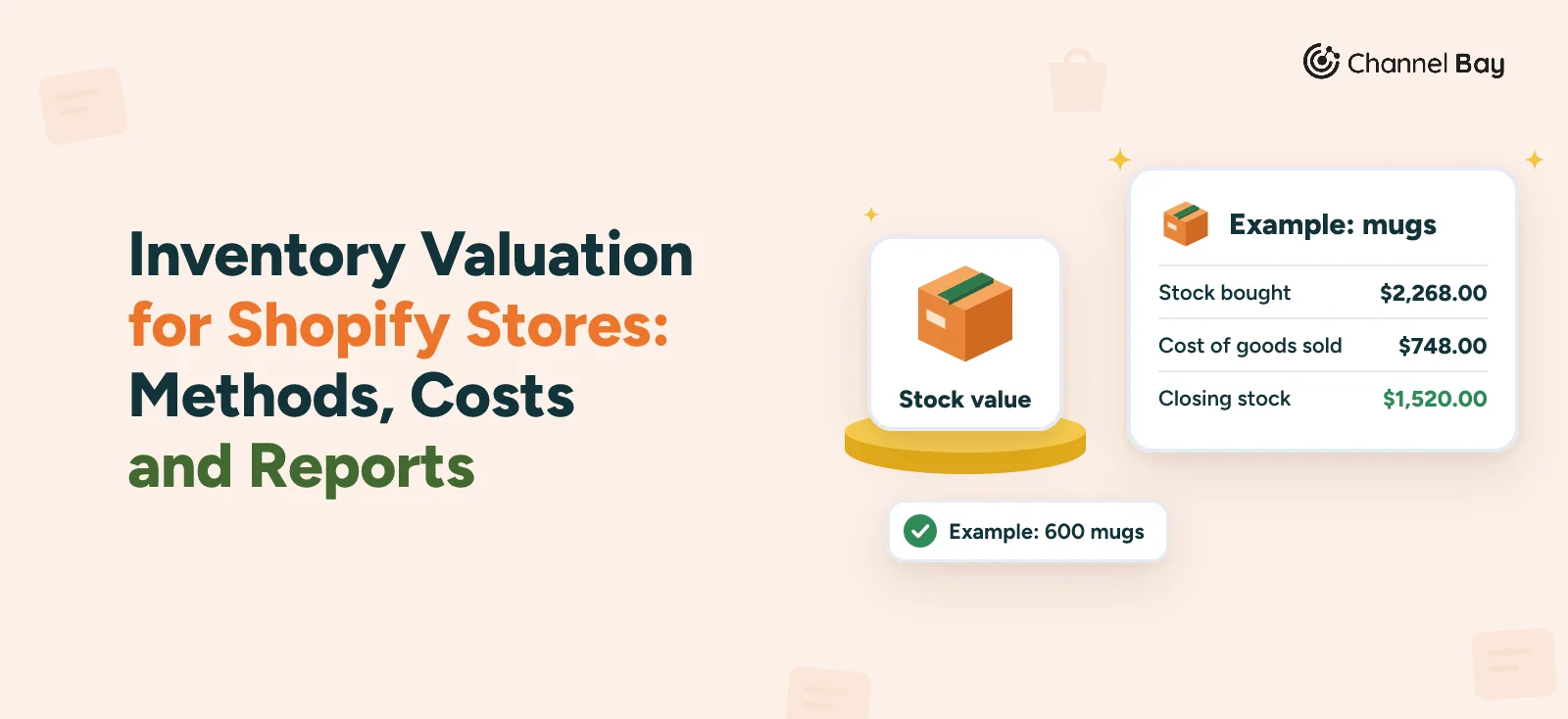
- Closing stock and cost of goods sold come from the same purchases, so an error in one is an error in the other. On the example mugs they add up to the $2,268.00 the stock cost under any of the four costing methods.
- Shopify keeps one cost per item for each variant, names no costing method and reports stock value in a month-end report. The method is whatever you type into the field and when you update it.
- IAS 2 allows FIFO or weighted average cost. HMRC says LIFO isn't allowed for UK tax. IRS Publication 538 names specific identification, FIFO and LIFO. Pick the method your accountant files and stay with it.
- Stock is carried at the lower of cost and net realizable value, so damaged or slow stock is written down or off. Count first, claim what a supplier owes, keep proof, then record it.
Inventory valuation is the cost your books put on the stock you hold: the units on hand multiplied by what each one cost. Four choices set the figure: which units exist, what each one cost, which cost leaves the books when you sell one, and whether that cost can still be recovered. A mistake in any of them moves your stock value and your profit together, because the same purchases are split between the two.
Shopify records one cost per item for each variant, names no costing method and shows stock value in a month-end report. This guide is the overview for Shopify sellers. It takes the four choices in turn, runs one set of mugs through them and links to the guide that goes deeper on each. We read the standards and Shopify pages cited here on 13 November 2026, and none of it is tax or accounting advice. If you only have a minute, find the variants that have stock and no cost, and fix those first.
What Is Inventory Valuation?
Inventory valuation is the process of putting a cost on the stock you hold at a point in time. For one product it is the quantity on hand times the cost of a unit. For the business it is the total across every product and location. It is a value at cost, not a selling price, although Shopify's ABC product analysis report shows both: Total value (cost) and Total value (price), the second based on the sale price and excluding discounts (Shopify Help Center, inventory reports, read 13 November 2026).
The same costs feed two numbers. Closing stock is the cost still on the shelf, and cost of goods sold is the cost of what left. IRS Publication 334 works cost of goods sold out as the inventory at the start of the year plus purchases, less the inventory at the end (IRS Publication 334 (2025), chapter 6, read 13 November 2026).
Publication 538 adds that you must value your inventory at the beginning and end of each tax year (IRS Publication 538 (01/2022), Inventories, read 13 November 2026). So a stock value that is too high means cost of goods sold is too low, and the reverse. You can't have an accurate profit figure with an inaccurate stock value.
What Sets the Number, and Where Do You See It?
The four choices are four questions, and each has its own guide. The fifth row of this table is where you see the result. It is the map, and the rest of the page takes the rows in order.
| Question | What decides it | Go deeper |
|---|---|---|
| Which units exist? | Counts, adjustments, shrinkage and what you have received | Stocktake guide, inventory adjustment, inventory reconciliation |
| What did each unit cost? | Supplier price plus freight, duty and fees, less discounts | Landed cost, Shopify cost per item and landed cost |
| Which cost leaves when you sell? | A costing method: FIFO, LIFO or weighted average | FIFO vs LIFO vs weighted average, weighted average cost formula, Shopify cost of goods sold |
| Can the cost still be recovered? | Lower of cost and net realizable value, write-downs and write-offs | Inventory write-off |
| Where do you see the result? | Reports, at month end or on demand | Shopify inventory value report |
Which Units Exist: Count Before You Cost
A valuation multiplies a cost by a quantity, so a wrong quantity makes the value wrong at any cost. Records drift further than most sellers expect. In one study of nearly 370,000 inventory records from 37 stores of one retailer, 65% were inaccurate (DeHoratius and Raman, Management Science, 2008, read 13 November 2026).
Three habits keep the quantity honest:
- Count on a schedule. The stocktake guide covers full counts and cycle counts, and how to do stocktakes in Shopify has the steps. A blank row in a count is a product nobody looked at, and setting it to zero removes units that may still be on the shelf. See uncounted items in a stocktake.
- Post differences as adjustments, with a reason. The inventory adjustment guide covers the Shopify steps, the reasons and what the bulk editor leaves out of the history.
- Find the cause before you fix the number. A wrong count is sometimes a mis-keyed delivery or transfer, which inventory reconciliation helps you trace. Inventory shrinkage shows how to measure what went missing, and inventory accuracy how to track the trend.
Every adjusted unit carries a cost, so an adjustment is also a valuation event. Take 10 mugs off at $3.80 and stock value falls by $38.00, as the example later in this guide shows. Stock that hasn't arrived isn't counted either: Shopify's value report works from On hand units and leaves Incoming units out, so check what is still incoming before you compare months.
What Each Unit Cost, and What Counts as Cost
Cost is more than the supplier's price. IAS 2, the international standard for inventories, says the cost of purchase includes the price, import duties and other taxes the business can't recover later, and transport and handling costs directly attributable to getting the goods, and that trade discounts and rebates are deducted (paragraph 11, AASB 102 Inventories, the Australian text of IAS 2, read 13 November 2026). The per-unit total is the landed cost.
IRS Publication 538 says much the same for goods you buy during the year: the invoice price minus appropriate discounts plus transportation or other charges (Cost Method, Publication 538, read 13 November 2026).
Shopify's cost per item field is worded more narrowly. Its help gives, as an example for a product you resell, the price paid to the manufacturer excluding taxes, shipping or other costs (Shopify Help Center, adding cost per item to products, read 13 November 2026). A store that enters only that figure values its stock below the cost the two sources above describe, and the freight and duty never reach its cost of goods sold.
Two things about the field decide how much its history is worth:
- It holds one value per variant. Shopify's help describes one cost per item for each variant and documents no history of earlier costs, so a new delivery at a new price replaces the old figure.
- A change only applies going forward. The cost is recorded on an order when the order is created, and a changed cost isn't applied to orders created before the change (same help page).
Our landed cost guide gives the formula and the allocation methods, and our Shopify cost per item and landed cost guide walks through updating the field one product at a time and in bulk.
Which Cost Leaves Your Books When You Sell?
When you buy the same item at different prices, a costing method decides which cost is recorded as sold. FIFO (first in, first out) takes the oldest cost first, LIFO (last in, first out) the newest, and weighted average cost a blend of everything in stock. A fourth, specific identification, matches the actual cost to the actual unit and suits unique or serialized items. These are assumptions about cost, not instructions for your warehouse.
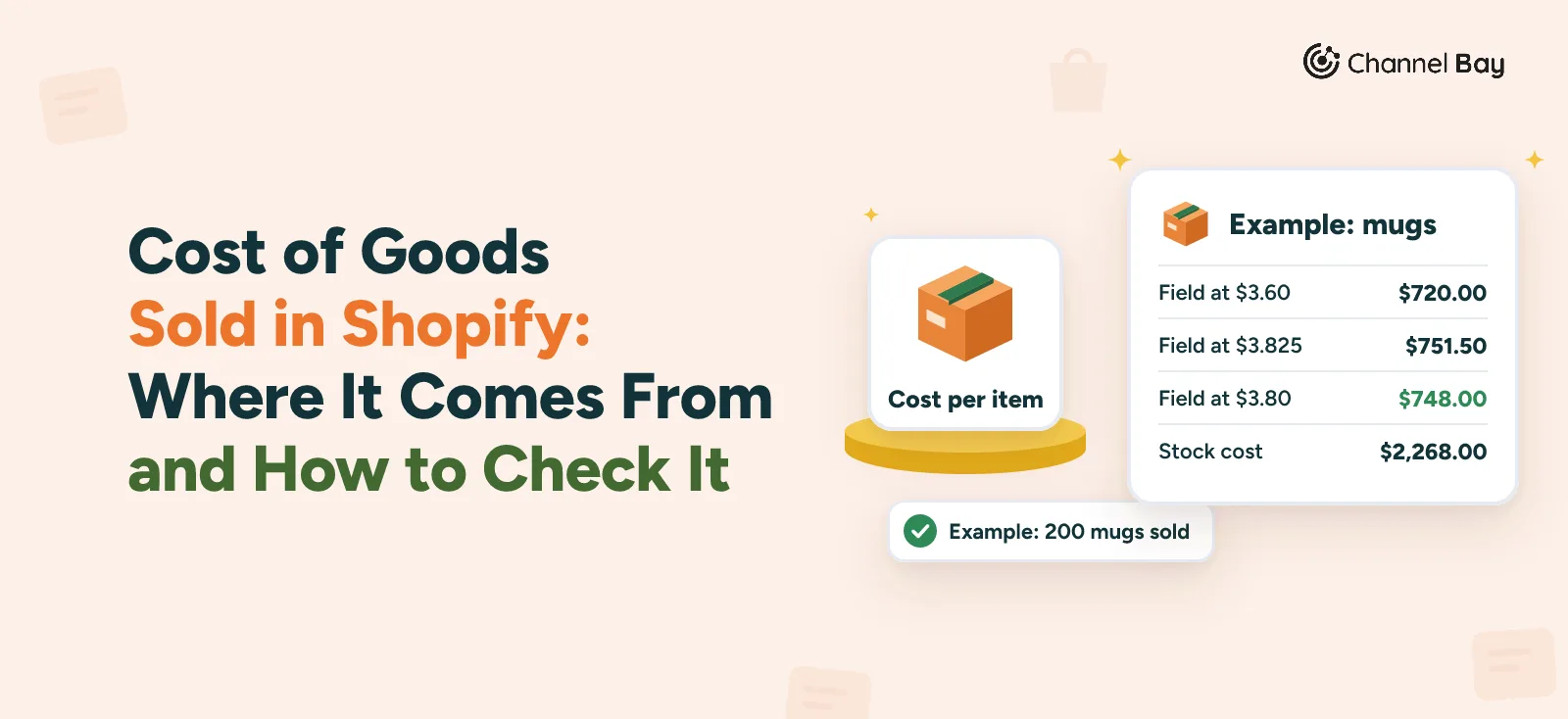
The effect shows on one set of purchases. Example, invented figures. A store holds 120 mugs at $3.60 and receives 480 more at $3.825, so 600 mugs cost $2,268.00 in all. It sells 200 at $16.00, 60 before the delivery and 140 after, and 400 are left.
| Method | Cost of goods sold, 200 mugs | Closing stock, 400 mugs | Together |
|---|---|---|---|
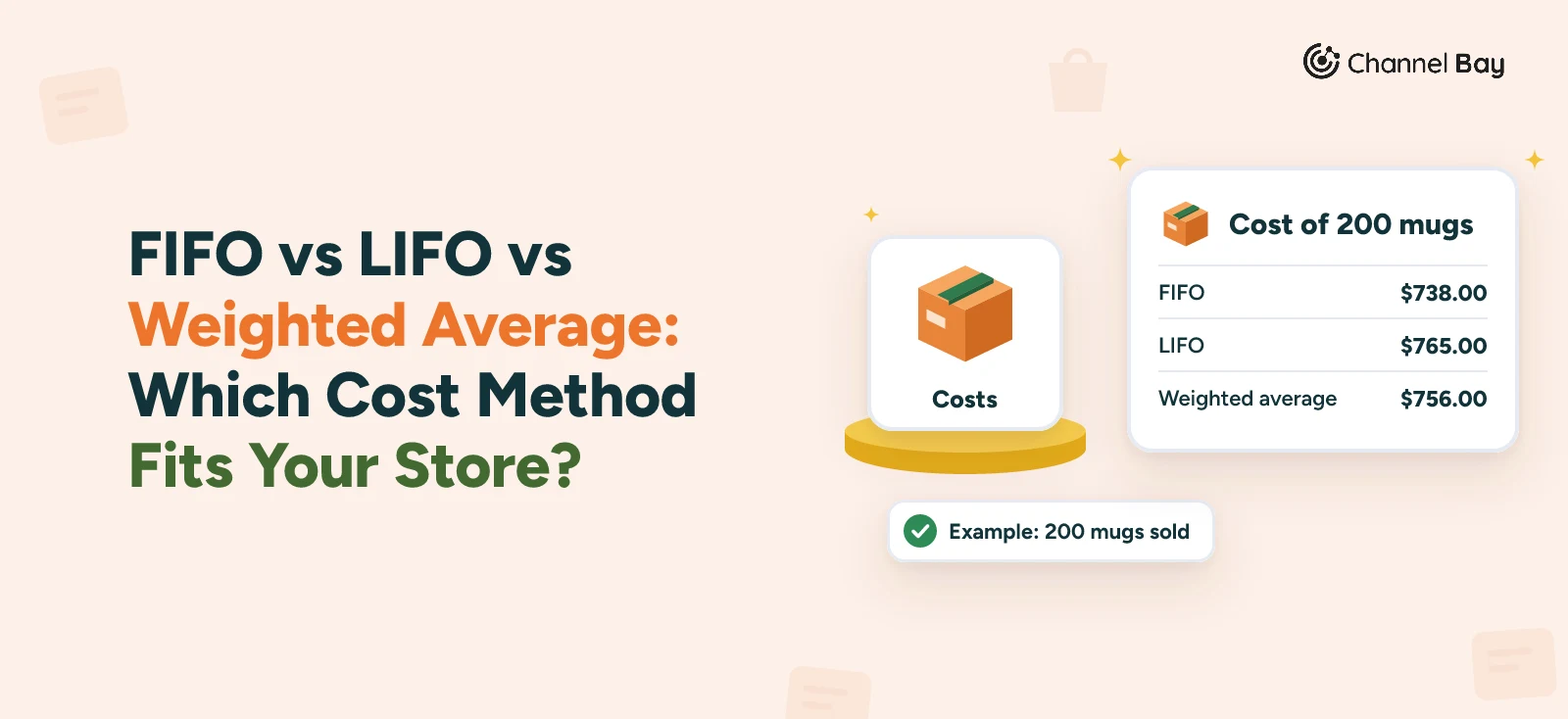
| FIFO | $738.00 | $1,530.00 | $2,268.00 |
| LIFO, periodic | $765.00 | $1,503.00 | $2,268.00 |
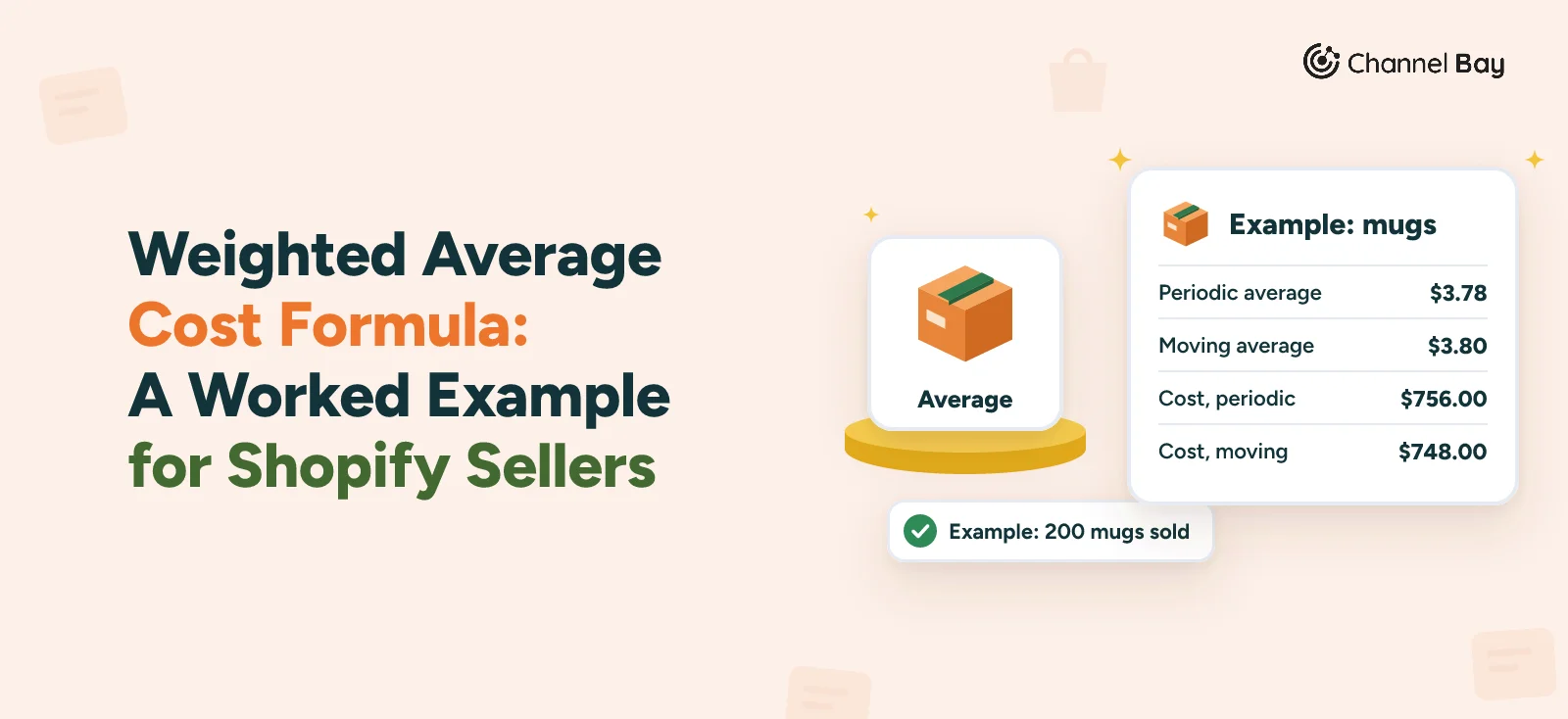
| Weighted average, periodic ($3.78) | $756.00 | $1,512.00 | $2,268.00 |
| Weighted average, moving (to $3.80) | $748.00 | $1,520.00 | $2,268.00 |
Every row adds up to the same $2,268.00, because each method splits the same purchases. They differ only in when the cost reaches your profit. Costs rose from $3.60 to $3.825 here, so FIFO shows the lowest cost of goods sold and LIFO the highest. The LIFO row is the periodic version, which costs all 200 sales from the newest layer. LIFO applied sale by sale would cost the 60 early sales at $3.60 and the 140 later ones at $3.825, giving $751.50 and $1,516.50 left, which also adds up to $2,268.00. IAS 2 says the weighted average can be calculated periodically or as each shipment is received (paragraph 27), which is the difference between the two average rows: the periodic figure spreads the later delivery back over the early sales, and the moving figure doesn't. The weighted average cost formula guide shows both on the same mugs, with a spreadsheet layout.
Where Each Method Is Allowed
The rules depend on where you file. This is what the primary sources say, read on 13 November 2026.
| Where | What the source says |
|---|---|
| US tax | IRS Publication 538 lists specific identification, FIFO and LIFO as ways to identify the cost of items in inventory. It says your inventory practices must be consistent from year to year and that the method must conform to generally accepted accounting principles for similar businesses and clearly reflect income |
| IFRS | IAS 2 (paragraph 25) assigns the cost of interchangeable inventory using the FIFO or weighted average cost formula, and doesn't list LIFO (AASB 102) |
| UK tax | HMRC's manual says "LIFO is not an allowable method for valuing stock for tax purposes" (HMRC Business Income Manual, BIM33100) |
| Elsewhere | Rules in Australia, Canada, New Zealand and other countries differ. Ask your accountant, or read your tax authority's guidance on trading stock |
Publication 538's list of ways to identify cost doesn't name an average cost method, so if you use weighted average for US tax, ask your accountant how it is treated. Start from where you file, then from how your costs behave, and stay with the method you pick: switching back and forth makes last year's margin impossible to compare with this year's. The FIFO vs LIFO vs weighted average guide has a situation table for choosing.
Can the Cost Still Be Recovered?
Stock isn't carried at cost forever. IAS 2 says inventories are measured at the lower of cost and net realizable value (paragraph 9). It adds that cost may not be recoverable if stock is damaged, has become obsolete or its selling price has fallen, and that stock is usually written down to net realizable value item by item (paragraphs 28 and 29, AASB 102, read 13 November 2026). IAS 2 also reassesses net realizable value each period and limits any reversal of a write-down to the amount of the original write-down (paragraph 33).
Publication 538 describes a lower of cost or market method that compares each item with its market value and says to value each item separately (Publication 538, read 13 November 2026).
Two terms get mixed up:
- A write-down lowers the recorded value of stock you can still sell, to what you expect to recover. Example, invented figures. 50 seasonal candles cost $6.00 each, $300.00 in all, and you expect to sell them for $2.50 each after selling costs. The carrying value falls to $125.00, so $175.00 is written down and the candles stay on the books.
- A write-off removes the whole recorded cost of stock that has no value left. Example, invented figures. 30 sage mugs at $3.20 are crushed in storage, so $96.00 is written off.
Before you write anything off, ask what else could recover value. A markdown, a bundle, a carrier claim or a supplier credit all reduce the loss, and the return to vendor guide covers tracking a credit. Don't write off stock nobody has counted. The inventory write-off guide has the situation table, the journal entries, the records to keep and what three IRS publications say about deducting the loss.
How Does Shopify Value Your Inventory?
Shopify has two views of value, and both depend on the cost per item field.
Stock value. Go to Analytics, then Reports, filter by the Inventory category and open Month-end inventory value. Its Total inventory value is the cost per item multiplied by the ending quantity for each variant, and the sum shows in the Summary row (Shopify Help Center, inventory reports, read 13 November 2026).
Starting 1 October 2026, inventory reports measure On hand quantity instead of Available quantity, and data before that date still shows Available, so a trend that crosses 1 October mixes two bases. Our Shopify inventory value report guide covers the steps, what the total includes and a table of why it may not match your books.
Cost of goods sold. Shopify adds up the cost per item recorded on each order. In Finance Summary, the Gross profit breakdown card splits Net sales into those with and without cost recorded, and only net sales with cost recorded are included in the Cost of goods sold report and count toward Gross profit (Shopify Help Center, finance reports, read 13 November 2026). A sale made while the field was empty is left out, and a sale made while it held an old price carries the old price. See Shopify cost of goods sold for where each report sits and how to check it.
Three limits follow from the design:
- No costing method. Shopify's cost per item help names no method. FIFO, LIFO and weighted average are whatever you do to the field.
- One cost per variant. The help pages we read describe a single cost per item for each variant, with no cost layers, no cost by location and no earlier costs to look back at.
- Static data. Shopify's profit reports page says the field contains static data, so the reports are only relevant to a specific point in time. For more dynamic reporting it suggests running financial reports in an ERP or accounting system, using a reporting app from the Shopify App Store for the total value of your inventory, or calculating costs, profits and losses manually (Shopify Help Center, profit reports, read 13 November 2026).
What you type decides what Shopify reports:
| What you type in cost per item | What Shopify reports | Suits |
|---|---|---|
| The supplier price from the last purchase order | The last price, with freight and duty left out | Quick product margins |
| The landed cost of the last delivery | The last landed cost, which re-prices older stock | Margins close to what restocking costs now |
| A moving weighted average, updated at each delivery | Moving average cost of goods sold | Books that use average cost |
| The cost of the layer being sold (FIFO or LIFO) | Needs a ledger, because one field can't hold layers or locations | Books that use FIFO or LIFO |
One Set of Stock, From Purchase to Books
Here are the mugs again, this time through to the books. Example, invented figures. The field starts at $3.60. What it holds after the delivery decides what the 140 later orders record:
| Cost per item after the delivery | Cost of goods sold | Closing stock at the field | Together | Gap to the $2,268.00 |
|---|---|---|---|---|
| Never updated, $3.60 | $720.00 | $1,440.00 | $2,160.00 | -$108.00 |
| Latest cost, $3.825 | $751.50 | $1,530.00 | $2,281.50 | +$13.50 |
| Moving average, $3.80 | $748.00 | $1,520.00 | $2,268.00 | $0.00 |
Of these three field settings, only the moving average reconciles, because it is the only one that keeps what was sold and what is left equal to what the stock cost. This is the check the rest of the guide builds on:
Opening stock + purchases - cost of goods sold - closing stock - stock written off = 0
On the moving average figures it is $432.00 + $1,836.00 - $748.00 - $1,520.00 - $0.00 = $0.00. Now suppose a count finds 10 of the 400 mugs broken. At $3.80 each, the write-off is $38.00 and the 390 mugs left are worth $1,482.00. The check still balances: $432.00 + $1,836.00 - $748.00 - $1,482.00 - $38.00 = $0.00. If it doesn't balance in your own figures, the gap says where to look. A negative gap points at a cost that wasn't raised when a dearer delivery arrived, and a positive one at a cost that was raised across stock that was already on the shelf.
Our Shopify cost of goods sold guide runs the three field cases in full and gives a symptom table for the gaps.
How Do You Value Stock Each Month?
Pick one day each month, ideally just after it ends. Read the reports first and change costs last, so the figures still reflect the field as it stood.
- Run Month-end inventory value and note the Summary row, on the same basis as last month.
- Note the Finance Summary figures. Write down Cost of goods sold and Net sales without cost recorded for the month.
- Run the check. Opening stock + purchases - cost of goods sold - closing stock - stock written off should be zero. Investigate any gap.
- Review slow and damaged stock. Decide what to write down or off, claim what a supplier owes first and keep the proof.
- Count a slice of stock. Post the differences as adjustments with a specific reason.
- Then fix costs. Add costs to variants that have stock and no cost per item (they add nothing to the stock value), and update the costs for the month's deliveries, on the day you receive stock if you can. Write down every change, because Shopify's help documents no history of the field.
Inventory Valuation in Channel Bay
Channel Bay is our app, so we're not neutral here. What follows is how it works as of November 2026.
Costs come in at receiving. Each purchase order line has a unit cost that you can change as you receive. Freight and adjustments are entered per delivery and spread across its lines by value to give a landed cost, and the landed cost guide covers the method. Cost price sync and Cost Tracking, below, use the unit cost entered at receiving, not the landed cost.
Cost price sync sends one cost to Shopify. With it on, a cost added or changed in Channel Bay is synced to Shopify, so new orders record it. You choose Last received cost, the unit cost from the latest receipt, or Rolling Average cost, a moving weighted average updated at each receipt. It needs a plan with cost and retail price sync, which Pro has by default, and it is off until you turn it on. The weighted average cost formula guide has the formula and the steps.
Cost Tracking keeps layers. Cost Tracking records what stock cost at each location in layers and uses FIFO or LIFO to decide which cost a sale or removal uses. The account owner turns it on, for Shopify stores only, and it needs Cost price sync to be on first. It opens with a balance for each variant at its current cost price, purchase order receipts add a layer at the received unit cost, and manual adjustments are held for your review so you can confirm the cost. It doesn't change the cost per item in Shopify. It is separate from Rolling Average cost, and the FIFO vs LIFO vs weighted average guide shows how the two settings work together.
Reports. Two reports matter for valuation:
- Inventory on Hand (under Reports) lists each variant at each location, with On Hand, Committed, Available, Incoming, Cost Price, Avg Unit Cost, Selling Price, Value at Cost, Value at Retail, Potential Gross Profit and Margin %. It is a current view with a Location filter and Export CSV. The Avg Unit Cost, Value at Cost, Potential Gross Profit and Margin % columns stay hidden until Cost Tracking is on.
- Inventory Adjustment Report (under Reports) lists adjustments with reason, quantity change and cost value, for a location and date range, with Export CSV. A variant's History tab shows each change with its reason and user.
Limits to know. Inventory on Hand has no date range, and the report catalogue's Month-End Inventory Value and Stock on Hand as of Date reports are marked as coming soon, so we don't describe them here. Cost Tracking is for Shopify stores only. Channel Bay doesn't post journal entries or export to accounting software, so the number that goes into your books still comes from you or your accountant. And because its cost figures come from layers while Shopify's profit reports use the cost recorded on each order, the two can differ, so run your monthly check against whichever figure your accountant files.
Channel Bay is free for stores with fewer than 1,000 orders in the last 365 days, and the paid plans are on the pricing page. Our Shopify inventory report page shows the reports, and our roundup of the best inventory management software for Shopify compares the wider field.
Where to Start
Open Analytics, then Reports, then Finance Summary, and look at Net sales without cost recorded for last month. Add the missing costs, then ask your accountant which method you file under and what should count as cost, and write both down. At the next month end, run the check in this guide and chase any gap before you use the stock value for anything else.
All the Guides on Inventory Valuation
The reports
- How to see your inventory value in Shopify: where the Month-end inventory value report is, what it counts and why it may not match your books.
- Shopify cost of goods sold: where the figure comes from, what it leaves out and a monthly check.
What each unit cost
- Landed cost: the formula, what to include and three ways to allocate extra costs.
- Shopify cost per item and landed cost: how the field works and how to update it, in bulk too.
Which cost leaves on a sale
- FIFO vs LIFO vs weighted average: one example, where each method is allowed and what Shopify and Channel Bay do.
- Weighted average cost formula: periodic and moving versions, with a spreadsheet layout.
Which units exist
- Stocktake and how to do stocktakes in Shopify: counting and comparing.
- Inventory adjustment: reasons, entries and the report.
- Inventory reconciliation, inventory shrinkage, inventory accuracy and inventory audit: finding and measuring the gap.
Whether the cost is recoverable
- Inventory write-off: when to write stock off, the entries and the records to keep.
- Return to vendor: getting a supplier credit before you take the loss.
Frequently Asked Questions
What is inventory valuation?
How do you calculate inventory value?
Which inventory valuation method should a Shopify store use?
How does Shopify calculate inventory value?
What is the difference between a write-down and a write-off?
Should you value stock at cost or at retail price?

Guides from the team that builds and supports Channel Bay, the Shopify inventory app for purchase orders, stocktakes, stock transfers and multichannel stock sync. About Channel Bay